
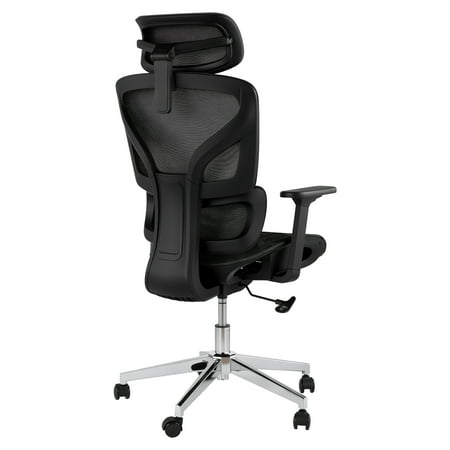

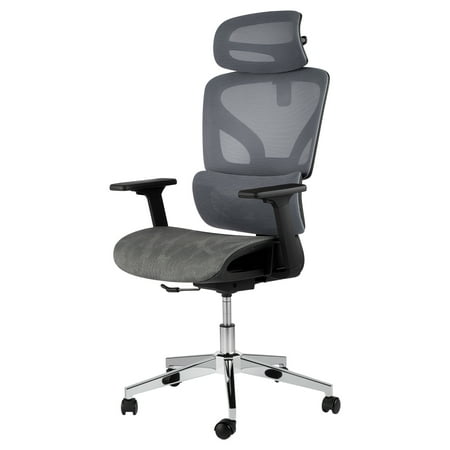
Introduction: The 'Goldilocks' Principle in Ergonomic Seating
Have you ever sat in a chair that felt "almost right"? Perhaps the back support hit you in the wrong spot, or the seat edge pressed against your thighs. You're not alone. For years, office chairs offered a one-size-fits-all approach, forcing our bodies to conform. This is where the office chair with adjustable seat depth and lumbar support changes the game. Think of it like a tailor-made suit versus off-the-rack—the fit is everything. These two adjustments work in harmony to create a seating experience that supports your unique anatomy, reduces fatigue, and keeps you focused.
Decoding the Duo: Seat Depth and Lumbar Support Explained
To truly appreciate an office chair with adjustable seat depth and lumbar support, we must understand each feature separately and then see how they interact.
What is Adjustable Seat Depth (and Why Should You Care)?
Seat depth, often called "seat pan adjustment," is the ability to slide the seat cushion forward or backward. The goal is to create a gap of about two to three finger widths between the back of your knee and the front edge of the seat. This is critical for two reasons:
- Healthy Circulation: When the seat is too long, it presses against the soft tissue behind your knees (the popliteal fossa), which can restrict blood flow and cause swelling or numbness.
- Proper Thigh Support: If the seat is too short, your thighs are left unsupported, forcing your lower back muscles to engage just to keep you upright, leading to fatigue.
According to a study published in the journal 'Applied Ergonomics', improper seat depth is a primary contributor to sitting discomfort in office workers, with over 60% of participants reporting relief after adjusting the seat pan to fit their leg length.
The Magic of Adjustable Lumbar Support
Your lower spine has a natural inward curve (lordosis). Standard chair backs are often flat, leaving a gap between your back and the chair. This forces you to slouch. Adjustable lumbar support fills that gap. But why is adjustment necessary?
Height adjustment ensures the support pad hits the widest part of your lumbar curve (usually around the belt line). Depth adjustment (sometimes called "tension") controls how much the support pushes into your back. Some individuals prefer a pronounced push, while others need a gentler touch. This is not a luxury; it's biomechanics. Maintaining that natural curve reduces pressure on spinal discs by up to 40% compared to slouched sitting.
The Interplay: Why You Need Both
Here's where it gets interesting. Your seat depth directly influences your lumbar support needs. When you slide the seat forward (shortening the depth), your sitting posture shifts slightly, which might require a different lumbar position. Conversely, if you have deep lumbar support, it might encourage you to sit further back, affecting the ideal seat depth. A chair that allows independent adjustment of both gives you the power to fine-tune this relationship dynamically. It's like having a suspension system for your spine.
How to Choose Your Perfect Ergonomic Match: A 4-Step Framework
Navigating the market for an office chair with adjustable seat depth and lumbar support can be overwhelming. Use this step-by-step framework to cut through the noise:
Step 1: Measure Your "Popliteal Length"
Sit on a hard surface with your back against a wall and your feet flat. Measure from the wall to the back of your knee. This is your ideal seat depth range (minus 1-2 inches for clearance). Look for chairs that accommodate this measurement.
Step 2: Map Your Lumbar Curve
While sitting, note the most hollow part of your lower back. Measure its height from the seat pan. When testing chairs, ensure the lumbar mechanism can be raised or lowered to meet that exact point.
Step 3: Prioritize Independent Mechanisms
Some budget chairs link seat depth and back angle. Look for models where you can adjust seat depth independently of the recline and backrest. This gives you true customization.
Step 4: The 15-Minute Test
Once you have a chair, spend 15 minutes adjusting it. Tweak the depth, then the lumbar, sit for 5 minutes, and readjust. Your body will tell you what feels right. Discomfort during this test is a red flag.
Key Benefits Backed by Ergonomics
✓ Reduces Lower Back Strain
Proper lumbar support can reduce muscle activity in the lower back by up to 30%, delaying fatigue.
✓ Prevents "Seat Bite" Numbness
Correct seat depth ensures no pressure on the sciatic nerve and femoral artery, preventing "pins and needles".
✓ Enhances Focus & Productivity
A Cornell University study found that comfortable, well-fitted seating can increase productivity by up to 17.5%.
✓ Future-Proofs Your Comfort
If you change desks, lose/gain weight, or simply your preferences change, you can readjust the chair instead of replacing it.
Beyond Adjustment: Materials & Mechanisms That Matter
An office chair with adjustable seat depth and lumbar support is only as good as its build quality. Here’s what to look for:
Seat Pan Construction
The sliding mechanism should be smooth and lock securely. Look for a seat pan made of high-density foam (to prevent bottoming out) or a high-quality mesh that maintains tension. A "waterfall edge" (curved front) is also crucial to complement the depth adjustment and further reduce thigh pressure.
Lumbar Mechanism Types
- Dynamic (or "floating") lumbar: The support moves with you as you recline. Excellent for active sitting.
- Static adjustable: You set it and it stays put. Best for those who prefer a fixed, consistent support.
- Air-bladder lumbar: High-end option that allows micro-adjustments in depth using a small pump. The ultimate in personalization.
Remember, the frame material matters too. A reinforced steel or aluminum frame is essential for maintaining integrity over years of adjustments.
Frequently Asked Questions (FAQ)
Conclusion: Invest in the Fit, Not Just the Chair
Choosing an office chair with adjustable seat depth and lumbar support is one of the most impactful decisions you can make for your workday wellbeing. It's a shift from passive seating to active ergonomics—where you are in control. Remember, the most expensive chair isn't necessarily the best; the best chair is the one that fits you. Use the steps and insights above to find a chair that disappears beneath you, allowing you to focus on your work, not your aches. Your back (and your productivity) will thank you for years to come.