

Understanding the Connection Between Office Chairs and Back Pain
If you're reading this, chances are you've experienced that all-too-familiar ache in your lower back after a long day at the office. You're not alone. According to the American Chiropractic Association, 80% of the population will experience back pain at some point in their lives, with prolonged sitting being one of the primary culprits. The average office worker spends 6-9 hours per day seated—that's up to 45 hours per week putting pressure on your spinal discs.
The Good News: The right office chair for back pain can reduce spinal pressure by up to 35%, improve blood circulation, and help maintain the natural S-curve of your spine. Think of your chair not as just furniture, but as a health investment that you'll use 2,000+ hours per year.
But here's the challenge: with hundreds of chairs claiming to be "ergonomic" and "back-pain relieving," how do you separate marketing hype from genuine solutions? This comprehensive guide breaks down exactly what features matter for back pain relief, which adjustments are worth paying for, and how to choose a chair that works with your body—not against it.
7 Essential Features of an Effective Office Chair for Back Pain
Not all ergonomic chairs are created equal. Based on research from spine specialists and ergonomic experts, these are the non-negotiable features you need for back pain relief:
✓ Must-Have Features
- Adjustable Lumbar Support (Height + Depth): This is your #1 priority. The lumbar support must move up/down AND in/out to fit your specific spinal curve. Static lumbar pads rarely fit everyone correctly.
- Seat Depth Adjustment: The seat pan should slide forward/backward. Proper depth (2-4 finger gap behind knees) prevents thigh pressure and encourages proper sitting posture.
- Tilt Mechanism with Tension Control: You should be able to recline and lock at multiple angles. Reclining slightly (100-110°) reduces spinal disc pressure by 15-20%.
- Adjustable Armrests (4D Preferred): Armrests should move up/down, forward/back, left/right, and pivot. This keeps shoulders relaxed and prevents upper back tension.
- Waterfall Seat Edge: The front of the seat should curve downward to prevent pressure behind knees and improve circulation.
⚠ Features to Evaluate Carefully
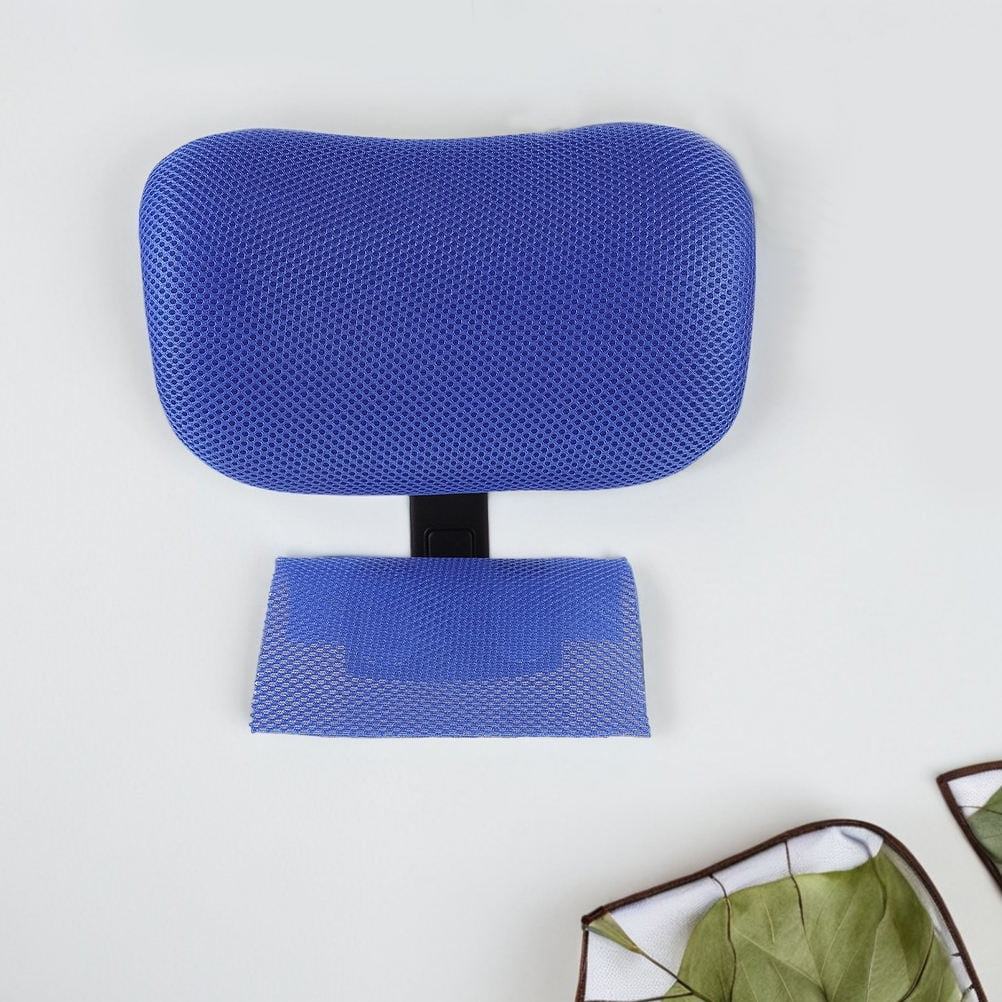
- Built-in Headrests: Helpful for neck pain but must be adjustable. Fixed headrests can push your head forward, worsening posture.
- Extra Thick Padding: Too soft = poor support. Medium-density, high-resilience foam (or memory foam with support core) is ideal.
- Mesh vs. Fabric: Mesh breathes better but must have tension adjustment. Too loose = no support. Too tight = pressure points.
- Synchro-tilt Mechanism: Allows backrest and seat to tilt at different ratios. This is excellent but must have adjustable resistance.
- Weight Capacity Rating: Always choose a chair rated 20-30% above your weight for durability and safety.
Quick Feature Priority Matrix for Back Pain
Lumbar support (adjustable)
Seat depth
Tilt mechanism
4D armrests
Waterfall seat
Weight capacity
Headrest
Synchro-tilt
Breathable mesh
Memory foam
Adjustable seat angle
Massage function
Different Types of Back Pain: Matching Chair Features to Your Condition
Back pain isn't one-size-fits-all. Understanding your specific pain pattern helps you choose the right chair features:
Lower Back Pain (Lumbar Region)
Best features: Aggressive lumbar support with depth adjustment, seat angle adjustment, and waterfall edge. Look for chairs with lumbar that can protrude 1-2 inches forward.
Mid-Back & Upper Back Pain
Best features: High backrest (at least 22 inches) with adjustable lumbar and shoulder support. Armrests that support elbows at 90° to relax shoulders.
Sciatica & Leg Pain
Best features: Extremely important: seat depth adjustment (must leave knee gap), waterfall front, and medium-firm seat cushion to reduce pressure on sciatic nerve.
Neck & Shoulder Tension
Best features: Adjustable headrest (height and angle), armrests that support forearms without hunching, and recline function for periodic relief.
How to Test an Office Chair for Back Pain Relief (The 15-Minute Test)
Before purchasing (if possible in-store) or immediately after delivery, perform this systematic test to ensure the chair works for your back:
The Lumbar Check
Sit normally and adjust lumbar support until you feel firm contact with your lower back. There should be no gap. Your spine should feel supported, not pushed forward. Adjust depth (in/out) until comfortable.
The Knee Gap Test
Sit with your back against the chair. Slide your fingers behind your knee, at the front edge of the seat. You should have 2-4 finger widths of space. If less, adjust seat depth shorter. If more, adjust longer.
The Foot Flat Rule
Your feet should rest flat on the floor with thighs parallel to the ground. Adjust seat height until this is achieved. Knees should be at 90° or slightly lower than hips.
The Armrest Alignment
Adjust armrests so your elbows are at 90°, forearms parallel to floor, shoulders relaxed. Armrests should just lightly touch your elbows—not push up or leave you reaching.
The 30-Minute Sit Test
Sit for 30 minutes (ideally while working). Note any pressure points, discomfort, or urge to shift. A good chair for back pain should feel supportive, not painful, after 30 minutes.
Chair Materials: What Works Best for Back Pain?
The material of your chair affects both comfort and support. Here's how different materials impact back pain relief:
High-Quality Mesh
- Pros: Breathable, prevents sweat, conforms to movements, consistent support, easy to clean
- Cons: Can lose tension over time (3-5 years), less "cushiony" feel
- Best for: Hot climates, people who prefer firm support, those who shift positions frequently
Memory Foam
- Pros: Contours to body, pressure-relieving, comfortable for long sits
- Cons: Can retain heat, may break down faster (3-5 years), heavy
- Best for: Those who prefer soft feel, lighter individuals, cooler environments
High-Density Foam
- Pros: Durable (5-10 years), supportive, maintains shape, good weight distribution
- Cons: Can feel firm initially, heavy, less breathable than mesh
- Best for: Most back pain sufferers, higher weight capacities, longevity seekers
Leather (Genuine)
- Pros: Durable (10+ years), professional look, easy to wipe clean, molds over time
- Cons: Hot in summer, cold in winter, expensive, heavy
- Best for: Executive settings, low-temperature offices, those who prioritize aesthetics
Budget Considerations: How Much for Real Back Pain Relief?
Let's be realistic: a $50 chair from a big-box store will not solve back pain. Here's what different price ranges actually deliver:
- $150-$350 (Entry Ergonomic): Basic lumbar support (often fixed), limited adjustments, lower durability. May help mild discomfort but unlikely to solve significant back pain. Lasts 1-3 years.
- $350-$600 (Mid-Range): Adjustable lumbar (height only), seat depth adjustment, better materials. Suitable for moderate back pain. Lasts 3-5 years.
- $600-$1,000 (Quality Ergonomic): Full lumbar adjustment (height+depth), 4D armrests, synchro-tilt, premium mesh/foam. This is the sweet spot for back pain relief. Lasts 5-10 years.
- $1,000+ (Premium/Medical Grade): Advanced ergonomics, top materials, extensive warranties, often used in rehabilitation settings. For chronic/severe back pain. Lasts 10-15 years.
Pro Tip: Cost Per Use Calculation
A $700 chair used 8 hours/day, 240 days/year for 5 years = 9,600 hours of use. That's $0.07 per hour for back pain relief. Compare that to chiropractic visits ($65+/visit) or missed work days. A quality chair pays for itself.
5 Common Mistakes When Buying a Chair for Back Pain
- Buying based on looks alone: That beautiful designer chair may have zero lumbar support. Function over fashion for back pain.
- Ignoring your body dimensions: A chair that fits someone 5'2" won't work for someone 6'2". Check seat height range, backrest height, and weight capacity.
- Assuming "one size fits all": Unadjustable chairs rarely fit anyone perfectly. Adjustability is non-negotiable.
- Not checking return policies: Even experts can't guarantee a chair will work for your specific back. Buy from places with good return policies (30+ days).
- Forgetting about your desk setup: A great chair with a too-high desk still causes pain. Ensure desk height allows 90° elbows with chair armrests.
Beyond the Chair: Complementary Solutions for Back Pain
A great chair is step one, but holistic back care includes:
- Standing Desk Converter: Alternating sitting/standing reduces spinal loading. Aim for 15 minutes standing per hour.
- Lumbar Cushions: If you already have a decent chair but need more support, add a memory foam lumbar roll.
- Footrests: Essential if your feet don't flat floor—maintains proper leg angle.
- Stretching Routine: 5 minutes of back stretches every 2 hours significantly reduces stiffness.
- Monitor Arm: Screen at eye level prevents forward head posture (which strains lower back).
Frequently Asked Questions: Office Chairs and Back Pain
Conclusion: Your Path to Pain-Free Sitting
Choosing the right office chair for back pain isn't just about comfort—it's about investing in your long-term health and productivity. Remember these key takeaways:
- Lumbar support adjustability (height AND depth) is non-negotiable. This single feature makes the biggest difference in back pain relief.
- Seat depth adjustment prevents leg compression and encourages proper posture. Don't skip this.
- Budget $600-$1,000 for a chair that will last 5-10 years and genuinely help your back. Cheap chairs cost more in medical bills.
- Test chairs thoroughly using the 15-minute method. Your body knows what works.
- Combine your chair with movement, stretching, and proper desk setup. No chair alone fixes everything.
The best office chair for back pain is the one that fits YOUR body, supports YOUR spine, and encourages healthy posture throughout YOUR workday. Use this guide to make an informed decision, and don't hesitate to invest in a chair that will serve you for years to come.
Still have questions about which chair might work for your specific back condition? Check our related guides below or use the filters to find chairs with the exact features you need. Your back will thank you.