
1. Introduction: The Myth of the “Perfect” Chair
Imagine buying a tailored suit off the rack—sounds impossible, right? Yet millions of people purchase “ergonomic” office chairs expecting them to instantly fix their posture. The truth is, an ergonomically correct office chair isn’t a single product you can pull from a shelf. It’s a process: matching a chair’s adjustments to your body’s unique geometry. Think of it as a adjustable tool, like a professional camera with dials and settings. If you don’t set those dials, you’ll never get a sharp picture—or in this case, a pain-free workday.
According to the Occupational Safety and Health Administration (OSHA), poor workplace ergonomics contributes to over 600,000 musculoskeletal injuries annually in the US alone. But here’s the hopeful statistic: proper seating can reduce these risks by up to 60%. This guide will walk you through what “ergonomically correct” actually means, feature by feature, so you can become your own ergonomics expert.
2. The Seven Pillars of an Ergonomically Correct Chair
A chair that adapts to you—not the other way around—rests on seven fundamental adjustments. If a chair lacks any of these, it’s unlikely to be truly correct for a wide range of body types.
2.1 Seat Height: The Foundation
Your feet are your base. In an ergonomically correct position, your feet rest flat on the floor (or on a footrest) without pressure on the backs of your thighs. The seat height should allow your knees to bend at roughly a 90-degree angle. Most quality chairs offer pneumatic adjustment between 16 to 21 inches. Pro tip: If you’re taller or shorter, look for extended ranges—some chairs offer 15-22 inches.
2.2 Seat Depth: The “Two-Finger Rule”
Seat depth is often overlooked. When you sit back against the lumbar support, there should be about 2 to 3 fingers width between the back of your knee and the seat edge. Too deep, and it crushes your circulation; too shallow, and you lose thigh support. An ergonomically correct chair will have a sliding seat pan (usually 2-4 inches of travel).
2.3 Lumbar Support: The Curve That Saves Your Back
Your lumbar spine naturally curves inward. A flat chair back forces your spine into a “C” shape, straining discs. Proper lumbar support fills that gap and maintains the natural “S” curve. The best chairs offer both height and depth adjustment for the lumbar pad. A 2022 study in the International Journal of Industrial Ergonomics found that adjustable lumbar support reduced perceived back discomfort by 52% over a standard fixed-back chair.
2.4 Backrest Recline and Tension: Motion is Lotion
Static posture, even perfect posture, leads to fatigue. An ergonomically correct chair allows dynamic movement. Look for a backrest that reclines (at least 15-30 degrees) with adjustable tilt tension. This lets you lean back occasionally, shifting pressure and feeding spinal discs. Syncro-tilt or multi-functional mechanisms let seat and back move in harmony, keeping you supported even as you recline.
2.5 Armrests: 4D is the Gold Standard
Armrests should support your arms without hunching your shoulders. “4D” armrests adjust in four directions: up/down, forward/back, left/right (width), and often pivot. This lets you keep elbows close to your body at 90 degrees. If armrests don’t adjust, they often do more harm than good—forcing you to lean to one side.
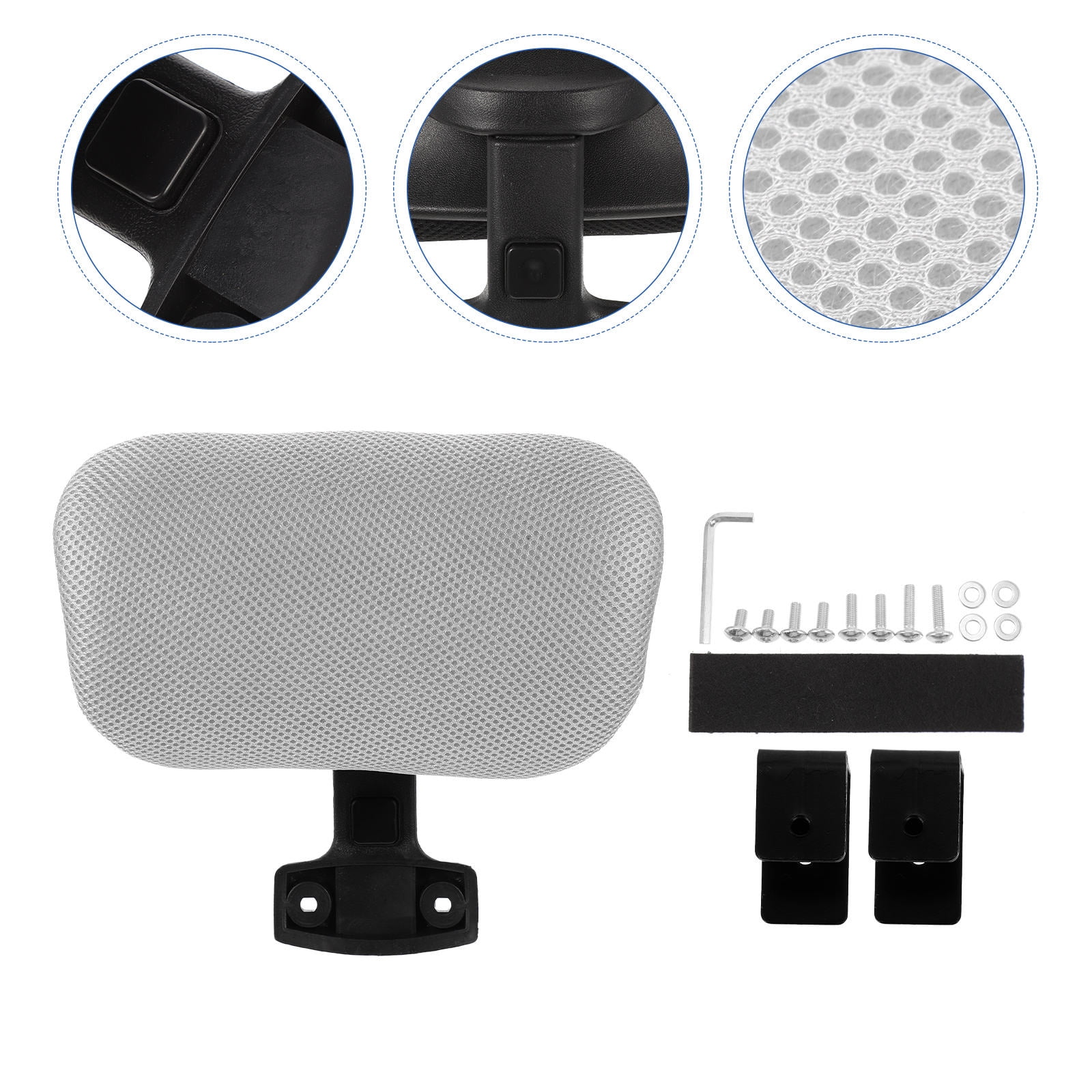
2.6 Headrest (if you use it): Supporting the Cervical Spine
Not everyone needs a headrest, especially if you sit upright while typing. But if you tend to lean back for reading or phone calls, a headrest that adjusts in height and angle is crucial. A poorly placed headrest juts your neck forward—the opposite of correct posture.
2.7 Material and Cushioning: The Interface
High-density foam (or quality mesh) that doesn’t bottom out after a year is part of the equation. Mesh is breathable and contours, but some prefer foam for pressure distribution. The key is that the material supports your sit bones (ischial tuberosities) without creating pressure points. A waterfall edge (curved downward front) also promotes circulation.
Correct lumbar support decreases disc pressure by up to 35%.
Less fidgeting = up to 18% productivity gain (Cornell University).
Musculoskeletal issues cause 33% of work absenteeism.
3. How to Dial in YOUR Ergonomically Correct Setup
Even the world’s best chair fails if it’s not adjusted. Follow this step-by-step ritual (it takes 5 minutes).
Step 1: Seat height – 90° rule
Raise or lower until thighs are parallel to floor, feet flat. If your feet dangle, you need a footrest. If your knees rise higher than hips, lower the seat.
Step 2: Seat depth – the fist rule
Slide the seat pan so that when you sit upright, you can make a vertical fist between the seat edge and your calf. Adjust accordingly.
Step 3: Lumbar – fill the gap
Adjust the lumbar pad height so it fits into the small of your back. If depth adjustment exists, push it forward until you feel light, comfortable support.
Step 4: Backrest recline & tension
Set the tilt tension so you can lean back with moderate effort. Lock the recline if you prefer upright work, but consider leaving it unlocked for movement.
Step 5: Armrests – relax shoulders
Raise armrests so your elbows rest at 90°, shoulders relaxed. Adjust width so arms are close to torso. Slide forward/back so forearms lightly rest when typing.
Step 6: Headrest (if present)
Adjust height so the rest contacts the curve of your neck, not the back of your head. Angle slightly to support when reclined.
4. Ergonomically Correct ≠ Expensive: What to Look For by Budget
You don't need to spend $1,500, but you must avoid flimsy “one-size-fits-none” chairs. Here’s what to prioritize at different price tiers:
- Entry level ($200-$400): Ensure it has at least seat height, tilt tension, and basic lumbar adjustment (often a knob or pad). Often depth and armrests are fixed—so try before you buy if possible.
- Mid-range ($400-$800): This is the sweet spot. Look for adjustable seat depth, 3D armrests (up/down, forward/back, swivel), and better mesh/foam. Many reputable brands (e.g., Steelcase, Haworth, HON) have options here.
- Premium ($800+): 4D armrests, advanced lumbar (both height and depth), superior materials, and longer warranties (10-12 years). These chairs often last a decade or more.
Analogy time: Choosing a chair by price alone is like buying a car only by its color. You need to check under the hood—the adjustments are your engine.
5. Common Myths About Ergonomically Correct Chairs
Myth 1: “A hard backrest is better for posture.”
False. You need enough give to allow micro-movements. A rigid backrest can cause you to brace against it, increasing muscle tension. Moderate firmness with slight flexibility is ideal.
Myth 2: “Sitting perfectly still is the goal.”
Your body craves movement. The best chair encourages subtle shifts. That’s why a good recline mechanism and a swivel base are part of being ergonomically correct.
Myth 3: “Only tall people need special chairs.”
Short and petite individuals often suffer most from chairs designed for “average” male frames. If you’re under 5’4”, actively seek chairs with shallow seat depth and lower height ranges—or consider a chair marketed for petite users.
6. Long-Term Benefits: Beyond the Workday
Investing time to find an ergonomically correct office chair pays dividends after 5 PM. Reduced muscle tension means less chronic fatigue. Proper spinal alignment during the day can alleviate sciatic nerve stress and even improve sleep quality, as your body isn’t fighting inflammation from poor daytime posture. According to the American Chiropractic Association, 80% of the population will experience back pain at some point. Proactive seating is your best insurance.
Remember: no chair works alone. Pair it with a desk at the correct height (elbows 90° when typing), monitor at eye level, and take “movement snacks”—2 minutes of walking every hour. Think of the chair as the anchor of your ergonomic ecosystem.
Frequently Asked Questions
7. Conclusion: Your Back Is Worth the Effort
Finding an ergonomically correct office chair isn’t about chasing a brand or a price tag—it’s about understanding your own body and demanding that a chair adapt to it. Use the checklist above: seat depth, lumbar adjustability, armrests, and a mechanism that moves with you. Test chairs whenever possible, and don’t be shy to spend 15 minutes in the showroom adjusting every lever. Your future self, free from nagging back aches, will thank you. Now go forth and sit correctly.