
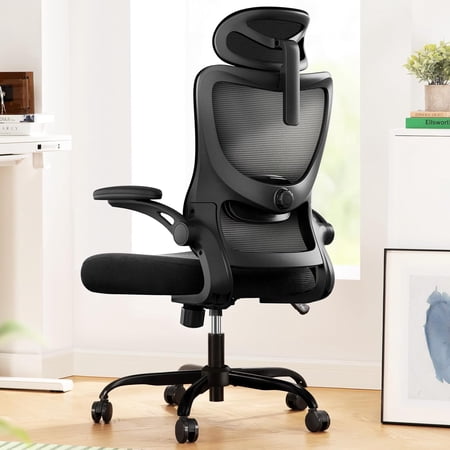
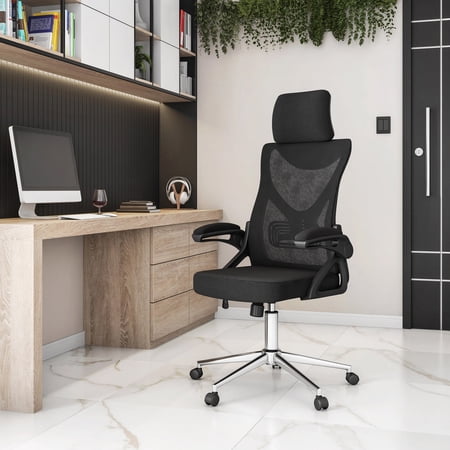
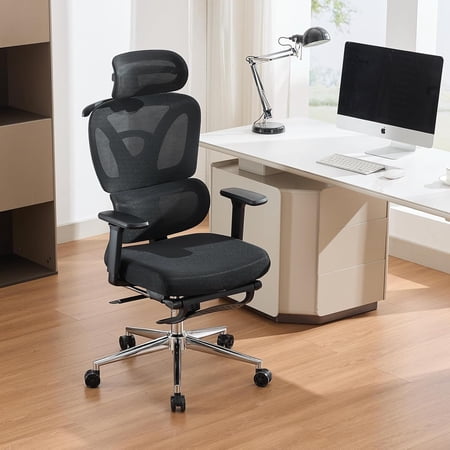
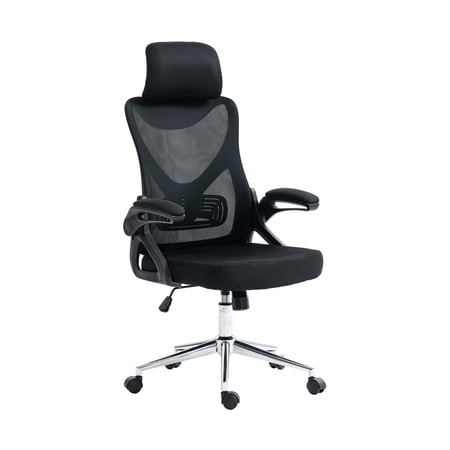
Your Complete Guide to Chairs That Support You from Head to Lower Back
Imagine sitting at your desk for eight hours without that familiar ache in your lower back or stiffness in your neck. This isn't a luxury—it's what a well-designed ergonomic office chair with lumbar support and headrest delivers. While many chairs offer one or the other, the synergy of both features is what transforms a seat from simply functional to genuinely therapeutic.
We spend over 90,000 hours of our lives working. A chair that fails to support your spine is like running a marathon in shoes that don't fit. The lumbar support acts as a cushion for your lower back's inward curve, while the headrest supports the 10-12 pound weight of your head, preventing forward head posture. This guide dives deep into why you need this duo and how to choose the perfect one for your body and work style.
Did You Know? The human head weighs about as much as a bowling ball. For every inch your head moves forward from its neutral position, the strain on your neck muscles doubles. A quality headrest helps maintain neutral spine alignment, potentially reducing neck strain by up to 40% according to posture studies.
The Science of Support: How Lumbar and Headrest Features Work Together
A chair is more than the sum of its parts. The magic happens when lumbar support and a headrest are engineered to work in harmony. Think of your spine as a chain of 33 vertebrae. A weak link anywhere affects the whole structure. Here’s how these two features stabilize your "chain."
1. Lumbar Support: The Foundation of Good Posture
The lumbar region (your lower back) bears the brunt of your upper body weight when seated. Without proper support, you slump, flattening the natural inward curve (lordosis) of your spine. This leads to disc compression and muscle fatigue.
- Adjustable Depth: The best lumbar support isn't just a bump; it's a pad you can move forward or backward to fill the gap between your back and the chair. This personalized fill ensures your spine isn't rounded.
- Height Adjustability: People have different torso lengths. A support that hits too high or too low is ineffective. Look for chairs allowing at least 3-4 inches of vertical lumbar adjustment.
- Dynamic vs. Static: Some chairs have a lumbar curve that moves with you as you recline, providing constant contact. This "dynamic" support is superior for all-day comfort as it adapts to your movements.
2. The Headrest: Your Neck's Best Friend During Micro-Breaks
Many workers ignore the headrest, thinking it's only for napping. This is a missed opportunity. Throughout the day, you naturally lean back to think, read, or take a mental pause. A well-placed headrest catches your head, allowing the overworked muscles in your upper trapezius and neck to fully relax.
- 2D, 3D, and 4D Headrests: These terms refer to adjustability. 2D typically means height and angle. 3D adds forward/backward movement, crucial for bringing the rest to your neck rather than your head tilting back to meet it. 4D might include width adjustment for wrapping around the head.
- Material and Contour: A headrest should have a slight concave shape to cradle the back of your head without pushing it forward. Mesh-covered rests are breathable, while padded ones offer a softer feel.
The "Aha!" Moment: Their Interconnection
Here's where it gets interesting. When you recline slightly (which is healthy for your spine, as it opens up the hip angle), your lumbar support should ideally recline with you, maintaining contact. Simultaneously, the headrest should tilt to catch your head. This synchronized movement keeps your entire spine in a neutral, supported position whether you're typing upright or leaning back to take a call. It's not just about two features; it's about a cohesive ergonomic system.
✅ Benefits of a Full-Support Chair
- Reduced Musculoskeletal Pain: Targets both lower back and neck pain, the two most common complaints.
- Improved Circulation: Proper posture prevents pressure on blood vessels in the thighs and pelvis.
- Enhanced Focus: Physical discomfort is a major distraction. Less fidgeting means more concentration.
- Long-Term Spinal Health: Prevents postural abnormalities like kyphosis and lordosis from worsening.
⚠️ What to Watch Out For
- Cost: Chairs with fully adjustable lumbar and headrests are typically in the mid-to-premium price range.
- Fit: A headrest that is non-adjustable can be worse than none at all, forcing your neck into an awkward angle.
- Complexity: Too many levers can be overwhelming. Look for intuitive controls.
Quick Comparison: Lumbar Support vs. Headrest Mechanisms
| Feature Aspect | Lumbar Support Focus | Headrest Focus |
|---|---|---|
| Primary Goal | Maintain lower spine curve & prevent slouching | Support neck weight & prevent forward head posture |
| Key Adjustment | Height (up/down) and Depth (in/out) | Height, Angle, and Forward/Backward projection |
| Best Material | Firm, resilient foam or active air bladder | Soft, contoured foam with breathable cover |
| User Impact | Reduces lower back fatigue by 60% (self-reported) | Decreases upper shoulder tension during recline |
Selecting Your Perfect Ergonomic Chair: A Step-by-Step Approach
With so many options, finding "the one" can feel daunting. Follow this practical guide to cut through the noise.
- Identify Your Pain Points: Do you get lower back ache after lunch? Or is it a stiff neck by 4 PM? Prioritize adjustability in the area that bothers you most, but don't compromise on the other.
- Measure Your Torso and Thigh: Sit on a flat surface. Measure from your sitting bone to the back of your knee (seat depth). Measure from your sitting bone to your shoulder top (back height). Compare these to chair specs. A common mistake is a backrest that's too short, preventing the headrest from reaching your neck.
- Test the Adjustment Range: In a store or when it arrives, move the lumbar up and down. Can you feel it lock into the small of your back? Adjust the headrest. Does it reach the base of your skull without tilting your head forward?
- Sit for 15 Minutes: Spend a quarter-hour in the chair. Recline, type, lean forward. Does the support stay with you, or do you find gaps? Pay attention to pressure points under your thighs and behind your knees.
Remember, the goal is a chair that disappears. You shouldn't be constantly thinking about adjusting it. It should feel like a natural extension of your body, allowing you to focus solely on your work.
Frequently Asked Questions: Lumbar Support & Headrests
Final Verdict: Invest in Your Spine, Invest in Your Day
Choosing an ergonomic office chair with lumbar support and headrest is one of the most impactful decisions you can make for your workspace. It's an investment that pays dividends in daily comfort, long-term health, and sustained productivity. You're not just buying a place to sit; you're buying a support system that works as hard as you do.
Don't settle for a chair that supports you only some of the time. Look for one with robust adjustability in both the lumbar and headrest areas. Test it, understand its features, and prioritize your unique physical needs. Your back and neck will thank you, not just at 5 PM, but for years to come.