
The Complete Guide to Ergonomic Office Chairs with Neck Support
Imagine your spine as a chain of dominos. When you sit for hours staring at a screen, your head—which weighs about as much as a bowling ball—naturally drifts forward. This pulls the neck dominos out of alignment, creating tension, headaches, and that familiar "knot" between your shoulders. An ergonomic office chair with neck support acts like a backstop for that top domino, keeping the entire chain aligned. It's not just a luxury; for many, it's the missing piece between coping with pain and thriving at work.
Real-world impact: A study in the journal Ergonomics found that workers using chairs with adequate head and neck support reported a 41% reduction in upper trapezius muscle activity. That's the muscle that gets rock-hard by 3 PM. By supporting the head's weight during micro-reclines, these chairs can prevent fatigue from silently building up.
Anatomy of Proper Neck Support: Beyond a Simple Headrest
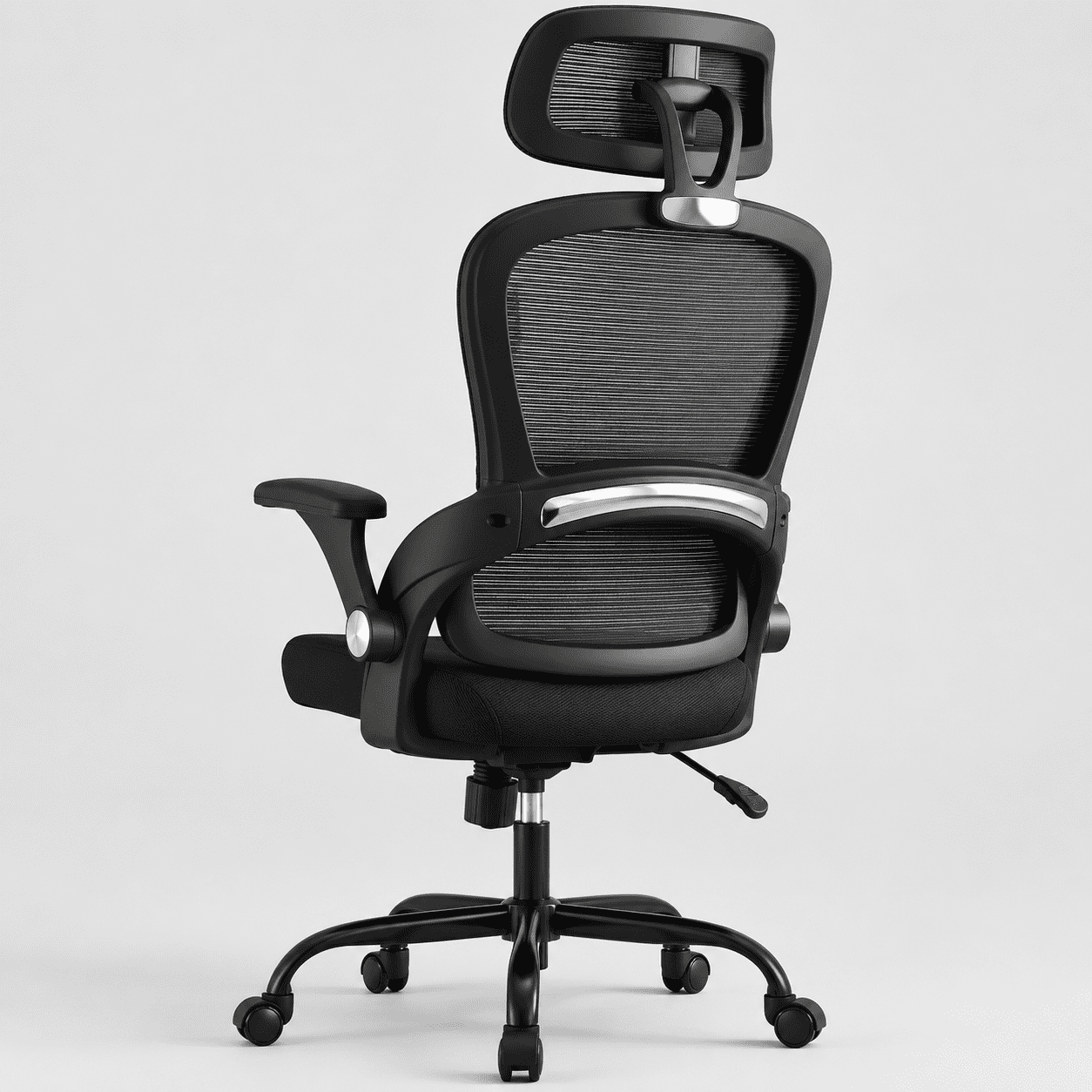
Not all headrests are created equal. Many office chairs tack on a small, fixed pad that hits you in the middle of the back of your head—or not at all. True ergonomic neck support is about adjustability and syncing with your natural posture. Think of it like a car seat headrest: it should align with the curve of your neck, not push your head forward.
Key Dimensions of an Adjustable Headrest
When you find a chair with a 3D or 4D adjustable headrest (height, angle, depth), you've found a serious contender. These allow you to dial in support whether you're typing upright or thinking in a recline.
✓ Advantages of Dedicated Neck Support
- Reduces tension in trapezius and shoulder muscles.
- Encourages micro-breaks by allowing you to fully recline safely.
- Combats "text neck" or "scholar's neck" from forward head posture.
- Enhances focus by removing the physical distraction of discomfort.
- Improves breathing by opening up the chest when the head aligns over shoulders.
✗ Potential Pitfalls to Avoid
- Poorly designed headrests push the head forward, worsening posture.
- Non-adjustable headrests may hit the wrong spot (e.g., shoulders).
- Bulky headrests can obstruct movement if you sit forward often.
- Cheap padding compresses quickly, leaving a hard plastic surface.
- Adding a separate neck pillow to a non-headrest chair might void warranty or slip.
How Neck Support Integrates with Overall Ergonomics
Choosing an ergonomic office chair with neck support isn't just about the headrest. It must work in harmony with the rest of the chair's features. Imagine having a perfect headrest but a seat pan that's too short—your thighs are compressed, you slide forward, and your neck angles down to see the screen. The headrest becomes useless. Here's what to look for in the total package:
- Synchronized Recline Mechanism: The best neck support engages as you recline. Look for a mechanism where the backrest and seat tilt together (synchronized or multi-functional). This keeps your eye line relatively stable and the headrest in the correct position relative to your neck.
- Adjustable Lumbar Support: A healthy neck starts with a supported lower back. If your lumbar curve is flattened, your whole upper spine, including your neck, compensates. Ensure the chair has independent lumbar height/depth adjustment.
- Seat Depth Adjustment: You need to sit with your back against the lumbar support for the headrest to work. If the seat is too long or short, you'll scoot forward, and your neck will be out of range of the headrest. A sliding seat pan is critical.
- Armrests That Don't Interfere: 4D armrests allow you to get close to the desk without hunching, keeping your shoulders relaxed—a prerequisite for neck comfort.
Think of it as an ecosystem: the lumbar support builds the foundation, the seat depth positions you correctly, and the headrest caps it all off. If any element is missing or non-adjustable, the ecosystem fails.
Material Matters: Mesh, Leather, or Fabric for Neck Comfort?
The material of the headrest and backrest affects both comfort and hygiene. Here’s a quick comparison for those seeking neck support:
| Material | Neck Support Feel | Breathability | Maintenance |
|---|---|---|---|
| Mesh Back + Padded Headrest | Headrest is usually fabric or leather over foam; provides soft cradle while back stays cool. | Excellent for back; headrest can be warm if foam is dense. | Headrest fabric may need occasional spot cleaning. |
| Full Leather (High-Back) | Luxurious, firm support; leather conforms over time but can be slippery. | Poor; leather doesn't breathe, can get sticky against neck. | Wipe clean; requires conditioning to prevent cracking. |
| Full Fabric/Upholstery | Soft, grippy; headrest stays in place, feels warm. | Moderate; better than leather, worse than mesh. | Can trap oils and dirt; may require upholstery cleaner. |
| Mesh with Built-in Headrest (all mesh) | Mesh alone can be firm; often has a curved frame for head support but less cushion. | Excellent for both back and head. | Mesh is easy to clean, doesn't absorb sweat. |
For most people, a hybrid approach—mesh back for breathability and a padded, adjustable headrest for comfort—strikes the perfect balance. If you work in a cold office, a fabric or leather headrest might feel cozier.
Who Benefits Most from Dedicated Neck Support?
While anyone can benefit, certain profiles find an ergonomic office chair with neck support absolutely transformative:
- • The "Recliner" Thinker: If you frequently lean back to read, brainstorm, or take calls, a headrest prevents neck strain during those reclined moments.
- • Tall Individuals: People over 5'11" often find that standard chair backs end mid-neck. A high-back with an adjustable headrest provides the missing upper support.
- • Those with Pre-existing Neck Issues: Conditions like cervicalgia, herniated discs in the neck, or chronic tension headaches can be alleviated by proper support that takes the load off the cervical spine.
- • Multi-monitor Users: Constant head turning can be reduced if the headrest provides a stable pivot point, reducing the load on neck rotation muscles.
Dynamic Sitting: The Headrest as a Recovery Tool
Ergonomics isn't about staying still—it's about moving. The best office chair with neck support enables dynamic sitting by giving you a safe place to land when you shift positions. Instead of holding your head up with muscles 100% of the time, you can periodically transfer that load to the chair. This micro-recovery is like taking your neck muscles off a constant isometric hold. It's the difference between running a marathon and taking walking breaks. Look for a chair with a tension-adjustable recline so you can easily push back against the headrest and then return to upright without a fight.
Pro Tip for Setup: When adjusting your new chair, sit upright and close your eyes. Lean back slowly. The headrest should contact the most prominent part of your neck's curve (usually right below the skull base) before you're fully reclined. If it hits your head, adjust it down or forward. If it hits your shoulders, raise it up.