
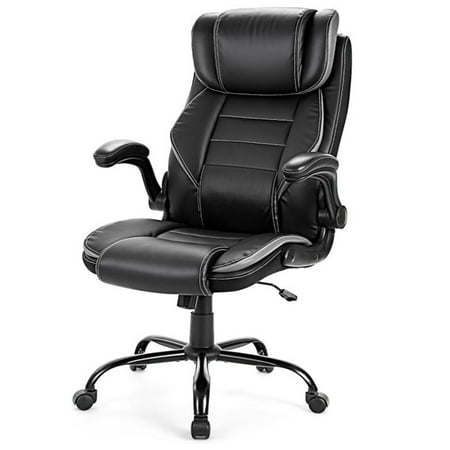
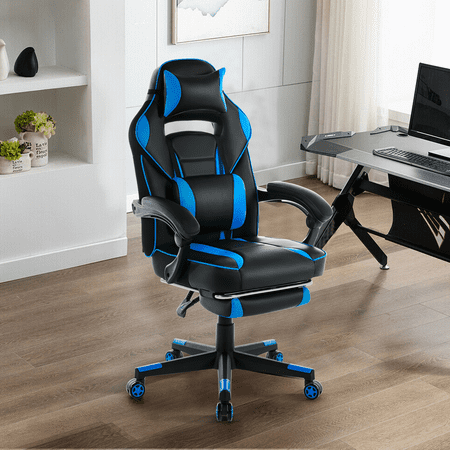

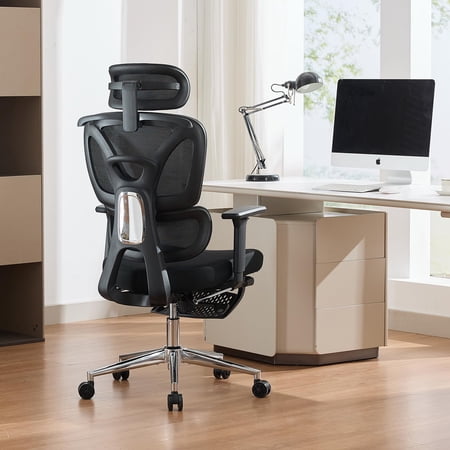
Why Your Next Chair Must Have Adjustable Lumbar & Head Support
Imagine your spine as a carefully engineered bridge. Without proper support structures, even the strongest bridge will buckle under constant pressure. Similarly, your spine works best when supported at its two critical points: the lower back (lumbar region) and the neck (cervical region). An office chair with adjustable lumbar support and headrest acts as those essential support pillars, ensuring your posture remains aligned and stress-free throughout the workday.
Ergonomics Insight: Studies from the Human Factors and Ergonomics Society indicate that using a chair with both adjustable lumbar and head support can reduce reported upper body musculoskeletal discomfort by up to 58% and improve cognitive focus by 32% due to decreased physical distractions.
The Dynamic Duo: Lumbar Support Meets Headrest
While many chairs offer basic support, true ergonomic excellence lies in adjustability. Let's explore why these two features are non-negotiable for a healthy and productive workspace.
1. Active Lumbar Support
Unlike fixed lumbar bumps, adjustable lumbar support allows you to change the depth and height of the support to match your unique spinal curve. This ensures that the natural 'S' shape of your spine is maintained, preventing the pelvis from rotating backward (which causes slouching) and distributing your body weight evenly across the seat.
Think of it as custom-molding a pillow to the exact curve of your lower back—every time you sit.
2. The Critical Role of an Adjustable Headrest
The headrest is often an overlooked feature, but it's a game-changer for neck health. An adjustable headrest supports the weight of your head (typically 10-12 lbs), preventing your neck muscles from constantly working to hold it up. When reclining or leaning back, a properly positioned headrest allows your upper body to relax fully, reducing tension in the shoulders and upper traps.
3. Synergy for Postural Health
When both the lumbar and headrest are correctly adjusted, they work in synergy. Proper lumbar alignment naturally positions the shoulders back and the head over the spine, making the headrest even more effective. This integrated support system is the most effective way to combat "tech neck," rounded shoulders, and chronic back pain that plague modern desk workers.
How to Perfectly Adjust Your Chair for Maximum Benefit
Owning a chair with these features is only half the battle; proper adjustment is key. Follow this step-by-step guide to fine-tune your office chair with adjustable lumbar support and headrest:
- 1 Set Seat Height: Your feet should rest flat on the floor, with your thighs parallel to the ground. Your knees should be at a 90-degree angle, with a small gap between the back of your knees and the seat edge.
- 2 Adjust Seat Depth: Sit back in the chair. There should be 2-3 finger widths of space between the back of your knees and the seat pan. This ensures proper circulation and thigh support.
- 3 Fine-Tune Lumbar Support: Locate the lumbar adjustment mechanism (often a dial or lever). Adjust the support so it fits snugly into the natural curve of your lower back. The pressure should be firm but comfortable, supporting the curve without poking.
- 4 Position the Headrest: Adjust the headrest vertically so the widest part of the headrest cradles the base of your skull (the occipital bone), not the middle of your head. If tilt adjustment is available, angle it to gently support your head when you're in a slight recline.
- 5 Armrest & Recline: Finally, set armrests so your shoulders are relaxed and your elbows form a 90-degree angle. Use the recline tension to allow for comfortable movement, enabling you to change positions throughout the day.
Comparing Support Systems: Fixed vs. Adjustable
Not all lumbar and head supports are created equal. To help you understand the value of adjustability, here is a quick comparison:
| Feature | Fixed Support | Adjustable Support (Height & Depth) |
|---|---|---|
| Customization | One-size-fits-all, often misaligned | Tailored to individual spine curvature and height |
| User Height Range | Works for a limited height range | Accommodates a wide variety of heights (e.g., 5'0" to 6'5") |
| Support Consistency | May become uncomfortable over long periods | Consistent, targeted support reduces pressure points |
| Posture Correction | Minimal ability to correct poor posture | Actively encourages and maintains proper spinal alignment |
| Recline Effectiveness | Headrest often useless when reclined | Headrest moves with you, maintaining neck support in all positions |
Who Benefits Most from This Chair Type?
While anyone can enjoy the benefits, an office chair with adjustable lumbar support and headrest is particularly essential for:
- Remote Workers & Home Office Professionals: Without the structure of a corporate office, it's easy to develop poor habits. This chair ensures you maintain proper ergonomics.
- Individuals with Pre-Existing Neck or Back Conditions: Offers customizable support that can adapt to specific needs and discomfort areas, often recommended by physical therapists.
- Tall or Petite Users: Fixed supports rarely align with the bodies of individuals who fall outside the average height range. Adjustable features are a necessity for proper fit.
- Long-Hour Desk Professionals: For those spending 8+ hours seated, the combination of dynamic lumbar and head support is the most effective defense against cumulative trauma disorders.
Investing in a chair with these features is not just about comfort; it's a strategic decision for your long-term health and productivity. Think of it as your daily ally against the physical toll of desk work.