
Understanding the Root of Office Chair Back Pain
Back pain is the number one complaint among office workers. It's not just an annoyance; it's a productivity killer and a serious health concern. The culprit is often a mismatch between your body and your chair. Think of your spine as a tower of blocks. When you sit with poor posture—slouching, leaning forward—that tower collapses, putting uneven pressure on your discs, muscles, and ligaments. This strain, repeated day after day, leads to inflammation, muscle fatigue, and chronic pain.
An office chair designed to combat back pain acts like a scaffolding for that tower. It provides targeted support to keep your spine in its natural, healthy 'S' curve. This isn't just about comfort; according to a study in the Journal of Physical Therapy Science, proper ergonomic seating can reduce spinal load by up to 35%, significantly lowering the risk of developing chronic lower back issues.
The 5 Non-Negotiable Features of a Back Pain Relief Chair
Not all ergonomic chairs are created equal. If your goal is to alleviate or prevent back pain, you must look for these five critical adjustments. A chair missing any of these may not provide the targeted support your back needs.
1. 3D or 4D Adjustable Lumbar Support
This is the most crucial feature. It's not enough to have a built-in lump in the lower back. You need a mechanism that moves up and down (height) to fit the curve of your spine, and in and out (depth) to fill the gap between your back and the chair. This ensures active, personalized support that prevents slouching.
2. Seat Depth Adjustment (Slider)
Imagine trying to sit in a chair that's too deep—the front edge presses painfully behind your knees, cutting off circulation. A seat that's too shallow doesn't support your thighs. A sliding seat pan allows you to adjust the depth so you can sit with 2-4 fingers of space between the back of your knee and the seat, promoting healthy blood flow and even weight distribution.
3. Adjustable Armrests
Fixed armrests often force you to hunch your shoulders to use them. Look for armrests that adjust in height, width, angle, and depth (4D). This allows you to rest your arms comfortably with your shoulders relaxed and elbows at a 90-degree angle, taking the weight off your upper back and neck.
4. Synchronized Tilt Mechanism
Static sitting is unhealthy. A synchronized tilt mechanism allows the backrest and seat to move together at a ratio (often 2:1 or 3:1) when you recline. This keeps you supported while opening up your hip angle, reducing pressure on spinal discs and promoting dynamic sitting. A tension control knob lets you adjust how easily the chair reclines based on your weight.
5. Contoured Seat with Waterfall Edge
A flat, hard seat pan can create pressure points. Look for a seat with a slight contour to cradle your thighs and buttocks. A "waterfall" edge—where the front of the seat curves gently downward—is essential for preventing pressure on the back of your thighs, which can impede circulation and cause numbness.
Mesh vs. Leather vs. Fabric: Which is Best for Back Pain?
The material of your chair plays a supporting role in your comfort and, indirectly, your pain levels. Here’s a quick breakdown with back pain in mind:
- High-Quality Mesh: Often the top recommendation. It’s breathable, preventing the sweat and discomfort that can lead to fidgeting and poor posture. It also provides excellent, conforming support that adapts to your back's shape without breaking down. Ideal for all-day comfort.
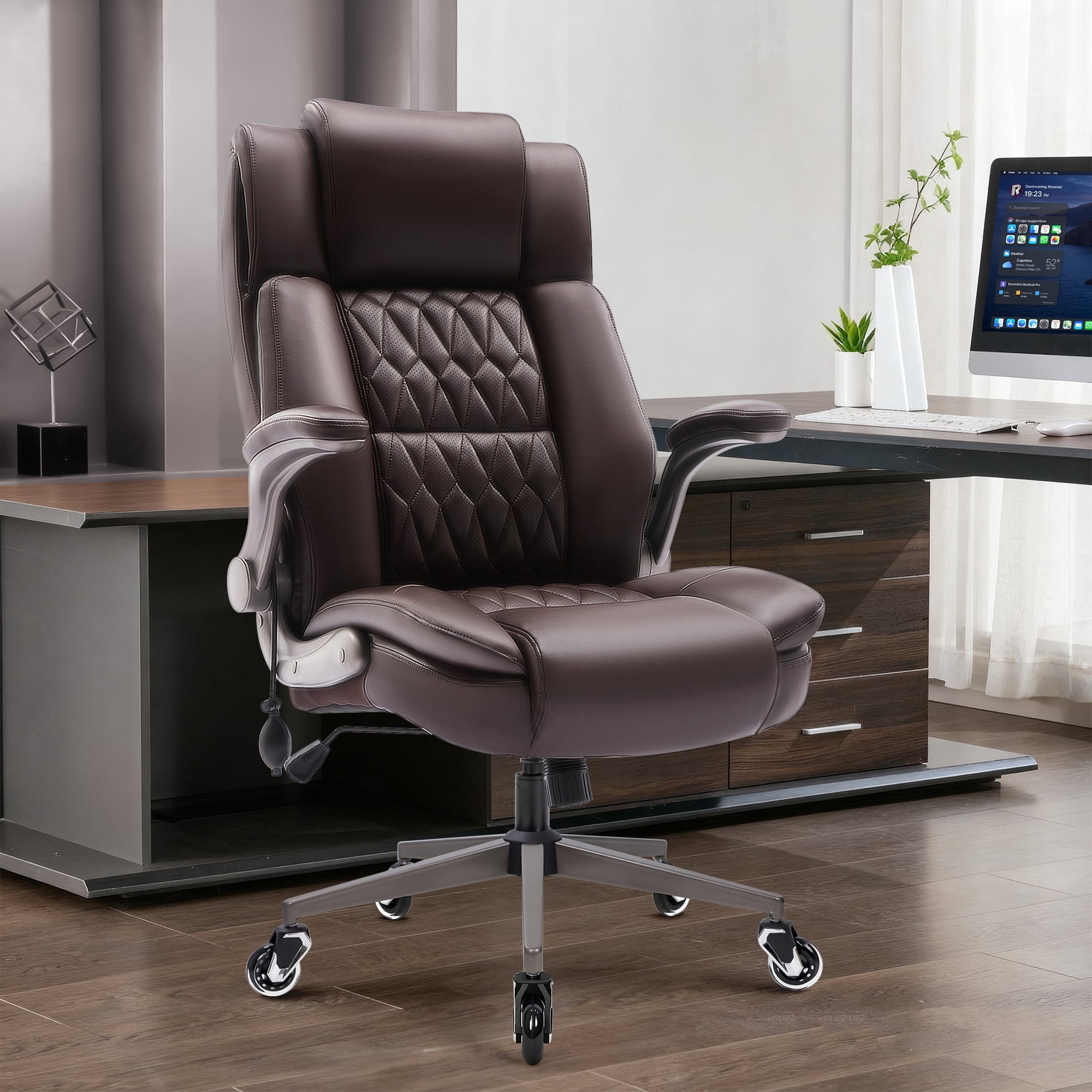
- Leather (Premium Grain): Durable and professional, but can be hot and less forgiving. If you prefer leather, look for chairs with generous, high-density foam cushioning that won't compress easily, and ensure the leather is perforated for breathability.
- Fabric: Comfortable and often more affordable, but can trap heat. For back pain, choose a tightly woven, durable fabric over high-density foam. Avoid soft, plush fabrics that can cause you to sink in and lose structural support.
The verdict: For most people with back pain, a high-quality mesh back combined with a well-padded, contoured foam seat offers the best balance of support, comfort, and temperature regulation.
Your 3-Step Plan to Choosing the Right Chair
Follow this simple, actionable guide to filter through the options and find your perfect match.
- Identify Your Pain Points: Where is your pain? Lower back? Upper back and shoulders? If it's lower back, prioritize lumbar support and seat depth. If it's upper back/neck, focus on adjustable armrests and a headrest. Knowing your specific issue helps you prioritize features.
- The "Goldilocks" Adjustability Test: When you find a potential chair (online or in a review), check its spec sheet. Does it offer all five features listed above? A chair with limited adjustability is a gamble. The more adjustments it has, the higher the chance you can dial it in to fit your unique body like a glove.
- Read Reviews from People Like You: Don't just look at the star rating. Read detailed reviews. Search for comments from people with similar height, weight, or pain issues. Phrases like "I'm 6'2" with lower back pain, and this chair finally fixed my posture" are pure gold.
Beyond the Chair: Habits for a Healthy Back at Work
Even the world's best office chair for back pain can't do all the work. You need to be an active participant in your spinal health. Incorporate these habits into your daily routine:
The 30-Minute Rule
Stand up and move for 1-2 minutes every 30 minutes. Set a timer. Walk to the printer, stretch your legs, or just stand and arch your back backward.
Desk Ergonomics
Your monitor should be at arm's length, with the top of the screen at or slightly below eye level. Your feet should be flat on the floor (use a footrest if needed).
Simple Desk Stretches
Try seated spinal twists, chin tucks (to fix "text neck"), and shoulder blade squeezes. These counteract the forward-hunch posture of typing.
Stay Hydrated
Dehydrated spinal discs are less spongy and more prone to injury. Drinking water keeps the discs in your spine hydrated and healthy.
Frequently Asked Questions About Office Chairs and Back Pain
Conclusion: Invest in Your Most Valuable Asset—Your Health
Dealing with office chair back pain is not a normal part of working. It's a signal that something is out of alignment. By understanding the mechanics of your pain and the specific features of a chair designed to combat it, you can make an informed decision that transforms your workday. Remember, you're not just buying a chair; you're investing in your energy, focus, and long-term physical well-being. Use this guide, explore the options above, and take the first step toward a more comfortable and productive professional life.