
What is an "Essentials Office Chair" and Why Do You Need One?
Think of an essentials office chair like a reliable pair of walking shoes. It doesn't need flashing lights or the most expensive leather to do its job well. Instead, it focuses on the fundamental elements that keep your feet—or in this case, your back—happy and supported for hours on end. As remote and hybrid work become the norm, your office chair is no longer just a piece of furniture; it's a tool for your daily well-being and productivity. An essentials chair bridges the gap between a basic, uncomfortable seat and an overpriced luxury model, offering you the core features that matter most for a healthy sitting posture.
According to a study by the American Posture Institute, 80% of Americans will experience back pain at some point in their lives, often exacerbated by prolonged sitting. Investing in a chair with proper support is a proactive step. An essentials chair is designed to be that proactive step without the premium price tag. It's about smart design: a breathable back, a cushion that doesn't go flat after three months, and adjustments that let you tailor the chair to your own body.
Ergonomic Insight: The average person working from home sits for approximately 6,000 hours per year. A quality essentials office chair can significantly reduce the strain on your spinal discs and supporting muscles during this time. It's not about luxury; it's about long-term health.
Core Features: Decoding the "Essentials" Office Chair
When shopping for an essentials chair, you need to become a detective of features. Manufacturers often use buzzwords, but we're here to translate. Let's break down the must-have components versus the nice-to-have extras you can safely ignore.
1. The Seat: Your Foundation for Comfort
The seat pan is where you spend all your time, so its construction is vital. In an essentials chair, look for:
- High-density foam: This is non-negotiable. Low-density foam will compress and lose its shape within months, leading to pressure points. High-density foam retains its resilience and provides consistent support.
- Waterfall edge: The front of the seat should curve gently downward. This "waterfall" design prevents the edge of the seat from cutting into the back of your thighs, which can restrict blood circulation to your legs and feet.
- Adequate width and depth: The seat should be wide enough to accommodate your hips comfortably (usually 19-22 inches) and deep enough to support most of your thighs (typically 16-21 inches) without pressing into the back of your knees.
2. The Backrest: Supporting Your Natural Curve
This is the heart of the chair's ergonomic value. Your spine has a natural inward curve in the lower back (lumbar region). An essentials chair must support this curve.
- Adjustable Lumbar Support: This is a prime feature. A simple bump is not enough. You want a lumbar support that you can move up or down to fit the exact small of your back. Some chairs offer depth adjustment as well, which is even better.
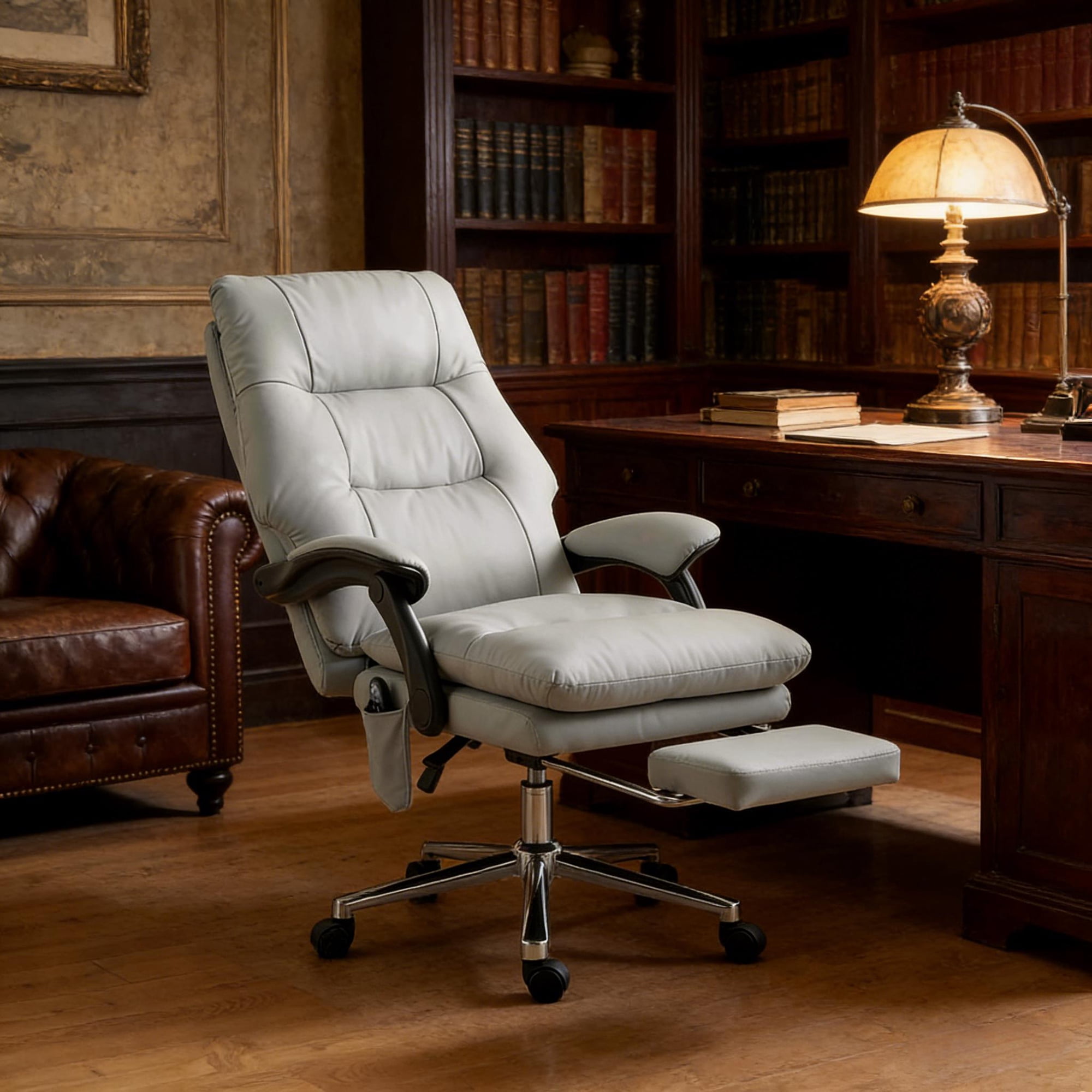
- Backrest Height: Essentials chairs come in mid-back and high-back varieties. A mid-back chair supports your lower and middle back but stops at your shoulders, allowing for more upper body movement. A high-back chair provides support for your entire back, including a headrest, which is great for reclining and taking pressure off your neck during breaks.
- Breathable Material: A mesh back is a popular choice for essentials chairs because it allows air to circulate, preventing that sticky, sweaty feeling on warm days. It's durable and contours to your shape.
3. Adjustability: Making the Chair Fit You
A chair is not a one-size-fits-all item. The level of adjustability determines how well it can be customized to your body. For an essentials chair, prioritize these adjustments:
- Seat Height Adjustment: A pneumatic lever to raise and lower the seat is standard. Your feet should rest flat on the floor with your thighs parallel to the ground. Look for a cylinder that offers a range suitable for your desk height (usually 16-21 inches from floor to seat).
- Tilt Tension and Lock: You should be able to rock back in your chair. The tilt tension knob controls how much force is needed to recline. A lock allows you to fix the chair in an upright position or at your preferred recline angle. This is crucial for varying your posture throughout the day.
- 3D or 2D Armrests (Optional but valuable): While not strictly "essential," adjustable armrests greatly enhance comfort. At a minimum, look for height-adjustable armrests (2D). This allows you to set them so your shoulders are relaxed, not hunched. 3D armrests also adjust width and pivot, offering even more customization.
Reduced Fatigue
Proper lumbar support reduces muscle effort by up to 30%.
Better Focus
Comfort eliminates the distraction of constantly shifting positions.
Improved Posture
Adjustable features gently guide you into a healthy sitting habit.
Long-Term Value
A durable essentials chair lasts 5-7 years, outperforming cheap alternatives.
Material Matters: Mesh vs. Fabric vs. Faux Leather
Choosing the right material for your essentials chair is like choosing the right fabric for a suit—it needs to fit your environment and personal comfort.
Mesh: The Breathable Performer
Mesh is a star in the essentials category. Its primary advantage is airflow. For those who tend to get warm or live in humid climates, a mesh back is a godsend. It's also durable and provides a flexible, yet supportive, surface that conforms to your back's shape. The downside? Mesh seats can sometimes feel firmer, and you'll want to ensure the weave is tight enough to provide good support without sagging.
Fabric: The Soft and Cozy Choice
Fabric upholstery offers a warmer, plusher feel. High-quality fabric in an essentials chair is often a polyester or wool blend that's breathable and durable. It comes in a wider variety of colors and patterns, allowing for more personalization in your home office. The trade-off is that it can absorb spills and odors more readily and may require more frequent cleaning.
Faux Leather (PU Leather): The Easy-Clean Option
Faux leather offers a sleek, professional look and is the easiest to wipe clean—perfect if you're prone to spills. However, in the essentials price range, the quality of PU leather can vary. It may not be as breathable as mesh or fabric, potentially feeling sticky in warm weather. It's a good choice for a part-time office or a cooler environment, but ensure it's from a reputable brand that guarantees against peeling.
The Ultimate Selection Guide for Your Essentials Office Chair
Finding the right chair can feel overwhelming, but breaking it down into steps makes the process simple and effective. Use this guide to make a confident choice.
Step 1: Measure Your Space and Yourself
- Desk Height: Measure from the floor to the underside of your desk. Your chair's armrests (if you have them) need to fit under this. Standard desk height is 29-30 inches.
- Your Measurements: Measure your height and the distance from the back of your knee to your heel (your "popliteal" length). This helps determine the ideal seat depth range you need.
- Available Floor Space: Ensure the chair's base and the room needed to recline won't hit walls or furniture.
Step 2: Match Features to Your Work Style
How do you actually use your chair? Your daily habits dictate the features you'll value most.
- The Focused Worker (sits upright for long periods): Prioritize an excellent adjustable lumbar support and a comfortable, high-density foam seat. A mid-back mesh chair is often ideal.
- The Multi-Tasker (frequently moves, takes calls): Look for smooth-rolling casters and adjustable armrests. A swivel function and a chair that's easy to move around in are key.
- The Thinker (likes to recline and brainstorm): A high-back chair with a headrest and a smooth, lockable recline mechanism is your best friend. This allows you to lean back safely and comfortably.
Step 3: Set a Realistic Budget
For an "essentials" chair, your money is best spent on core ergonomics. Here's what you can expect at different price points:
Entry-Level Essentials
Basic pneumatic seat, fixed lumbar support. Good for short-term or occasional use.
Core Essentials
The sweet spot. You'll find adjustable lumbar, tilt mechanism, better foam, and mesh/fabric options.
Premium Essentials
Enhanced build quality, 2D or 3D armrests, higher weight capacity, and more durable materials.
Step 4: Read Reviews and Check the Warranty
Once you've narrowed it down, look for patterns in user reviews. Do people mention the chair lasting for years? Is the customer service responsive? A good warranty (at least 2-5 years on parts) is a sign the manufacturer trusts their product. This final step validates your choice and ensures peace of mind.
Frequently Asked Questions About Essentials Office Chairs
Conclusion: Your Comfort is the Ultimate Essential
Choosing an essentials office chair is an investment in your daily well-being and productivity. It's a decision to prioritize the features that have a real, measurable impact on your body over marketing fluff. By focusing on a quality seat, supportive backrest, and meaningful adjustments, you can create a workspace that promotes health and focus for years to come. Remember, the best chair isn't the most expensive one—it's the one that fits you perfectly and supports you through every task, deadline, and moment of deep work. Use this guide, test your options (when possible), and choose the chair that makes you feel ready to work.