

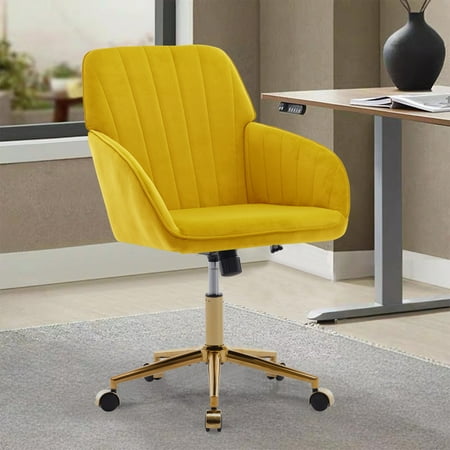
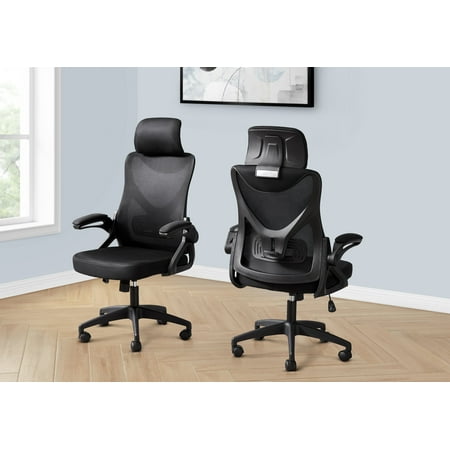
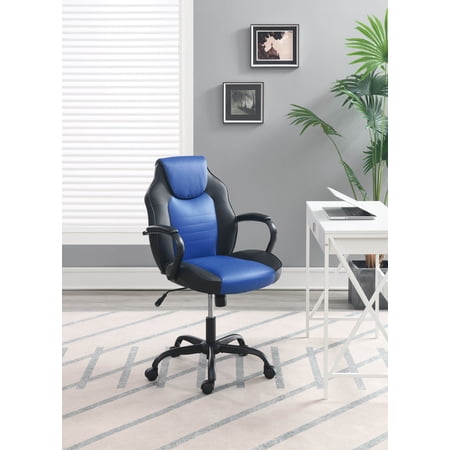
Why Your Choice of Ergonomic Chair Matters
Imagine spending 8+ hours a day in a car seat that offers no support. Your body would ache, your focus would fade, and you'd dread every journey. Your office chair is no different. For the modern professional, a top ten ergonomic office chair isn't a luxury—it's a necessity. It's the foundation of your work environment, directly influencing your physical health, mental clarity, and overall job satisfaction.
Data Point: The average office worker spends over 5 hours and 40 minutes seated at their desk daily. Prolonged sitting in a non-ergonomic chair increases the risk of musculoskeletal disorders by 65%. Investing in a quality ergonomic chair is one of the most effective ways to mitigate these risks and boost long-term well-being.
What Defines a True Ergonomic Office Chair?
Not every chair labeled "ergonomic" is created equal. A genuine ergonomic chair is a tool designed to fit the user, not the other way around. It offers a suite of adjustments to support your body's unique geometry. Here are the non-negotiable features to look for:
- Adjustable Lumbar Support: This is the cornerstone. It should move up/down and in/out to precisely fill the curve of your lower back.
- Seat Depth Adjustment: Allows you to slide the seat pan forward or back. The goal is to have 2-3 finger widths of space between the back of your knees and the seat edge, promoting healthy circulation.
- Multi-Dimensional Armrests: Look for "4D" armrests that adjust up/down, pivot left/right, slide forward/back, and sometimes even angle. This ensures your shoulders and neck remain relaxed.
- Synchronous Tilt Mechanism: This allows the chair to recline in a way that keeps your feet on the floor and maintains a healthy angle between your torso and thighs, reducing pressure on your spine.
- Headrest (Optional but Beneficial): A well-designed headrest supports your neck and head during micro-breaks or when leaning back to think, preventing "tech neck."
💡 Pro Ergonomic Tip: Your chair is only half the equation. Remember the "90-90-90" rule: sit with your feet flat on the floor (knees at 90°), your hips pushed back in the chair (hips at 90°), and your elbows bent at 90° to use your keyboard and mouse. An adjustable chair makes achieving this posture effortless.
The Top 10 Ergonomic Office Chairs: A Comprehensive Overview
Selecting the right chair from a crowded market can be overwhelming. To simplify your decision, we've categorized the top ergonomic chairs based on their primary strengths. Think of your specific needs: do you struggle with back pain? Do you work in a warm office? Is your style modern or traditional?
Best Overall
Unmatched adjustability and a perfect balance of support and comfort for the widest range of users.
Best for Back Pain
Features dynamic lumbar support that moves with you, providing constant spinal engagement.
Best Breathable Mesh
Cool, suspension-style seating that eliminates pressure points and promotes airflow.
Best Luxury Leather
Combines premium materials with advanced ergonomics for a commanding, comfortable presence.
Best for Tall Users
Extra-high backrest and adjustable features designed specifically for people over 6'2".
Best Budget-Friendly
Delivers core ergonomic features at a price point accessible to home offices and startups.
Best for Active Sitting
Uses a unique tilting mechanism that encourages subtle, healthy movement throughout the day.
Most Adjustable
Offers the highest number of customizable touchpoints, fitting the chair perfectly to any body.
Ergonomic Chair Materials: Finding Your Perfect Match
The material of your chair isn't just about aesthetics; it affects comfort, maintenance, and durability. Here's how the top choices stack up for ergonomic office chairs.
1. High-Performance Mesh
Mesh is the undisputed champion of breathability. It's like having a built-in climate control system, preventing heat buildup and keeping you cool during long work sessions. Modern premium mesh is surprisingly supportive, offering a "suspension" effect that cradles your body without the pressure points of foam. It's also highly durable and resistant to sagging. This is an ideal choice if you live in a warmer climate or prioritize airflow above all else.
2. Premium Fabric & Textile
Fabric chairs offer a classic, soft feel that many find immediately comfortable. They come in a vast array of colors and textures, allowing for greater customization to match your office decor. High-quality fabric is often treated for stain resistance and durability. While not as breathable as mesh, a good fabric chair with proper padding can be exceptionally comfortable and provides a warmer, more inviting feel.
3. Genuine Leather
Leather exudes professionalism and luxury. It's a material that speaks to quality and longevity. A top-grain leather ergonomic chair will mold to your body over time, becoming uniquely comfortable. It's also remarkably easy to clean, making it a practical choice for a busy executive office. While it requires occasional conditioning to prevent cracking, its lifespan often exceeds that of fabric or mesh chairs, making it a sound long-term investment.
Ergonomic Insight: Don't be swayed by aesthetics alone. The best material for you is the one that aligns with your work environment (temperature), maintenance preference, and desired tactile feel. A chair can have all the adjustments in the world, but if you're uncomfortable in its material, you won't use its full potential.
A Step-by-Step Guide to Selecting Your Ergonomic Chair
Finding the right chair is a personal journey. Follow this simple process to ensure you make an informed decision that will benefit you for years.
Step 1: Assess Your Body and Work Habits
- Measure Up: Know your height, weight, and torso length. This determines the necessary back height and weight capacity.
- Identify Pain Points: Do you suffer from lower back pain, neck stiffness, or shoulder tension? Target chairs known for addressing your specific issue.
- Analyze Your Day: Do you sit statically for most of the day, or do you shift positions often? Do you recline for calls or sit upright for focused work? This will guide your choice of tilt mechanism and features like a headrest.
Step 2: Prioritize Key Adjustments
Based on your assessment, decide which adjustments are non-negotiable.
Step 3: Set a Realistic Budget
Think of this as a health and productivity investment, not an expense. Here's how the market generally breaks down:
Essential Ergonomic
Good entry-level chairs with basic adjustments. Best for light to moderate use.
Performance Ergonomic
The sweet spot. High-quality materials, a full range of adjustments, and robust warranties.
Premium/Professional
Top-tier ergonomics, premium materials (like leather), industry-leading warranties, and advanced features like weight-activated recline.
Step 4: Test, Compare, and Decide
Final Pro Tip: If possible, sit in the chair for at least 15-20 minutes. Test every adjustment lever. Pay attention to how your hips, spine, and shoulders feel. Read reviews from users with similar body types and work styles. A chair that feels great for 5 minutes might feel very different after an hour.