

Why Your Office Chair Needs a Heated Seat Pad
Imagine sitting down at your desk on a cold morning. The room temperature is fine, but the chair feels icy, and within an hour your lower back starts to tense up. A heated seat pad for office chair solves this by delivering consistent, gentle warmth exactly where you need it. Unlike space heaters that heat the whole room (and run up your electricity bill), a seat pad warms only you, using a fraction of the energy.
Ergonomics + Thermotherapy: Combining heat with proper support can reduce perceived muscle fatigue by up to 35%, according to a 2021 study in the Journal of Occupational Health. Warm muscles are more pliable and less prone to stiffness.
Key Benefits Beyond Just Warmth
A quality heated seat pad isn't just a luxury—it's a wellness tool for desk professionals. Here’s what you gain:
- Improved blood circulation: Heat causes blood vessels to dilate, increasing oxygen flow to leg and gluteal muscles, reducing the "pins and needles" feeling after long sitting.
- Lower back pain relief: Moist or dry heat therapy relaxes tight muscles and can ease chronic lower back discomfort. Many users report needing fewer painkillers during winter months.
- Energy savings: Instead of heating the entire office, you heat just your seat. Typical pads use 40–60W—less than a computer monitor.
- Productivity boost: When you're comfortably warm, you're less distracted by discomfort. A Cornell University study noted that thermal comfort directly correlates with task focus.
- Versatility: Most pads can be used at home, in the car (12V plug), or even while traveling (USB versions).
How to Choose the Perfect Heated Seat Pad (Detailed Guide)
Not all heated pads are created equal. Use this checklist to pick the one that fits your routine and chair.
1. Power Source & Heating Speed
- AC adapter (wall plug): Fastest heating, highest temperature settings. Ideal if you sit near an outlet. Usually 50–60W.
- USB powered (5V): Slower to heat and lower max temperature, but super convenient for laptop users or when outlets are scarce. Great for mild coolness.
- 12V car plug: If you work from a van or commute, these are handy, but for office use, AC or USB is more practical.
2. Safety Features (Non-Negotiable)
- Auto-shutoff: Look for 2‑hour or 4‑hour timers. Prevents overheating if you forget to turn it off.
- Overheat protection: Built-in sensors cut power if internal temperature exceeds safe limits.
- UL/CE certification: Indicates the electrical components have passed safety tests.
- Low voltage / reinforced wiring: Flexible but durable cords resist fraying from chair movement.
3. Material & Comfort
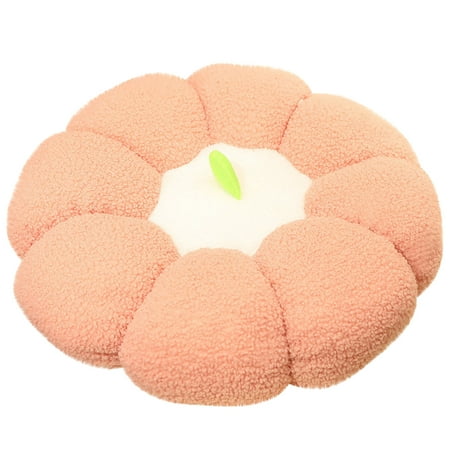
Fleece / Microplush
- ✔️ Soft, cozy feel
- ✔️ Good heat retention
- ❌ Can get warm if office is already heated
Mesh / Breathable
- ✔️ Prevents sweating
- ✔️ Heat still transfers well
- ❌ Less plush comfort
Gel-infused memory foam
- ✔️ Ergonomic support + heat
- ✔️ Even heat distribution
- ❌ Heavier, more expensive
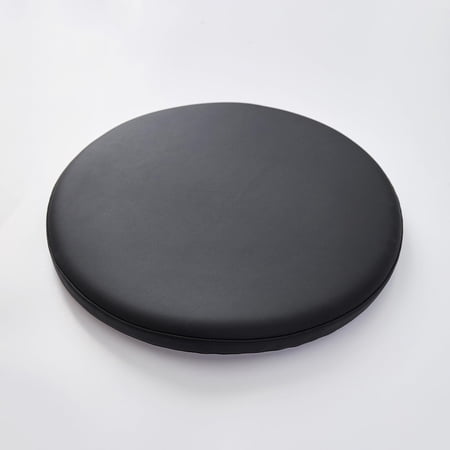
Waterproof / leatherette
- ✔️ Easy to wipe clean
- ✔️ Great for spills
- ❌ Can feel less breathable
4. Fit and Attachment
Measure your chair seat width (usually 18–20 inches). Look for:
- Non-slip bottom: Rubber dots or silicone grips keep the pad from sliding forward.
- Elastic straps with clips: Secure the pad around the chair back or seat, especially for leather chairs where slippage is common.
- Contoured shape: Some pads have a raised lumbar section or coccyx cutout for extra ergonomics.
5. Controllability
- Multi-level heat settings: At least low-medium-high (e.g., 86°F – 113°F).
- Controller placement: Side-mounted with a clip so you can adjust without standing up.
- Memory function: Some digital controllers remember your last setting.
Quick Comparison: Common Heated Seat Pad Types
| Type | Best For | Heat-up time | Avg. Price |
|---|---|---|---|
| Standard fleece (AC) | Daily office use, cold climates | 2–3 min | $30–$50 |
| USB carbon fiber | Travel, low-power setups | 4–5 min | $25–$40 |
| Gel & memory foam (AC) | Ergonomics + heat combo | 3–4 min | $60–$90 |
| Waterproof leatherette | Spill-prone areas, labs | 3 min | $35–$55 |
Installation & Daily Use Tips
- Positioning: Place the pad so it covers the entire seat pan and slightly curves up the backrest if it's a 2-in-1 style. Align the heating elements with your thighs and lower back.
- Cable management: Use adhesive clips to route the cord along the chair arm or leg to avoid tripping.
- Pre-heating: Turn it on 5 minutes before you sit down for instant coziness.
- Layered dressing: The pad works best over normal office attire; avoid extremely thick padding on top which may block heat.
- Storage: Roll loosely (don't fold tightly) to protect internal wires when not in use for long periods.
Safety First: Important Do's and Don'ts
- ✅ Do inspect the cord regularly for frays.
- ✅ Do unplug when not in use for extended periods (weekends).
- ✅ Do use on a stable, flat chair surface.
- ❌ Don't sit on the pad if it's wet or spilled on—unplug and dry thoroughly.
- ❌ Don't use with an extension cord unless absolutely necessary and rated for the wattage.
- ❌ Don't place heavy objects on the controller.
Heated Pad vs. Heated Chair: Which Is Better?
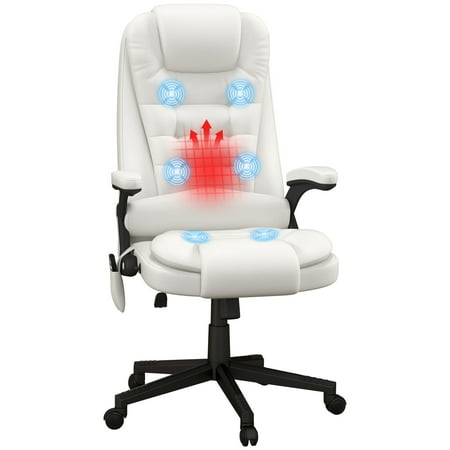
A dedicated heated office chair often costs $200+ and may lack ergonomic adjustments. A heated seat pad (typically $30–$70) transforms your existing chair, letting you keep your preferred lumbar support while adding warmth. Plus, you can take it with you if you change chairs. For most people, the pad offers the best flexibility and value.
Frequently Asked Questions About Heated Seat Pads
Conclusion: Warmth That Works as Hard as You Do
A heated seat pad for office chair is a small investment with outsized returns: comfort, focus, and even muscle relaxation. Whether you battle a drafty home office or just love the cozy factor, today's pads are safer and more efficient than ever. Pair one with a good ergonomic chair, and you've created a workstation that supports both your spine and your warmth needs. Check the top recommendations above (updated via Walmart API) to find your perfect match.