
Introduction: Why Your Desk Chair Demands an Ergonomic Upgrade
Imagine wearing a pair of shoes that are half a size too small. At first, it’s just a pinch. After a few hours, it’s a throbbing distraction. The same happens when you sit on a non-ergonomic chair: your body subtly compensates, muscles tighten, and your spine loses its natural curve. An ergonomic office desk chair acts like a custom-fitted shoe for your entire posterior chain—supporting you so you can forget you’re sitting and focus on your work.
In the modern workplace, where the average professional spends over 80,000 hours sitting in a lifetime, the chair is your most used piece of equipment. Yet many still use basic task chairs that treat every body as identical. Ergonomics is the science of fitting the workspace to the person, and a quality ergonomic chair does exactly that. It adjusts to your height, weight, and preferred sitting style, whether you lean forward in deep focus or recline during a brainstorming call.
This guide goes beyond surface-level advice. We'll unpack the anatomy of a truly ergonomic chair, reveal what features actually matter (and which are just marketing fluff), and help you choose a model that aligns with your body and work habits. By the end, you’ll know exactly what to look for—and why investing in an ergonomic office desk chair is one of the smartest long-term decisions for your career and well-being.
1. The Anatomy of an Ergonomic Office Desk Chair: Beyond the “Comfy” Label
Ergonomics isn’t about plush padding; it’s about dynamic support. A truly ergonomic chair has several key components that work in harmony. Let’s dissect them one by one, using an analogy: think of your chair as a suspension system for a car. It should absorb shocks, keep you stable on rough terrain (long meetings), and adapt to different road conditions (tasks).
1.1 Lumbar Support: The Cornerstone of Spinal Health
The lower back (lumbar region) has a natural inward curve. Most chairs ignore this, leaving a gap that causes your muscles to work overtime to hold your spine upright. An ergonomic chair provides adjustable lumbar support—both in height and depth. This fills the gap and maintains the curve, reducing disc pressure by up to 40% according to spine biomechanics research. Look for support that can be moved up/down and in/out to match your exact lumbar position.
1.2 Seat Depth and Edge (Waterfall Front)
Ever feel tingling in your thighs after sitting? That’s pressure on blood vessels. A proper ergonomic seat has a waterfall edge—a gentle slope that reduces pressure behind the knees. Seat depth adjustment (sliding the pan forward/backward) ensures you can sit with 2-4 finger widths between the back of your knee and the seat. This simple feature improves circulation and prevents restless legs.
1.3 Adjustable Armrests: 4D is the Gold Standard
Static armrests often force you to hunch or wing your elbows. Quality ergonomic chairs offer 4D armrests: up/down, left/right, forward/backward, and even pivot angle. This lets you keep your shoulders relaxed and elbows at 90 degrees while typing. A 2022 study in Applied Ergonomics linked adjustable armrests to a 25% reduction in shoulder-neck discomfort among office workers.
1.4 Backrest Recline and Tilt Tension
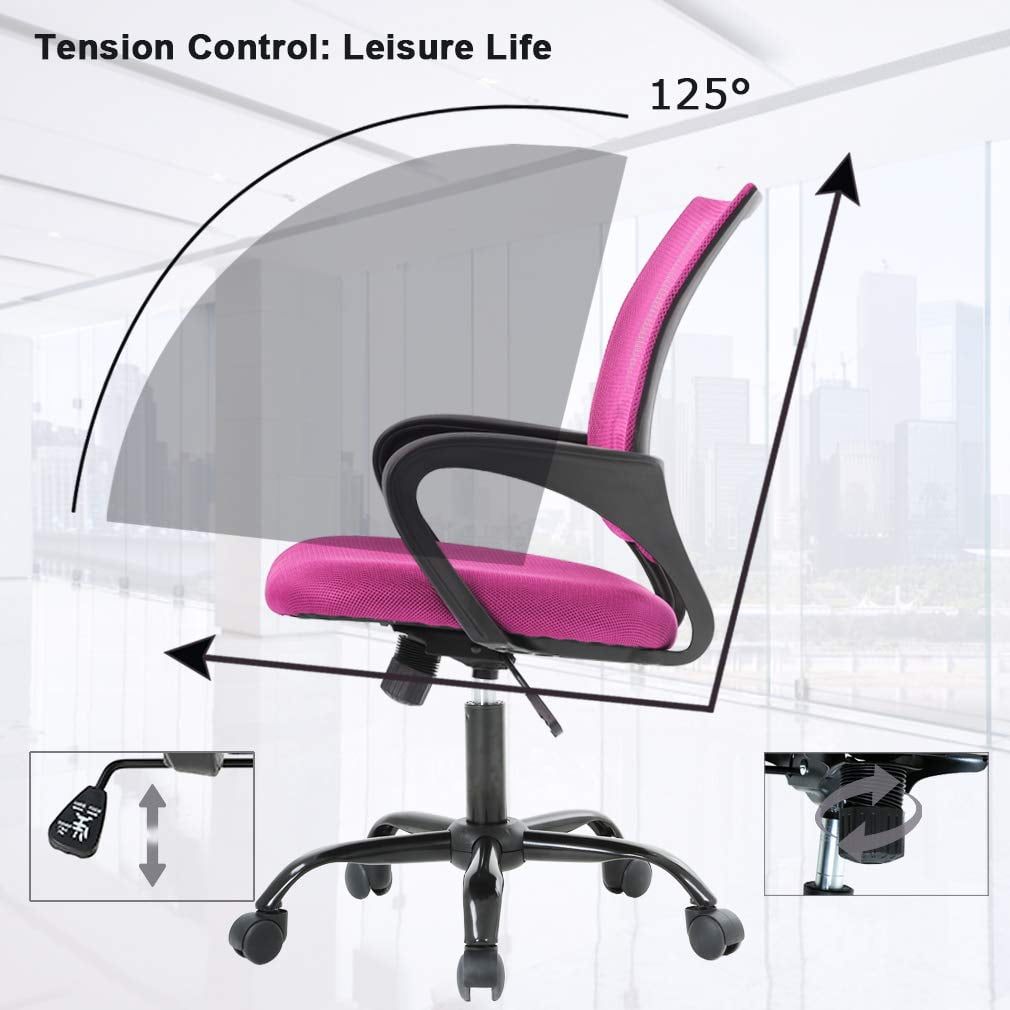
Your body craves movement. A good ergonomic chair has a synchro-tilt or multi-position recline mechanism that allows the seat and backrest to move in a coordinated way. Tilt tension adjustment lets you set how much force is needed to recline—light enough to rock gently, firm enough to hold a posture. This dynamic sitting engages core muscles and lubricates spinal discs.
1.5 Breathable Material: Mesh vs Foam
Traditional thick foam can trap heat, leading to sweat and discomfort. High-end ergonomic chairs often use high-tension mesh on the back (and sometimes seat) that conforms without heat buildup. For all-day comfort, breathability is non-negotiable—it’s the difference between feeling fresh at 5 PM vs. feeling like you need a shower.
2. Why Your Body Thanks You: Tangible Benefits of Ergonomic Seating
Switching to an ergonomic office desk chair isn’t about aesthetics; it’s about measurable outcomes. Here’s what consistent users report, backed by occupational health data:
- Reduced spinal load: Proper lumbar support can cut intervertebral disc pressure by nearly 35%, potentially warding off degenerative disc disease.
- Improved focus: Discomfort is a distraction. In a Cornell University study, workers using highly adjustable chairs showed a 17.8% increase in productivity compared to those in fixed chairs.
- Better breathing: When you slouch, your diaphragm compresses. An upright posture supported by an ergonomic chair can increase lung capacity by up to 30%.
- Long-term musculoskeletal health: The American Chiropractic Association notes that ergonomic seating is a primary prevention tool against repetitive strain injuries and chronic back pain.
3. How to Choose Your Perfect Ergonomic Match: A Step‑by‑Step Framework
With hundreds of models available, decision paralysis is real. Use this practical framework to filter options:
Step 1: Identify your “sitting style”
Are you a forward leaner (intense desk work), a recliner (thinker/reader), or a multi-tasker (constantly shifting)? Forward leaners need strong lumbar and maybe a slightly firmer seat. Recliners need a headrest and smooth recline. Multi-taskers benefit from a synchro-tilt mechanism.
Step 2: Measure your body dimensions
Grab a tape measure. Key numbers: lower back height (from sitting surface to the widest part of your lower back curve) – usually 6-10 inches. Popliteal length (back of knee to buttock) determines seat depth range. Check manufacturer specs against these numbers.
Step 3: Prioritize non‑negotiables
List must-haves: adjustable lumbar? 4D arms? mesh back? weight capacity (look for 300lb+ for durability, even if you weigh less). Set a budget but remember: a good ergonomic chair amortized over 10 years costs pennies a day.
Step 4: Test if possible, or use virtual fit tools
Many brands now offer online fit guides. If testing in a store, sit for 15 minutes minimum. Adjust every lever. Your body will tell you quickly if the chair works.
4. Ergonomic Myths Debunked (Don’t Fall for These!)
- Myth: “Expensive means ergonomic.” Price often includes brand and materials, not necessarily better ergonomics. Some mid-range chairs offer exceptional adjustability.
- Myth: “You don’t need to move if the chair is good.” Even the best chair can’t replace movement. Ergonomic chairs enable healthier postures, but you should still stand and stretch every hour.
- Myth: “One size fits all.” Ergonomic chairs are highly adjustable for a reason. A chair that fits a 6’2” person may be terrible for someone 5’2” unless adjustments are used correctly.
5. Quick Material & Feature Comparison at a Glance
| Feature | Why it matters | Ideal spec for ergonomics |
|---|---|---|
| Lumbar | Prevents slouching | Height + depth adjustable |
| Seat depth | Thigh support | Slide range 2–3 inches |
| Back material | Breathability | High-tension mesh |
| Armrests | Shoulder/neck relief | 4D (vertical, horizontal, angle, width) |
| Tilt mechanism | Dynamic sitting | Synchro-tilt with tension control |
Frequently Asked Questions About Ergonomic Office Desk Chairs
Conclusion: Invest in the Chair That Invests in You
Choosing an ergonomic office desk chair is a declaration that your health matters. It’s the tool that silently supports you through deadlines, video calls, and deep work sessions. By understanding the mechanics—lumbar support, adjustability, materials—you can avoid marketing traps and select a chair that truly fits. Remember, the best ergonomic chair is the one that disappears beneath you, allowing your mind to focus entirely on the task at hand. Start your search with the top-rated models above, and take the first step toward a more comfortable, productive work life.