
Why Your Desk Chair Demands an Ergonomic Upgrade
Imagine wearing a suit that’s two sizes too small — by midday, every movement hurts. That’s what sitting in a non-ergonomic chair does to your spine. The average office worker spends over 1,800 hours per year in their chair. Yet many still use static, one-size-fits-all seating that fights their body’s natural curves. An ergonomic desk office chair isn't a luxury; it's a tool that works with your anatomy.
According to the Occupational Safety and Health Administration (OSHA), poor workplace ergonomics costs U.S. businesses over $60 billion annually in lost productivity and medical claims. On a personal level, back pain is the leading cause of job-related disability. But here's the good news: a study in the Journal of Physical Therapy Science showed that using an ergonomic chair with proper lumbar support reduced lower back pain by 54% in just six weeks. This guide will walk you through the anatomy of true ergonomic design, helping you decode marketing jargon and select a chair that keeps you comfortable, focused, and healthy.
reduction in back pain with proper ergonomic chair (Journal of Physical Therapy Science)
typical lifespan of a high-quality ergonomic chair
knees, hips, elbows at 90° for ideal posture
The Science of Sitting: Key Ergonomic Principles
Forget the idea that "sitting up straight" means rigid posture. Your spine has a natural S-curve, and an ergonomic chair supports that shape while allowing movement. Let's break down the non-negotiable components of a truly ergonomic desk office chair.
1. Lumbar Support: The Foundation of Spinal Health
The lower back (lumbar region) bears the brunt of sitting. A static chair often creates a gap here, forcing your muscles to contract to hold your spine upright — leading to fatigue and pain. True ergonomic chairs feature adjustable lumbar support (both height and depth). The support should fit snugly into the curve of your lower back, maintaining that inward lordotic curve. Some advanced models use inflatable air bladders or spring-loaded mechanisms that move with you.
2. Seat Pan Dynamics: More Than Just a Cushion
Seat depth and angle dramatically affect circulation and pressure. A good ergonomic chair offers:
- • Seat depth adjustment: slides forward/back so tall users get thigh support and shorter users aren't pressed behind the knees.
- • Waterfall front edge: curved downward to prevent pressure on the underside of thighs, improving blood flow.
- • Forward tilt option: tilts the seat down slightly, opening the hip angle — ideal for intense desk work or reducing pressure on the lower back.
3. Backrest Recline and Synchronous Mechanism
Static sitting all day starves spinal discs of nutrients. Movement is key. Look for a synchronous tilt mechanism: when you recline, the seat and backrest move at a ratio (usually 2:1 or 3:1) keeping you supported and preventing shirt pull. Tilt tension adjustment lets you set how much force is needed to recline — heavier individuals need firmer tension. Some chairs also have a recline lock for your preferred angles.
4. Armrests: The 4D Advantage
Fixed armrests often force you to hunch or splay elbows. High-end ergonomic chairs now offer 4D armrests — adjustable up/down, left/right, forward/back, and pivot. This allows you to rest your arms with shoulders relaxed, elbows at 90°, reducing neck and shoulder tension. If you type a lot, armrests should support your forearms without lifting your shoulders.
5. Headrest: Often Overlooked, Vital for Breaks
While not essential during typing, a well-placed headrest supports your neck during reclined moments (reading, thinking, video calls). Look for height and angle adjustment so it cradles the curve of your cervical spine, not juts into your head.
How to Choose Your Ergonomic Desk Office Chair: 5-Step Framework
Use this numbered approach to cut through the noise and find your match:
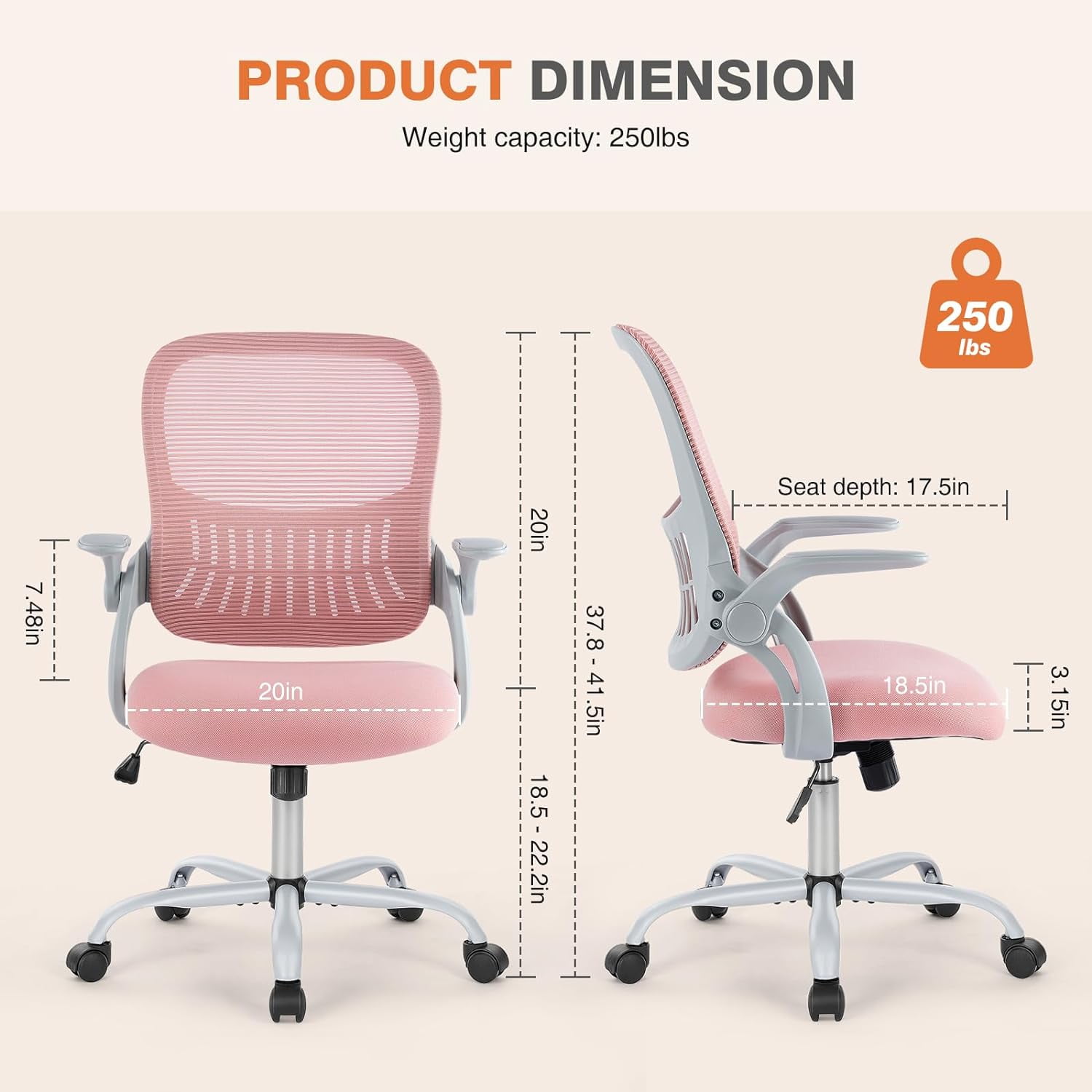
- Measure your body and space: record your height, weight, and the height of your desk. The chair's seat height range must allow your feet to rest flat (typically 16–21 inches).
- Identify must-have adjustments: Do you have back pain? Prioritize lumbar depth adjustment. Tall? Seat slider is non-negotiable. Broad shoulders? Look for wider backrest or adjustable arms.
- Material preference based on climate and feel: Hot climate? Go with breathable mesh. Want plush luxury? Leather or high-density foam with breathable fabric. Check if the foam is "cold-cured" (retains shape longer).
- Check weight capacity and build: Even if you're average weight, a chair rated for 300+ lbs often uses thicker steel and better gas lifts, meaning longer life. Look for Class 3 or 4 gas lift and 5-star metal base.
- Warranty as a reliability signal: A 10-year warranty on the frame and mechanism indicates manufacturer confidence. Avoid chairs with only 1-2 year coverage.
Ergonomic Myths vs. Facts: What Really Works?
While it activates core muscles, prolonged use without back support can strain the spine and is unstable for focused work. Best used in short intervals, not 8 hours.
Dynamic sitting — shifting position, leaning back — is healthy. A good ergonomic chair supports movement with synchronized tilt and flexible backrests.
Prevention is key. Just as you don't wait for a cavity to brush your teeth, you shouldn't wait for pain to invest in ergonomic support.
Too-soft foam collapses, misaligning hips. Medium-density, resilient foam (or high-tension mesh) provides support without sinking.
The "Goldilocks" Zone: Finding Your Perfect Fit
Think of an ergonomic chair as a finely tuned bicycle — it needs adjustments to fit the rider. A chair that’s perfect for a 6'2" person may be unusable for someone 5'2". That's why adjustability is the true marker of ergonomics. Brands that offer multiple sizes (like A, B, C sizes) or extensive ranges cater to real human diversity. When you sit in a well-adjusted ergonomic desk office chair, you should feel "held" but not constrained — like the chair disappears, and you can focus entirely on your work.
Frequently Asked Questions About Ergonomic Desk Office Chairs
Conclusion: Your Path to Pain-Free Productivity
Choosing an ergonomic desk office chair is one of the most impactful decisions for your work life. It’s not about buying a "prestige" brand; it’s about finding a chair that fits your body, supports your tasks, and encourages your movement. Use the framework above to identify chairs with genuine adjustability, durable materials, and a warranty that backs their claims.
Remember the analogy of the Goldilocks zone: too little support hurts, too much padding collapses. The right chair disappears into your workflow, letting you focus on what matters. Browse the curated selection of ergonomic chairs above — many come with free returns, so you can test-drive your posture transformation risk-free.