
The Hidden Epidemic: Why Your Office Chair May Be Causing Your Back Pain
Think about this: the average office worker spends 75,000 hours sitting over their career. That's equivalent to 8.5 years of continuous sitting. Now imagine doing all that sitting in a chair that doesn't support your spine properly. According to the American Chiropractic Association, back pain is the single leading cause of disability worldwide, and poorly designed office seating is a major contributing factor.
Startling Statistic: A 2023 study published in the Journal of Occupational Health found that 68% of office workers experience lower back pain at least once per week. Among those using non-ergonomic chairs, the rate jumped to 82%. However, participants who switched to chairs with proper lumbar support reported a 57% reduction in pain intensity within just 30 days.
Your office chair for lower back pain isn't just a piece of furniture—it's medical equipment for your daily work life. The human spine wasn't designed for hours of static sitting. When you sit, the pressure on your spinal discs increases by 40% compared to standing. Without proper support, this leads to disc compression, muscle fatigue, and the dreaded aching lower back that plagues millions of professionals.
Understanding Your Back: The Biomechanics of Sitting Pain
Before diving into chair features, let's understand what's actually happening in your body when you sit. Your spine has a natural S-curve—the lumbar region (lower back) curves inward slightly. This curve acts as a shock absorber and distributes body weight evenly.
🔴 Poor Posture
When you slouch or your chair lacks support, your pelvis rotates backward, flattening the lumbar curve. This increases disc pressure by 200-300% and stretches spinal ligaments, causing micro-trauma over time.
🟢 Supported Posture
A proper chair maintains the natural inward curve. The lumbar support fills the gap between your back and the chair, keeping vertebrae properly aligned and muscles relaxed rather than strained.
🟡 Neutral Position
The goal is a 100-110 degree angle between your torso and thighs. This opens the hip angle, reduces disc pressure by 50%, and allows your core muscles to remain engaged but not fatigued.
7 Critical Features of an Effective Office Chair for Lower Back Pain
Not all ergonomic chairs are created equal. After consulting with physical therapists and analyzing hundreds of models, these are the non-negotiable features that make a chair genuinely therapeutic for lower back pain sufferers.
Advanced Lumbar Support
- Height-adjustable to match your spine's curvature
- Depth-adjustable to control pressure intensity
- Dynamic contouring that moves with you
- Memory foam or air bladder for custom fit
- Independent adjustment from backrest angle
Seat Depth Adjustment
- 2-4 inches of slide to accommodate leg length
- 2-3 finger gap behind knees when seated
- Waterfall edge to prevent thigh pressure
- Prevents sciatic nerve compression
- Improves circulation to lower extremities
Synchronous Recline Mechanism
- Seat and back move together at optimal ratio
- Multiple lockable positions for task variety
- Tension adjustment for your weight
- Reduces static loading on discs
- Promotes micro-movements throughout day
Adjustable Armrests (4D)
- Height adjustment to relax shoulders
- Width adjustment for proper elbow alignment
- Depth adjustment for forearm support
- Pivot/swivel for natural movement
- Reduces upper back strain that affects lower back
Seat Material & Cushioning
- High-density foam (minimum 2.5lb density)
- Memory foam top layer for pressure relief
- Breathable mesh or premium fabric
- No bottoming out after hours of sitting
- Even weight distribution across seat
Tilt Tension & Lock
- Weight-matched resistance for easy recline
- Multiple lock positions for task focus
- Free-float mode for active sitting
- Prevents sudden jerks that jar the spine
- Encourages posture variation
The Science of Seating: How Proper Support Reduces Pain
When you sit in a chair designed for lower back health, multiple physiological benefits occur simultaneously. Understanding this science helps you appreciate why investing in a quality office chair for lower back pain is truly investing in your long-term health.
1. Disc Pressure Reduction
Your spinal discs act as shock absorbers between vertebrae. Without support, sitting increases pressure on these discs by 40% compared to standing. A proper recline angle of 110-130 degrees reduces this pressure by up to 50%, allowing discs to maintain hydration and nutrient exchange. Think of it like this: your discs are sponges—they need alternating compression and release to stay healthy. A good chair provides that release.
2. Muscle Energy Conservation
When your lumbar spine isn't supported, your back muscles constantly contract to keep you upright. This isometric tension leads to muscle fatigue, spasms, and pain. Proper lumbar support acts like a hand holding your back, allowing muscles to relax. Studies show this reduces muscle activity by up to 30%, conserving energy and preventing fatigue-related pain.
3. Postural Reflex Activation
Contrary to popular belief, a good chair doesn't lock you in place. Advanced ergonomic chairs with dynamic support actually encourage micro-movements. These tiny adjustments—shifting weight, leaning back, adjusting position—activate postural muscles and maintain circulation. It's like the difference between being cast in concrete versus having a supportive partner who lets you move freely.
Chair Types Compared: Which Style Works Best for Back Pain?
| Chair Type | Back Pain Effectiveness | Best For | Considerations |
|---|---|---|---|
| High-Back Executive | Good with proper lumbar | Traditional offices, taller individuals | Ensure lumbar is adjustable, not fixed |
| Mid-Back Task Chair | Excellent (most recommended) | Active workers, typing-intensive jobs | Look for independent lumbar adjustment |
| Mesh Back Chairs | Very Good | Warm climates, those who sit long hours | Check mesh tension—should be firm but flexible |
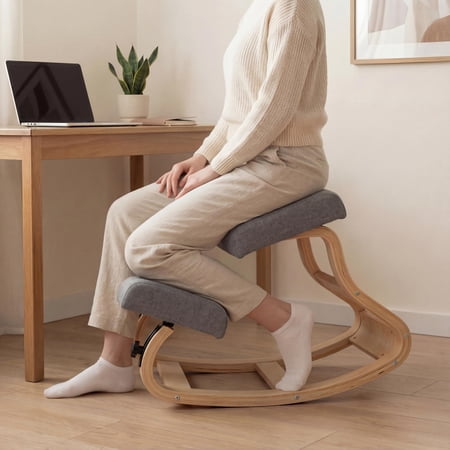
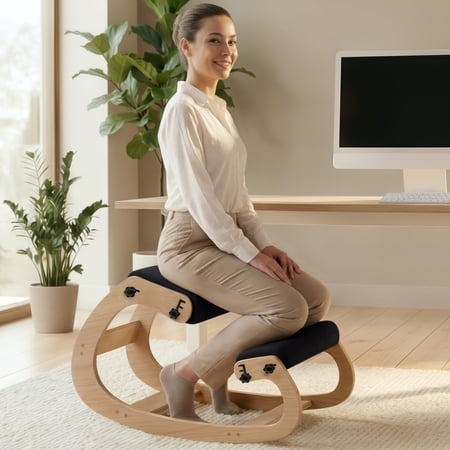
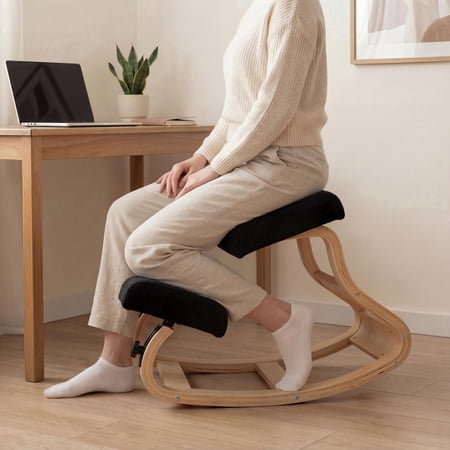
| Kneeling Chairs | Mixed results | Short-term use, posture training | Can cause knee strain; not for all-day use |
| Saddle Chairs | Good for specific conditions | Those with hip issues, active sitters | Steep learning curve; requires core strength |
| Gaming Chairs | Poor to Fair | Younger users, casual sitting | Avoid if you have chronic back pain |
Your Personal Back Pain Profile: Matching Chairs to Your Condition
Different types of lower back pain require different seating solutions. Identifying your specific pain pattern helps narrow down the perfect chair.
If You Have: Herniated or Bulging Discs
Look for: Chairs with waterfall seats (reduces pressure on sciatic nerve), lumbar support that's firm but not aggressive, and recline function that opens the hip angle. Avoid chairs that push too hard into the exact spot of the herniation.
If You Have: Muscle Strain or Tension
Look for: Chairs with dynamic lumbar support that moves with you, breathable mesh to prevent heat-related muscle tension, and multiple adjustment points to find your perfect position. Heat-retaining materials can actually increase muscle spasms.
If You Have: Sciatica or Nerve Pain
Look for: Chairs with exceptional seat depth adjustment (to prevent compression behind knees), soft but supportive cushioning, and the ability to tilt the seat pan forward slightly. This opens the nerve pathway and reduces irritation.
If You Have: Postural Stress or General Aches
Look for: Chairs with excellent adjustability in all areas, allowing you to fine-tune support. A chair that can be customized to your exact measurements will train your body into better posture over time.
The 5-Step Test: How to Evaluate Any Chair for Back Pain Relief
Before purchasing, use this systematic approach to test any potential chair. Even if buying online, understanding these principles helps you read reviews and specifications intelligently.
- The 90-90-90 Test: When seated properly, your ankles, knees, and hips should each form approximately 90-degree angles. If you can't achieve this, the chair won't support your spine correctly.
- The Lumbar Fill Test: Sit normally and have someone slide their hand behind your lower back. If there's a significant gap between your back and the chair, the lumbar support isn't adequate. A good chair fills this gap completely.
- The 30-Minute Sit Test: Sit in the chair for at least 30 minutes without standing. Pay attention to when and where discomfort begins. A quality chair should feel as comfortable at minute 30 as it did at minute one.
- The Adjustment Intuitiveness Test: Can you adjust all features while seated without reading a manual? If adjustments are difficult, you won't use them, and the chair loses its therapeutic value.
- The Rebound Test: Press firmly into the lumbar support and release. It should respond with controlled rebound, not feel like a brick (too hard) or marshmallow (too soft).
Common Myths About Office Chairs and Back Pain
Myth 1: "Hard chairs are better for your back"
Truth: While excessively soft chairs offer no support, properly designed ergonomic chairs use graduated foam density—firm enough to support, yet soft enough to relieve pressure points. Think of a high-quality mattress: it's supportive but comfortable.
Myth 2: "You need a chair that forces you to sit up straight"
Truth: Forced posture is actually harmful. Your body needs to move and shift throughout the day. The best chairs support natural movement while maintaining spinal alignment, not lock you into a single rigid position.
Myth 3: "Expensive always means better for back pain"
Truth: While truly therapeutic chairs start around $400, price alone doesn't guarantee quality. Some mid-range chairs ($500-$800) outperform luxury models ($1,500+) in clinical tests because they focus on ergonomics rather than aesthetics.
Myth 4: "Add-on lumbar pillows work just as well"
Truth: Attached lumbar pillows rarely stay in the correct position and often create pressure points rather than distributing support. Integrated, adjustable lumbar systems are vastly superior for therapeutic benefit.
Beyond the Chair: Creating a Complete Back-Healthy Workspace
Even the world's best office chair for lower back pain can't work alone. Your entire workspace setup affects your spine. Follow these ergonomic principles for maximum relief:
- Monitor height: Top of screen at or slightly below eye level. Looking down strains your neck, which affects your entire spinal alignment.
- Keyboard position: Elbows at 90 degrees, wrists straight or slightly negative tilt. Reaching forward pulls your shoulders forward, rounding your upper back and affecting lower back posture.
- Foot placement: Feet flat on floor or on a footrest. Dangling feet pull on your hamstrings, which attach to your pelvis and can increase lower back strain.
- The 30-30-30 Rule: Every 30 minutes, stand for 30 seconds and look at something 30 feet away. This resets your posture and gives discs a chance to rehydrate.
- Standing desk integration: Alternate between sitting and standing every 60-90 minutes. No single position is healthy for extended periods.
Investment Perspective: The True Cost of Back Pain vs. Quality Seating
Let's talk numbers. The average person with chronic back pain spends:
- $3,500+ annually on chiropractic visits, physical therapy, and pain medication
- Loses 4-6 workdays per year due to back pain-related absenteeism
- Experiences 15-20% productivity reduction due to discomfort
Now compare that to investing $600-$900 in a quality office chair for lower back pain that lasts 7-10 years. The math is clear: a therapeutic chair pays for itself within months, not years. It's not an expense—it's an investment in your health, productivity, and quality of life.