

Why Your Chair is Your Most Important Health Tool
Think of your office chair as the foundation of your home for eight hours a day. If the foundation is cracked, everything built on top—your focus, your energy, your posture—will eventually suffer. A standard, one-size-fits-all chair is like a pair of off-the-rack shoes: it might look okay, but it won't support your unique frame during a marathon work session.
Investing in one of the top ergonomic office chairs is not a luxury; it's a strategic investment in your physical well-being and professional output. According to the Occupational Safety and Health Administration (OSHA), musculoskeletal disorders (MSDs) account for nearly 30% of all workplace injuries, often stemming from prolonged static postures in unsupportive seating. A truly ergonomic chair actively works to prevent this by adapting to you, not the other way around.
Decoding the DNA of a Top Ergonomic Office Chair
Walking into the world of ergonomic seating can feel like stepping into a cockpit. Levers, knobs, and slides everywhere. But understanding what each adjustment does is the key to unlocking a pain-free workday. Let's break down the critical components that separate a gimmick from a genuinely top ergonomic office chair.
1. The Holy Trinity of Adjustability: Back, Seat, and Arms
A chair that doesn't adjust is just a decorative object. True ergonomic performance hinges on three core zones:
- Lumbar Support (Height & Depth): This is your spine's best friend. The best chairs offer a lumbar support that moves up and down (height) and in and out (depth). This ensures the curve of the chair fills the small of your back perfectly, preventing the "hammock effect" where your lower back collapses.
- Seat Depth (Slider): Ever feel pressure behind your knees? That's a sign the seat pan is too long. A sliding seat depth allows you to adjust so there's a 2-3 finger gap between the back of your knee and the seat edge, promoting healthy circulation.
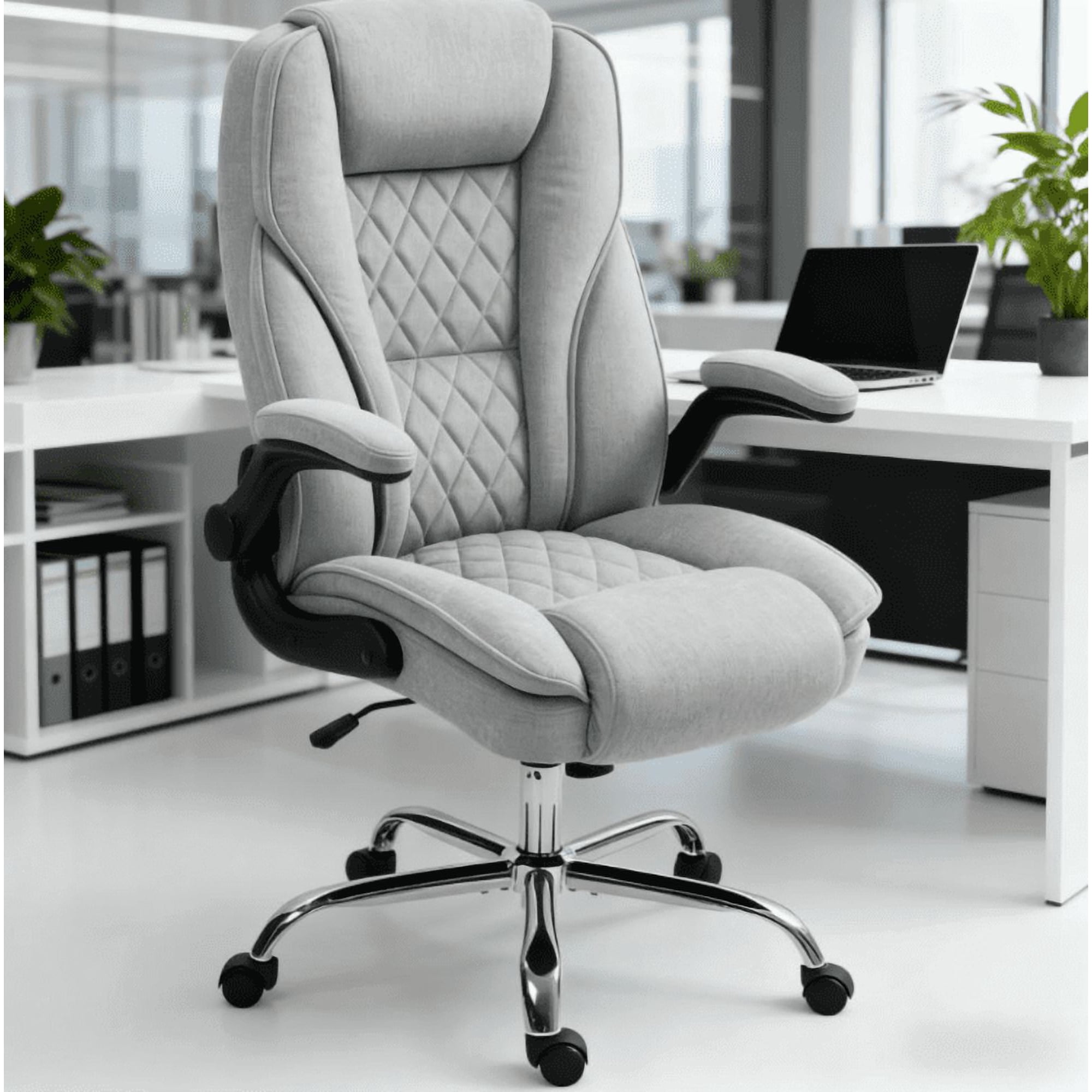
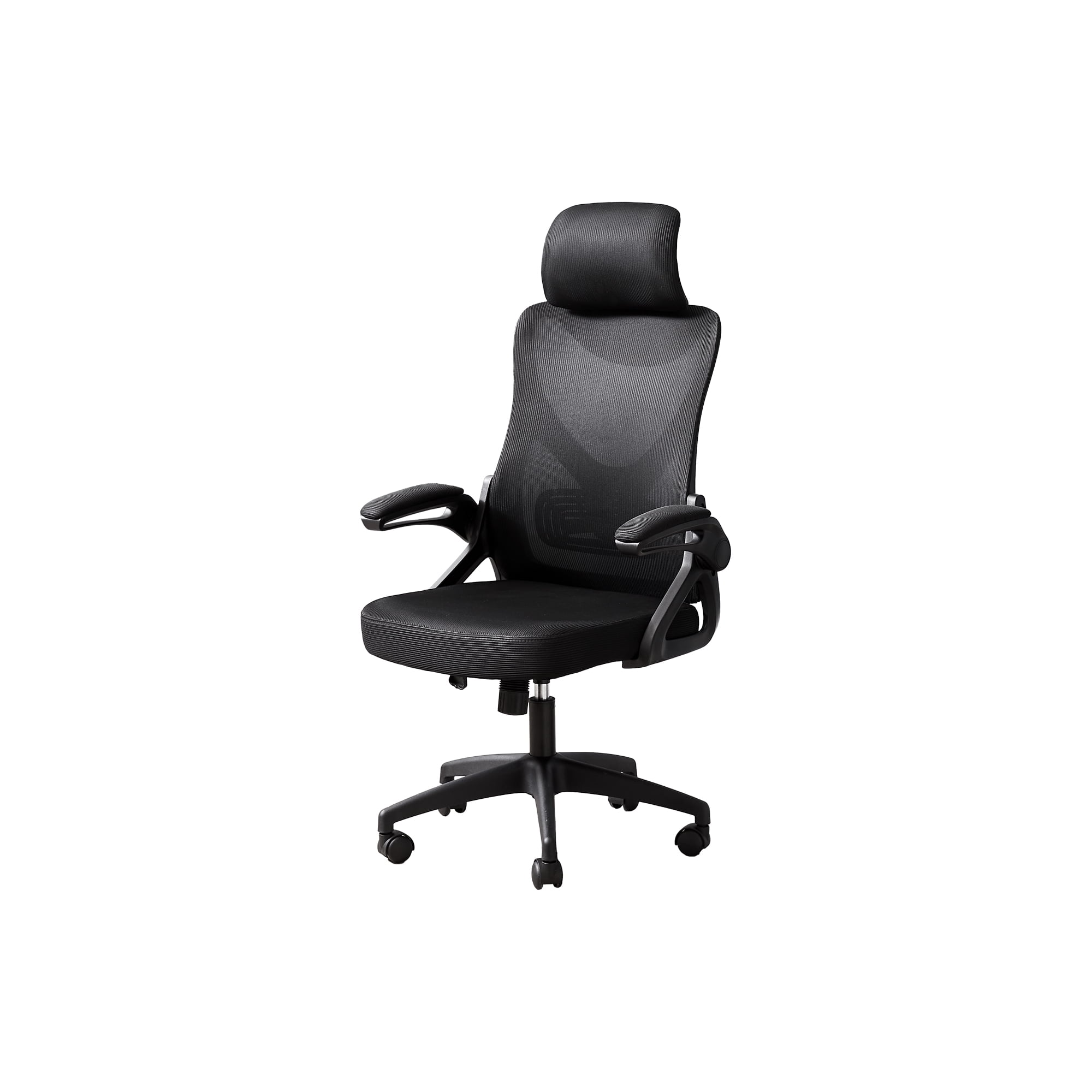
- 4D Armrests: "4D" means you can move the armrests up/down, forward/back, left/right (pivot), and sometimes even widen/narrow them. This lets you support your arms in any position—typing, reading, or relaxing—which takes the weight off your shoulders and neck.
2. The Recline Mechanism: More Than Just Leaning Back
Not all reclines are created equal. Look for a synchronous tilt mechanism. This high-end feature allows the backrest and seat pan to move in a coordinated, optimal ratio (often around 2:1 or 3:1). As you lean back, the seat tilts up slightly, keeping you anchored and preventing your shirt from pulling out or your feet from leaving the floor. It promotes movement—often called "dynamic sitting"—which is crucial for spinal disc health.
3. Material Science: Mesh vs. Foam
This is a classic debate, and the "top" choice depends on you.
- High-Tension Mesh (The Breathable Choice): Ideal for warmer climates or those who run hot. Modern mesh isn't the saggy fabric of the past; it's a high-tension, elastomeric material that provides firm, yet forgiving, support by conforming to your shape. It's self-ventilating, so you never get that sticky back.
- Multi-Layer Foam (The Conforming Choice): Often used in "luxury" ergonomic chairs. Top-tier chairs use a combination of foams—a firmer support core with a softer, visco-elastic (memory foam) top layer. This provides an initial "sinking in" comfort while maintaining deep-down support. Look for breathable fabric covers to mitigate heat buildup.
4. The Foundation: Base and Casters
Don't overlook what touches the floor. A sturdy, five-point base (usually aluminum or heavy-duty nylon) is non-negotiable for stability. For casters, match them to your floor type:
- Hardwood/Tile: Soft rubber casters (often with a urethane coating) that won't scratch.
- Carpet: Hard nylon or standard casters that roll easily on fibrous surfaces.
- Some top chairs now offer "rollerblade-style" wheels, which are quiet, smooth, and work well on most surfaces.
A Strategic Approach to Choosing Your Ergonomic Chair
Rather than just picking the most popular model, use this step-by-step guide to find your perfect match among the top ergonomic office chairs.
Step 1: The Tape Measure Test
Grab a tape measure and note down:
- Your Popliteal Height (from floor to the back of your knee, sitting with feet flat): This determines the minimum seat height you need.
- Your Seat Depth Needed (from your back to the back of your knee, minus 2 inches): This is the ideal seat pan length.
- Your Desk Height: Ensure the chair's max armrest height can reach this level comfortably.
Step 2: The "Goldilocks" Adjustment
Once you have a chair (or are testing one), go through this sequence:
- Adjust seat height so your feet are flat, thighs parallel to the floor.
- Adjust seat depth so you have 2-3 finger widths behind your knee.
- Adjust lumbar support so it fits snugly into your lower back curve.
- Adjust armrests so your shoulders are relaxed, and your elbows form a 90-degree angle when typing.
- Set the recline tension so you can lean back comfortably without it feeling too stiff or too floppy.
Step 3: The 30-Minute Test Drive
Sit in the chair for at least 30 minutes. Do you feel any pressure points? Is your back fully supported? Can you easily reach all the adjustment levers while seated? This is the ultimate test of real-world comfort.
Forward Tilt Feature
A "secret weapon" for desk work. This tilts the entire seat forward slightly, opening your hip angle and promoting a more upright posture for focused tasks, reducing lower back curve flattening.
Waterfall Seat Edge
A gently sloping front edge that curves down. This relieves pressure on the underside of the thighs, ensuring blood flows freely to your legs and feet, preventing numbness and fatigue.
Adjustable Tension Control
This knob adjusts how much force is needed to recline. A must-have to tailor the chair's "rock" to your body weight and preferred level of movement, from active and bouncy to stable and firm.
Frequently Asked Questions About Top Ergonomic Chairs
Conclusion: Your Path to Pain-Free Productivity
Finding the right chair from the ranks of the top ergonomic office chairs is a personal journey, not a one-size-fits-all purchase. It's about understanding your body's needs and matching them with a chair that offers the precise adjustments and support you require. Remember the key pillars: comprehensive adjustability (especially lumbar and seat depth), a quality recline mechanism that encourages movement, and materials that suit your comfort and climate preferences.
Your chair is where your workday happens. By investing the time to select one that truly fits, you're not just buying a piece of office furniture; you're investing in years of focused work, fewer aches and pains, and a more comfortable, productive professional life. Use the guidance above, test your options, and choose a chair that will support you for the long haul.