
Why Standard Office Chairs Worsen Back Problems
For millions of professionals, back pain is a daily battle. The culprit often isn't just long hours—it's the chair. Conventional office chairs promote a slouched, static posture that compresses spinal discs, strains muscles, and restricts circulation. When you have existing back issues, this becomes a vicious cycle of discomfort and reduced focus.
Startling Statistic: The American Chiropractic Association reports that back pain is the single leading cause of disability worldwide, with up to 80% of the population experiencing it at some point. However, studies show that using ergonomically designed seating can reduce musculoskeletal discomfort by over 60% in office workers.
How the Right Chair Acts as a Therapeutic Tool
Choosing an office chair specifically for back problems is not about luxury—it's about preventative healthcare. A specialized ergonomic chair works by:
- Maintaining Neutral Spine: Keeps your head, shoulders, and hips aligned to reduce stress on vertebrae.
- Distributing Weight Evenly: High-density foam and waterfall seat edges prevent pressure points.
- Encouraging Dynamic Sitting: Allows small, natural movements that engage core muscles and promote circulation.
- Reducing Muscular Fatigue: Provides targeted support so your back muscles aren't overworked just to maintain posture.
Critical Ergonomic Features for Back Pain Relief
Not all ergonomic chairs are equal. For genuine back support, these non-negotiable features make the difference:
| Feature | Why It Matters for Back Pain | What to Look For |
|---|---|---|
| Adjustable Lumbar Support | Fills the gap between your spine and the chair, preventing slouching and maintaining natural lordosis. | Height and depth adjustable; some chairs offer air-bladder lumbar for personalized firmness. |
| Seat Depth Adjustment | Ensures proper thigh support without cutting off circulation or forcing a pelvic tilt. | Slider mechanism with at least 2 inches of travel; waterfall front edge reduces pressure behind knees. |
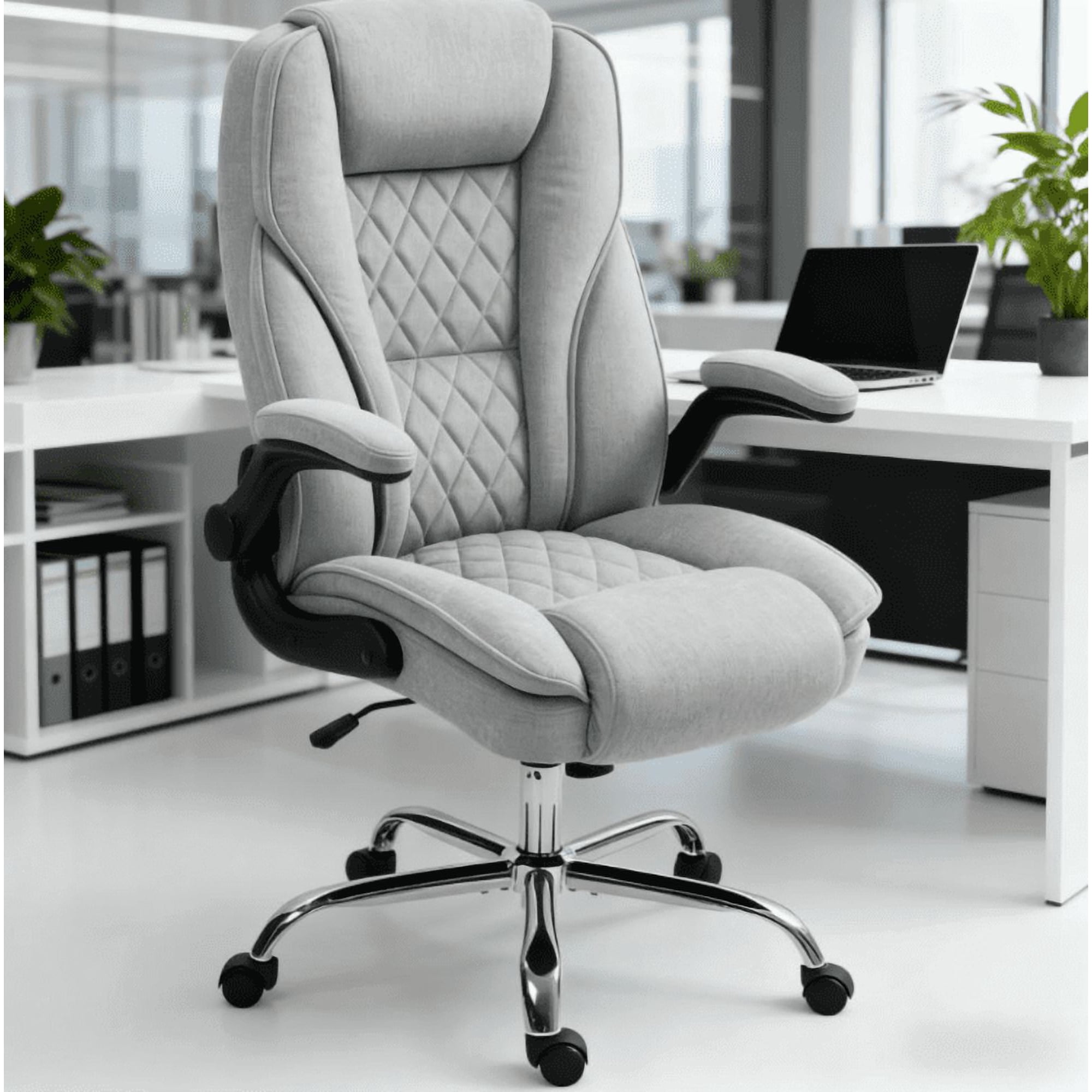
| Multi-Dimensional Armrests | Supports shoulders and upper back, preventing hunching that pulls on the lower spine. | 4D armrests (height, width, pivot, depth) allow customization for different tasks. |
| Dynamic Recline Mechanism | Allows the chair to move with you, reducing static load and maintaining spinal fluid movement. | Synchronous tilt where the seat and back move together; adjustable tilt tension. |
| Breathable Back Material | Mesh back prevents heat buildup and adapts to your back’s shape, offering consistent support. | High-tension, flexible mesh that doesn't sag over time; some premium chairs use hybrid materials. |
When testing a chair, sit all the way back and check if the lumbar curve naturally fits your spine. If you can slide your fist behind your lower back while sitting upright, the support is inadequate.
Beyond the Chair: Holistic Approach to Back Health
While a specialized chair is foundational, true relief comes from a comprehensive approach. Think of your chair as the base camp for spinal wellness:
Micro-Break Rhythm
Set a timer every 30-45 minutes to stand, stretch, and walk. Even 90 seconds resets muscle tension and restores disc hydration.
Posture Cues
Place a small reminder (sticky note) at eye level: "Roll shoulders back, engage core." Posture is a practice, not a fixed state.
Monitor Height
Top of your screen should be at or slightly below eye level. This prevents forward head posture, which adds up to 10 lbs of strain per inch of forward tilt.
Foot Placement
Feet flat on the floor (or a footrest) at a 90-degree angle. Unsupported feet force you to lean forward, destabilizing the pelvis and spine.
Types of Back Problems and Ideal Chair Features
Different conditions require nuanced support. Here’s how to match your specific issue with the right chair mechanics:
- Lower Back Pain (Lumbar Region): Prioritize chairs with independent, adjustable lumbar support that can be set to a firmer curve. Look for models with a 'forward tilt' option to open the hip angle.
- Upper Back & Neck Pain (Cervical/Thoracic): Choose a high-back chair with an adjustable headrest and a backrest that supports the entire spine. Armrests that adjust high enough to support relaxed shoulders are critical.
- Sciatica (Nerve Pain): Seat comfort is paramount. A waterfall seat edge and seat depth adjustment prevent compression behind the thighs. Some chairs offer a split seat design to reduce pressure on the sciatic nerve.
- Herniated Discs: Opt for a chair with dynamic, flexible lumbar support and a multi-position recline that allows you to shift weight and reduce vertical compression on the spine.
5-Minute Desk Stretches to Complement Your Chair
- Seated Cat-Cow: While sitting, place hands on knees. Arch back and look up (cow), then round spine and tuck chin (cat). Repeat 10 times to mobilize the spine.
- Standing Hip Flexor Stretch: Stand up, step one foot back into a lunge, and gently press hips forward. Hold for 30 seconds each side to counteract sitting tightness.
- Thoracic Twists: Sit sideways in your chair, twist toward the backrest, and use your arms for gentle rotation. Opens up mid-back mobility.
- Chin Tucks: Gently draw your chin straight back (like making a double chin). Hold for 5 seconds, repeat 10 times to reduce neck strain.
Investment Perspective: Why Cheap Chairs Cost More in the Long Run
When you struggle with back problems, choosing a budget chair is a false economy. Poorly designed chairs lead to:
- Increased medical costs: Chiropractor visits, physical therapy, and pain medication add up quickly.
- Lost productivity: Discomfort is distracting; chronic pain reduces cognitive performance by up to 20%.
- Shorter chair lifespan: Low-quality foam and mechanisms break down within 1-2 years, requiring replacement.
A high-quality ergonomic chair for back problems is a capital investment in your health, often delivering ROI within months through improved output and reduced medical interventions.