
Your Lower Back Is Talking—Are You Listening?
Imagine your spine as a stack of 33 bones (vertebrae) with jelly-like cushions (discs) in between. When you sit in a chair that doesn't support the natural inward curve of your lower back, it's like squeezing that jelly out of a donut. Over time, this pressure leads to stiffness, chronic pain, and even disc problems. For millions of office workers, the culprit is a simple lack of proper office chair support for lower back pain. The good news? The right chair can be as transformative as a good physical therapist, passively encouraging healthy posture while you focus on your work.
This guide isn't just another list of chairs. It's a deep dive into how support mechanisms work, why your current chair might be failing you, and how to choose a seat that actively fights fatigue. According to the Occupational Safety and Health Administration (OSHA), musculoskeletal disorders (often from poor seating) account for nearly 30% of all worker compensation costs. Investing in a chair with targeted lumbar support isn't a luxury; it's a health intervention.
The Anatomy of Lower Back Support: More Than Just a Bump
Most people think a "lumbar support" is just a curve in the backrest. In reality, effective support is a system. Let's break down the components that separate a gimmick from genuine relief.
1. The Three Pillars of Lumbar Ergonomics
- Adjustable Lumbar Depth (the most overlooked feature): It's not enough for the support to move up and down. The depth—how far it pushes into your back—is critical. A shallow support does nothing for a deep curve; an aggressive push can be uncomfortable. Look for chairs with a dial or pump that lets you control the protrusion. Think of it as tuning a guitar string: the right tension (depth) creates perfect harmony with your spine.
- Synchronized Recline: When you lean back, your thighs angle up, and your lower back curve changes. A chair with synchronized recline keeps the backrest and seat moving in a natural ratio (often 2:1 or 3:1). This ensures that lumbar support doesn't pull away from your back as you recline. It's like a dance partner who follows your lead perfectly.
- Seat Depth Adjustment: This is the foundation. If the seat pan is too long, it pushes against your calves and forces a slouch. Too short, and your thighs are unsupported. A sliding seat (usually 2-4 inches of travel) allows you to create the perfect distance so your back can comfortably contact the lumbar support. As a rule, there should be a two-finger gap between the back of your knee and the seat edge.
2. Material Science: Memory Foam vs. Dense Mesh vs. Air Bladders
The material doing the supporting matters just as much as the adjustability.
Memory Foam Lumbar
- Pros: Conforms to your unique shape, feels soft but supportive, great for static sitting.
- Cons: Can retain heat, may lose shape after 3-5 years of heavy use.
- Best for: Users who want a "hugging" sensation and have consistent posture.
Advanced Mesh with Tension Control
- Pros: Breathable, provides dynamic firmness, often lasts longer. The tension can sometimes be adjusted via a dial to make it firmer or softer.
- Cons: Can be too firm for some, doesn't mold like foam.
- Best for: All-day users in warmer climates, those who prefer a springy, responsive feel.
Air Lumbar (Pneumatic)
- Pros: Most customizable—you inflate/deflate to exact preference. Often found in high-end ergonomic chairs.
- Cons: Complex mechanisms can fail, expensive.
- Best for: People with specific medical conditions (like herniated discs) needing precise support.
3. The "Active Sitting" Myth and Lower Back Health
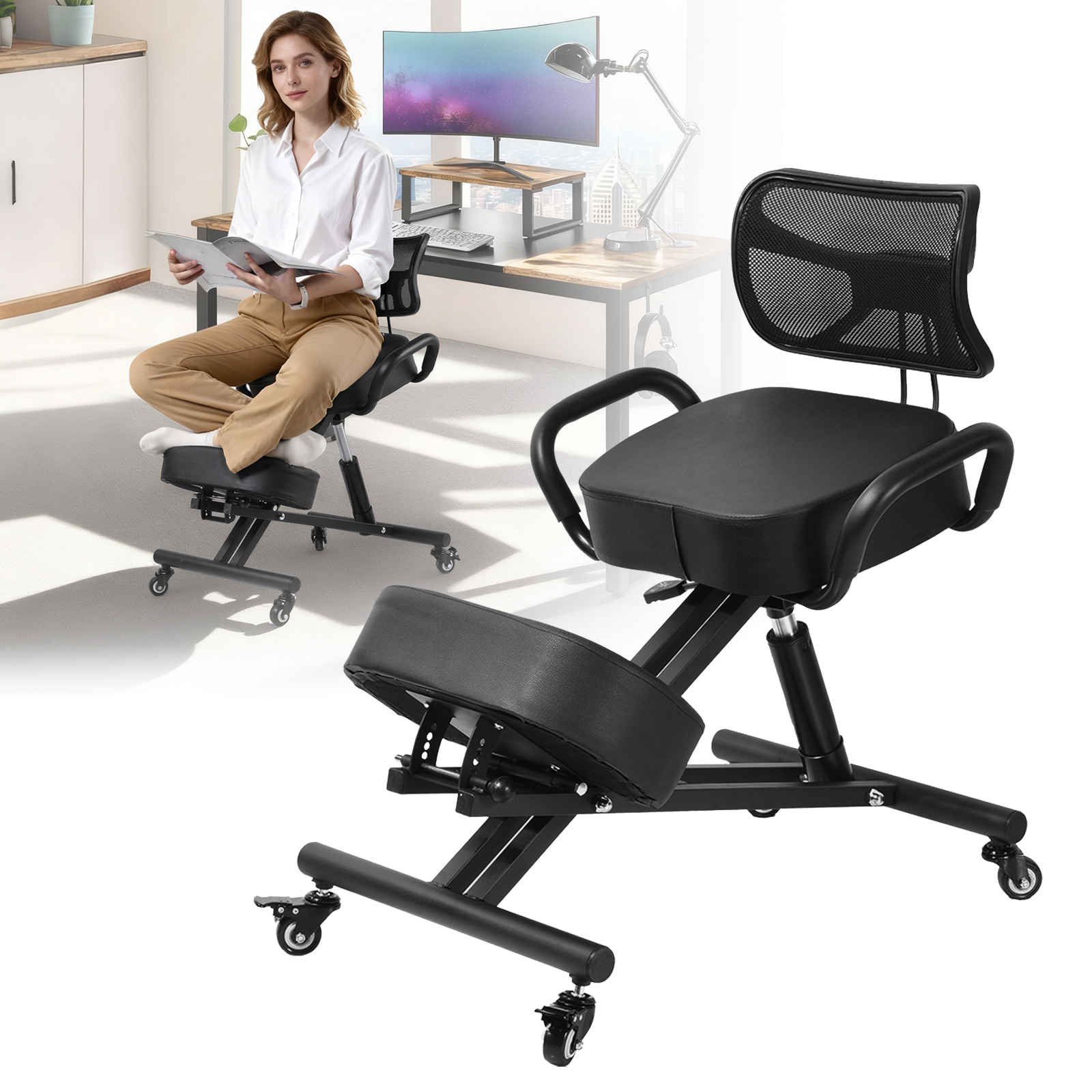
You may have heard that "active sitting" chairs (like kneeling or balance balls) are best for back pain. Let's clarify: while these chairs engage core muscles, they can increase disc pressure in the lower back for some individuals. A 2021 study in the Journal of Physical Therapy Science found that for people with existing lower back pain, a high-quality ergonomic chair with good lumbar support reduced pain scores by 60%, while active sitting chairs showed mixed results. The key is dynamic support—a chair that moves with you and provides resistance, not one that forces you to constantly stabilize. This is where a chair with a "waterfall edge" and "asynchronous recline" shines.
Beyond the Chair: The Support Team for Your Back
A great chair is the quarterback, but it needs a supporting team. Here's a numbered checklist to maximize your office chair support for lower back pain:
- Foot Position: Your feet should rest flat on the floor or on a footrest. This stabilizes your pelvis, allowing the lumbar support to work effectively.
- Monitor Height: The top of your screen should be at or slightly below eye level. Looking down rounds your back and defeats the purpose of lumbar support.
- The 90-90-90 Rule: Aim for roughly 90-degree angles at your ankles, knees, and hips. This aligns your spine for optimal lumbar contact.
- Micro-Breaks: Even the best chair can't eliminate the need to move. Use the "20-20-20" rule: every 20 minutes, stand for 20 seconds and look at something 20 feet away. This resets your spinal discs.
Signs Your Current Chair Is Failing Your Lower Back
- You constantly shift forward to the edge of the seat to feel comfortable.
- You've added two or three cushions (a lumbar pillow + a seat cushion) to make it bearable.
- You feel a sharp pain when standing up after a long meeting.
- The back of your chair has a permanent "bulge" that doesn't align with your curve.
If any of these resonate, it's time to upgrade. Think of it like a worn-out mattress—you can't fix it with a new topper forever.
Frequently Asked Questions About Office Chairs and Back Pain
Conclusion: Your Path to a Pain-Free Seat
Choosing an office chair with proper support for lower back pain is a journey of understanding your own body. There is no single "best" chair—only the best chair for your spine. Start by identifying whether you need depth adjustment, a specific material, or advanced recline technology. Remember the analogy of a well-fitted suit: it should hug you in the right places without restricting movement. Use the product grid above to explore top-rated options that feature the lumbar technologies discussed. Your back carries you through your career; it's time to return the favor.