
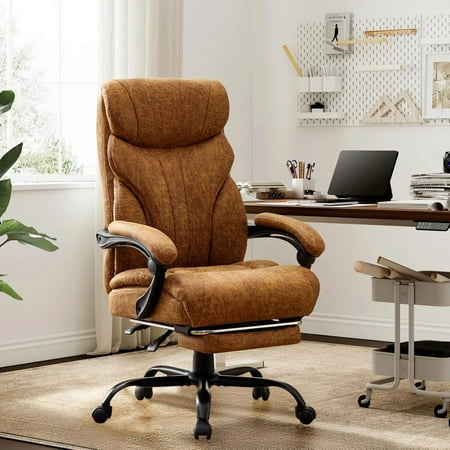

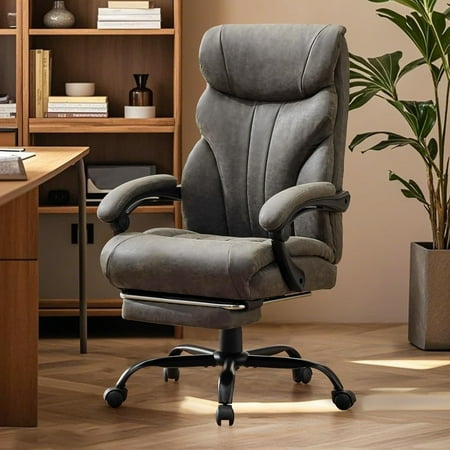
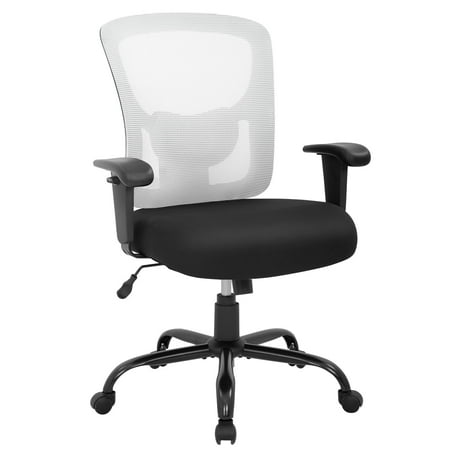
Why “Ergonomic” Matters for the Executive Suite
Imagine driving a luxury car with a seat that gives you a backache after 30 minutes. That’s the reality for many executives sitting in impressive-looking but poorly designed chairs. An ergonomic executive office chair is the intersection of authority and anatomy. It’s a tool designed not just to look the part, but to keep your body in neutral alignment—reducing fatigue, improving circulation, and sharpening mental clarity.
According to the American Posture Institute, 80% of people will experience back pain at some point, and office workers are 3x more likely to suffer from neck strain than non-desk workers. The good news? A well-engineered chair is your first line of defense. This guide dives deep into what makes an executive chair truly ergonomic, moving beyond marketing fluff to the mechanics that matter.
The “CEO Spine” concept: Your spine is like the suspension system of a high-end car. If it’s not supported, every bump (deadline, long meeting) jars your entire system. An ergonomic executive chair provides adaptive suspension—it moves with you while keeping your posture in the safe zone.
The 5 Pillars of a True Ergonomic Executive Chair
While a standard executive chair might have thick padding, an ergonomic version focuses on dynamic support. Here are the non-negotiable pillars, explained with the detail you won’t find on a typical product page.
1. Synchronized Recline with Automatic Lumbar Adjustment
Think of this as the chair’s “knees and hips.” In cheap chairs, when you lean back, your shirt rides up and your lower back loses support. High-end ergonomic chairs use a synchronized mechanism: the backrest and seat move in a specific ratio (often 2:1 or 3:1). As you recline, the seat tilts slightly downward, keeping you stable and preventing pressure on your thighs. The best part? The lumbar support stays planted against your spine, no matter the angle.
- Why it matters: It encourages “dynamic sitting”—subtle position changes that pump nutrients into spinal discs.
- Look for: Chairs with a separate tension knob that adjusts to your body weight (light executives need less tension).
2. 4D Articulating Armrests: Your Shoulders’ Best Friend
Static armrests are a relic. Your arms should rest naturally with elbows at 90 degrees and shoulders relaxed. 4D armrests adjust in height, width, depth, and angle. This isn’t a luxury; it’s a necessity to prevent “mouse shoulder” and text neck. Imagine typing and having your forearms perfectly supported—it takes the load off your trapezius muscles.
- Pro tip: While testing, set the armrests so they’re slightly lower than your desk when typing. Your elbows should hang comfortably, not be pushed up.
3. Seat Depth Adjustment (The “Two-Finger Rule”)
Executives come in all heights. A one-size-fits-all seat pan is a recipe for thigh numbness or a hunched back. Seat depth adjustment lets you slide the pan forward or backward. The goal: when you sit back, there should be 2-3 finger widths between the back of your knee and the seat edge. This ensures proper circulation without pressure on the sciatic nerve.
- Data point: Studies show that incorrect seat depth reduces blood flow to lower legs by 18% after just two hours.
4. Breathable, High-Resilience Foam or Advanced Mesh
An executive chair often implies leather, but modern ergonomics embraces “climate control.” High-end ergonomic chairs use either:
- Dual-density cold-cure foam: Firm in the base for support, soft on top for comfort. It doesn’t sag like cheap foam.
- Pellicle mesh or similar: Stretchy, breathable mesh that acts like a hammock, distributing weight evenly. Great for hot climates or those who run warm.
5. Headrest: For True Recline Moments
Many executives skip the headrest for aesthetic reasons, but if you ever lean back to think, take a call, or read, a headrest is crucial. An ergonomic headrest adjusts in height and angle to support the cervical spine. Without it, your neck cranks forward during recline, undoing all the back support.
- Ergonomic benchmark: The headrest should support the curve of your neck, not push your head forward.
Quick Comparison: Traditional vs. Ergonomic Executive Chair
| Feature | Traditional Executive Chair | Ergonomic Executive Chair |
|---|---|---|
| Back Support | Fixed lumbar pad | Independent, height & depth adjustable lumbar |
| Recline Action | Tilt only (seat lifts) | Synchronized (seat & back move in harmony) |
| Armrests | 2D (height & width) | 4D (height, width, depth, pivot) |
| Seat Material | Thick bonded leather (can get hot) | Breathable mesh or premium perforated leather |
| Warranty | 2-5 years | 10-12 years (mechanical parts) |
The “Active Sitting” Philosophy
An analogy: a traditional chair is like a parked car—static and unmoving. An ergonomic chair is like a well-suspended car on a winding road. It allows your pelvis and spine to make micro-adjustments. Some advanced chairs even have a “waterfall” edge or a slight forward tilt function, which opens up your hip angle and promotes better breathing and posture—ideal for presentations or intense spreadsheet work.
Ergonomics Meets Aesthetics: The Executive Balance
You might worry that an ergonomic chair looks too “sci-fi” or clinical for a mahogany office. Manufacturers have answered. Today, you’ll find ergonomic executive chairs in rich leather, with polished aluminum frames and clean lines that complement any décor. Brands like Steelcase (Gesture), Herman Miller (Embody), and Haworth (Fern) offer “executive” versions with higher backs and premium upholstery. The goal is to have a chair that whispers authority but shouts health.
Research snippet: A 2022 survey by the Ergonomics & Human Factors Society found that executives who switched to an ergonomic chair reported a 47% reduction in daily fatigue and a 31% improvement in ability to focus during the last two hours of the workday.
Frequently Asked Questions: Ergonomic Executive Chairs
Conclusion: Your Back Is Your Most Important Asset
Choosing an ergonomic executive office chair is not an expense; it’s a dividend-paying investment in your career longevity. The right chair will keep you energized, reduce sick days due to back pain, and project an image of a leader who pays attention to details—including their own well-being. Don’t let a static, non-adjustable chair be the bottleneck to your performance.
We recommend testing the shortlisted chairs with the “30-minute rule”: sit in them for half an hour while working. Notice any hotspots? Do you feel the need to fidget? A great ergonomic chair will make you forget you’re sitting, allowing your brain to focus on what truly matters: leading your team and growing your business.