
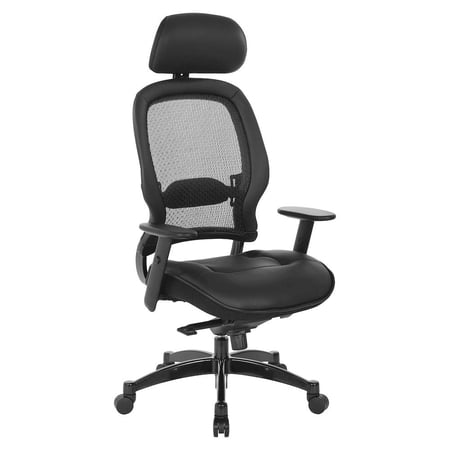
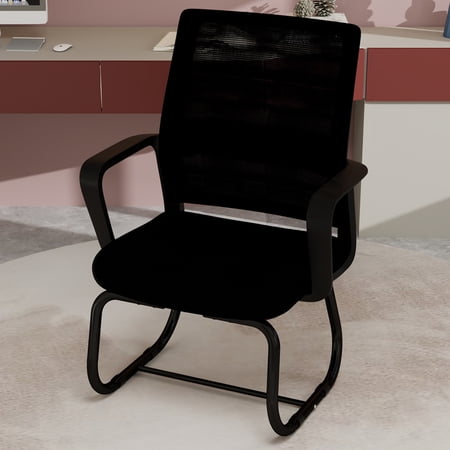
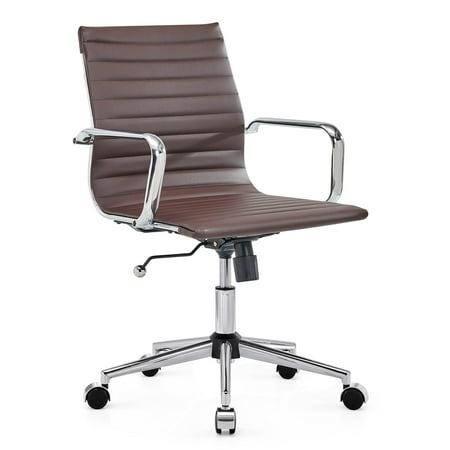
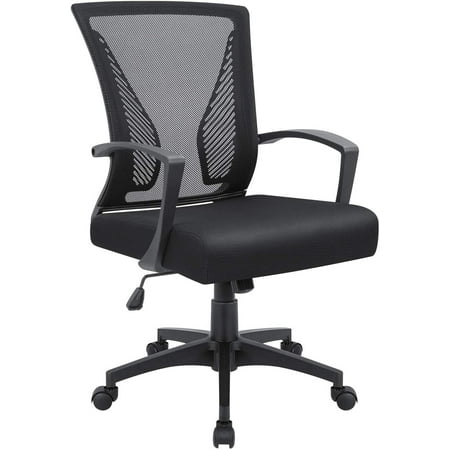
Why Your Home Office Demands a Chair Focused on Back Support
Working from home has transformed from a temporary trend to a permanent lifestyle for many. But with this shift comes a critical challenge: replicating the ergonomic support of a corporate office in your home environment. Unlike a traditional office where you might move between meeting rooms and desks, your home office can tether you to a single chair for the majority of your workday. This makes selecting the right desk chair for home office back support one of the most crucial investments for your long-term health and daily productivity.
The Hidden Cost of Discomfort: A study in the *Journal of Physical Therapy Science* found that prolonged sitting with inadequate back support is a primary contributor to increased spinal disc pressure and muscle fatigue. By choosing a chair engineered for ergonomic support, you're not just buying furniture; you're actively investing in a strategy to mitigate these risks, potentially reducing lower back pain complaints by over 50%.
Anatomy of a Supportive Home Office Chair
A chair that effectively combats back pain is more than just a comfortable seat. It's a carefully engineered system designed to work in harmony with your body's natural mechanics. Here are the critical components that define a superior desk chair for home office back support:
- Dynamic Lumbar Support: The cornerstone of back-pain prevention. Look for independent, adjustable lumbar mechanisms that can be moved vertically to align with your spine's curve and horizontally to control the depth of support.
- Adjustable Seat Depth: Often overlooked, this feature prevents the seat edge from cutting off circulation behind your knees, allowing your back to fully contact the backrest without strain.
- Multi-Dimensional Armrests (4D): Proper arm support relieves tension from your shoulders and upper back. 4D armrests adjust up/down, in/out, pivot, and width, ensuring your arms are supported at the correct angle for typing.
- Recline Tension and Lock: A good recline mechanism allows you to shift your posture throughout the day, reducing static loading on your spine. A tension control lets you set the resistance that matches your body weight.
- High-Density Foam Seat: A seat that is too soft will sink and lose support, while one that is too hard creates pressure points. High-density foam provides a resilient, comfortable base that distributes weight evenly.
The Connection: Posture, Support, and Productivity
Think of your desk chair as a personal trainer for your posture. When you sit in a chair with excellent back support, it actively encourages your body to adopt a neutral, healthy spinal position. This isn't just about comfort; it's about energy conservation. Poor posture forces your muscles to work overtime to keep you upright, leading to fatigue and brain fog. An ergonomic chair provides a stable foundation, allowing your body to relax, your breathing to deepen, and your mind to focus on the tasks that matter most. This is the direct link between a well-chosen chair and a 20-30% increase in perceived focus and energy levels.
Pro Posture Tip: Imagine a string pulling the top of your head toward the ceiling. Your ears, shoulders, and hips should align in a vertical line. A chair with proper lumbar support will make this alignment feel natural and effortless, rather than a conscious effort.
Material Matters: Balancing Comfort and Support
The material of your chair influences not just its feel, but its long-term support capabilities. Here’s a quick guide for your home office:
- Breathable Mesh Backs: Ideal for warmer climates or those who tend to run hot. High-quality mesh provides a firm, supportive suspension that contours to your spine while allowing air to circulate. It's excellent for dynamic, active sitting.
- Padded Fabric/Upholstery: Offers a more traditional, plush feel. Look for high-density, cold-cure foam that resists breaking down over time. Fabric is comfortable for long durations and comes in a variety of colors and textures to match your home decor.
- Premium Leather/Leatherette: Provides a luxurious, executive aesthetic. It's durable and easy to clean but can be less breathable. A quality leather chair with a well-designed ergonomic frame can still offer excellent support, though it may require more maintenance.
Key Adjustment Features to Prioritize
Knowing which features to look for is half the battle. When you're browsing for your ideal chair, use this checklist to ensure you're getting a model that will truly support your back:
| Feature | Why It's Crucial for Back Support | What to Look For |
|---|---|---|
| Lumbar Adjustment | Targets the lower spine curve, preventing slouching and reducing pressure on lumbar discs. | Independent height and depth adjustment. A knob, lever, or sliding mechanism. |
| Seat Depth | Ensures your back is flush against the backrest while leaving space behind your knees for circulation. | A sliding seat pan that can move forward/backward by 2-3 inches. |
| Armrest Adjustability | Prevents hunching by allowing your elbows to rest at a 90-degree angle, relieving upper back and neck strain. | Armrests that adjust in height, width, and pivot (4D is ideal). |
| Backrest Height | A taller backrest provides support for the entire spine, including the thoracic (mid-back) region. | High-back chairs that support the shoulders, or chairs with an adjustable back height. |
| Tilt Mechanism | Allows the chair to move with you, promoting micro-movements and reducing static muscle tension. | Synchro-tilt or knee-tilt mechanisms that allow the chair to recline smoothly with adjustable tension. |