
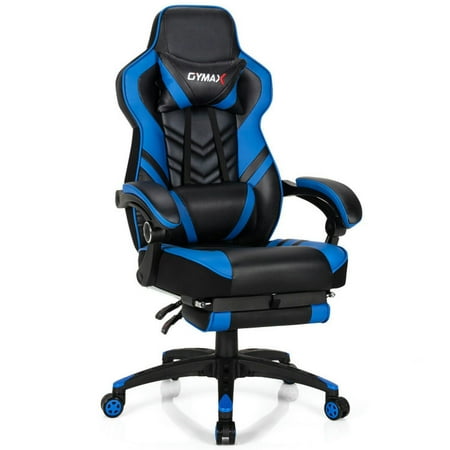
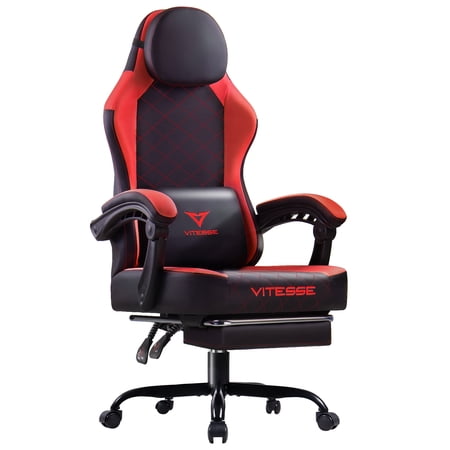
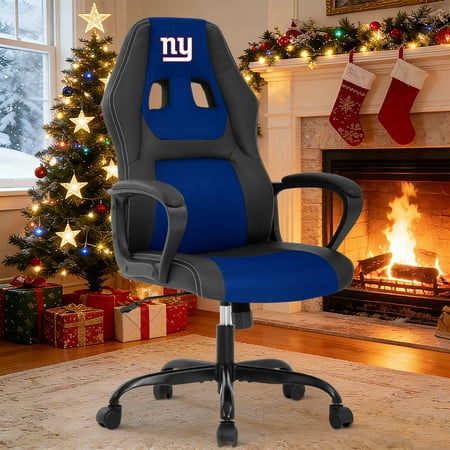
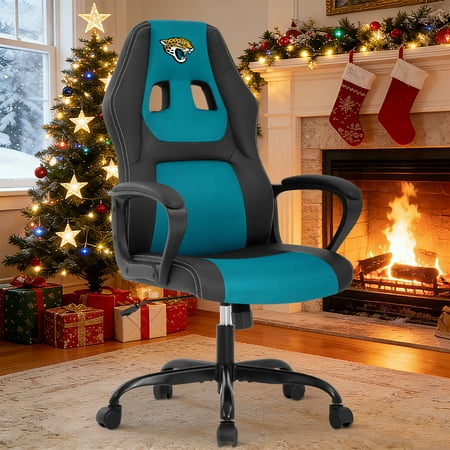
Why an Office Gamer Chair is the Smart Investment for Gamers and Professionals
Gone are the days when you had to choose between a sleek gaming aesthetic and proper ergonomic support. The modern office gamer chair bridges the gap, offering the best of both worlds. Whether you're a competitive esports athlete, a content creator, or a remote worker who enjoys gaming after hours, the right chair can transform your experience. These chairs are engineered to support dynamic movements, reduce fatigue, and keep you focused during those critical moments.
Did You Know? According to a study by the Ergonomics Research Society, individuals using ergonomically optimized chairs reported a 32% increase in productivity and a 58% reduction in discomfort during prolonged sitting compared to standard chairs. For gamers, this translates to better reaction times and fewer distractions.
Key Features That Define a Premium Office Gamer Chair
Not all chairs marketed as "gaming" are created equal. A true office gamer chair incorporates specific design elements to meet the demands of both work and play. Here’s what sets them apart:
- Hybrid Ergonomic Design: Combines the adjustability of office chairs (seat depth, tilt tension) with the high-back, bucket-style support favored by gamers.
- 4D Adjustable Armrests: Essential for switching between typing and gaming postures. Allows you to move armrests up/down, forward/back, pivot in/out, and even rotate for optimal elbow and shoulder support.
- Multi-Function Tilt Mechanism: Enables independent seat angle adjustment and recline lock. Many models offer a "rocking" mode for dynamic sitting and a flat recline for rest between sessions.
- High-Density Cold Cure Foam: Provides firm yet comfortable support that doesn’t break down quickly, maintaining its shape even after thousands of hours of use.
- Built-in Lumbar & Neck Pillows: Adjustable pillows allow users to customize support for their unique spinal curvature, crucial for preventing back pain during long sessions.
How to Choose the Right Office Gamer Chair for Your Needs
Selecting the perfect chair involves more than just picking a cool color. Consider these factors to ensure your investment pays off in comfort and durability.
| Feature | Why It Matters for Gamers & Professionals | Recommended Specification |
|---|---|---|
| Lumbar Support System | Prevents lower back strain during extended sitting, maintaining focus and reducing fatigue. | Adjustable, independent lumbar mechanism or high-quality memory foam pillow with height adjustment. |
| Armrest Adjustability | Supports varied postures: low for relaxed gaming, high for typing, inward for console controllers. | 4D armrests (height, width, pivot, and slide) for maximum flexibility. |
| Seat Material | Affects breathability, durability, and maintenance. Mesh cools, while PU leather offers easy cleaning. | High-quality breathable mesh or perforated PU leather with high-density foam core. |
| Frame & Base Construction | Ensures stability and safety, especially during intense gaming movements. | Steel or reinforced aluminum frame, Class 4 gas lift, and a 5-star metal base with smooth-rolling casters. |
| Weight Capacity | Indicates overall build quality and long-term reliability. | Minimum 275 lbs; heavy-duty models offer 350+ lbs capacity. |
| Recline Range | Allows for relaxation and active sitting; a wide recline supports post-game lounging. | At least 135° to 160° recline with lockable positions. |
Health & Performance Benefits of an Office Gamer Chair
Beyond the cool aesthetics, the ergonomic design of a dedicated office gamer chair directly impacts your physical health and gaming performance.
🎯 Enhanced Reaction Time
Proper posture reduces physical discomfort, allowing your brain to focus solely on the game. Stable seating prevents micro-adjustments that can distract from precision tasks.
🩺 Reduced Risk of Musculoskeletal Issues
Adjustable lumbar and neck support help maintain the spine's natural 'S' curve, lowering the risk of chronic neck, shoulder, and back pain common in desk-bound jobs and gamers.
💨 Improved Circulation
Waterfall seat edges and proper seat depth prevent pressure on the back of the thighs, ensuring better blood flow to the legs and reducing numbness during marathon sessions.
⚡ Sustainable Energy Levels
By promoting active sitting (with tilt mechanisms that encourage subtle movement), these chairs help maintain energy and mental clarity, preventing the afternoon slump.
Material Deep-Dive: Mesh vs. Leather vs. Fabric in Gaming Chairs
Choosing the right upholstery is a critical decision that affects your comfort, maintenance routine, and the chair's lifespan. Here's a closer look at the three primary materials used in office gamer chairs.
💡 Pro Gamer Tip: Climate and Usage Matter
If you live in a warmer climate or tend to run hot during intense gaming sessions, a mesh-back chair with a breathable seat is non-negotiable. For those who prioritize a sleek, "streamer" aesthetic and easy cleanup, premium PU leather with perforations offers a good balance.
Breathable Mesh
- Airflow: Superior ventilation prevents sweat buildup.
- Flexibility: Contours to back movements, providing dynamic support.
- Low Maintenance: Simple dusting and occasional wipe-down.
- Best For: Hot climates, intense gaming sessions, users who prefer a cool seat.
Premium PU Leather
- Aesthetics: Sleek, professional look popular in gaming setups.
- Easy Cleaning: Spills wipe away effortlessly.
- Durability: High-quality PU leather resists cracking and peeling for years.
- Best For: Streamers, home offices, users who prioritize style and easy maintenance.
Step-by-Step Guide to Setting Up Your Office Gamer Chair
Even the best chair can cause discomfort if not adjusted properly. Follow these steps to dial in your perfect fit:
- Start with Seat Height: Sit with your feet flat on the floor. Your thighs should be parallel to the ground, and your knees at a 90-degree angle. Adjust the gas lift until this is achieved.
- Set Seat Depth: There should be 2-3 fingers of space between the back of your knees and the front edge of the seat. Adjust the seat slider if available.
- Position Lumbar Support: Adjust the built-in lumbar or the detachable pillow so it rests in the curve of your lower back, just above the belt line.
- Adjust Armrests: Relax your shoulders, bend your elbows at 90 degrees. Raise the armrests to meet your elbows. Then, adjust them inward so they are hip-width apart and your wrists remain straight while typing or using a mouse.
- Tune the Recline Tension: Set the tilt tension knob so you can recline comfortably without feeling like you're falling backward. Lock the recline angle at your preferred upright position for work or use the full range for gaming.
- Position the Headrest: The headrest (or neck pillow) should support the base of your skull, not the top of your shoulders. This keeps your neck aligned with your spine.