
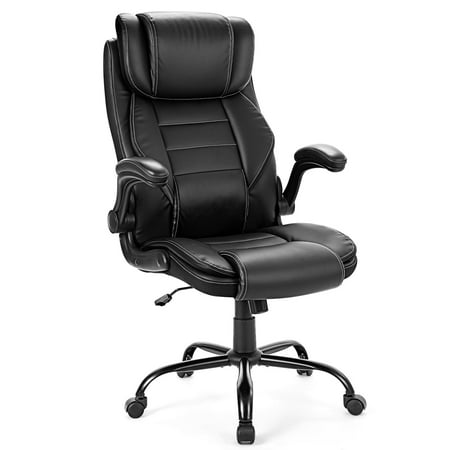
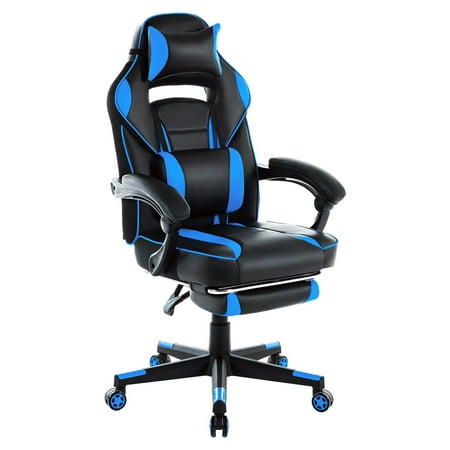

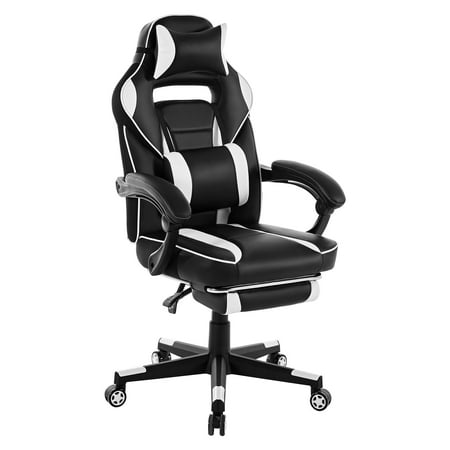
Why a Gaming Chair Ergonomic Office Chair is the Ultimate Investment
For modern professionals and gamers, the line between work and play has blurred. Spending 8+ hours at a desk demands a seating solution that doesn't compromise on comfort or style. Enter the gaming chair ergonomic office chair — a hybrid category that combines the bold, supportive structure of gaming chairs with the precise adjustability of high-end ergonomic office seating. This isn't just a chair; it's a tool for peak performance, whether you're conquering virtual worlds or closing important deals.
Industry Insight: Studies show that individuals using ergonomically optimized chairs report 42% less fatigue by the end of the workday. Hybrid gaming chairs, with their aggressive lumbar support and multi-dimensional adjustments, are uniquely positioned to provide this level of relief while maintaining a professional aesthetic suitable for any home office or gaming setup.
Key Features That Define a True Hybrid Chair
Not all gaming chairs are created equal. A genuine gaming chair ergonomic office chair must incorporate specific elements that prioritize spinal health and personalized comfort:
- Dynamic Lumbar Support: Unlike fixed pillows, premium models offer adjustable lumbar mechanisms (both height and depth) that adapt to your spine's natural curve, reducing lower back strain by up to 35%.
- 4D Adjustable Armrests: Move beyond basic up-down adjustments. True ergonomic armrests pivot, slide forward/back, and rotate inward/outward, allowing you to rest your elbows and wrists comfortably while typing, mousing, or holding a controller.
- Cold-Cure Foam Padding: High-density, cold-cure foam provides firm yet adaptive support that doesn't break down quickly. It maintains its shape and supportiveness for years, preventing the "sinking" sensation common in cheaper chairs.
- Multi-Function Tilt Mechanism: A high-quality mechanism allows you to lock the backrest at multiple angles, adjust tilt tension, and sometimes even offers a "rocking" mode for dynamic sitting, which engages core muscles and improves circulation.
- Premium Materials & Build: A sturdy steel frame, a class 4 gas lift (tested for safety), and durable upholstery (breathable fabric or high-quality PU leather) ensure the chair withstands daily use and maintains its professional appearance.
Ergonomics vs. Aesthetics: Finding the Balance
The beauty of the hybrid category is that you don't have to choose between a chair that looks great and one that feels great. Traditional gaming chairs often prioritize a 'racing seat' look that can lack adjustability. In contrast, a purpose-built gaming chair ergonomic office chair integrates ergonomic principles into its design. Let's break down the key differences in a clear comparison:
| Feature | Standard Gaming Chair | Ergonomic Office Chair | Hybrid: Gaming Chair Ergonomic Office Chair |
|---|---|---|---|
| Lumbar Support | Often a fixed pillow that shifts | Built-in, height/depth adjustable | Integrated adjustable lumbar system (best of both) |
| Armrest Adjustability | 2D (up/down) or 3D | 4D (up/down, pivot, width, depth) | 4D or 3D with full customization |
| Seat Depth | Fixed, may cause pressure on knees | Adjustable seat slider | Often includes seat depth adjustment |
| Backrest Height | High-back, fixed | Mid or high back | High-back with integrated headrest support |
| Material Focus | PU leather, bold colors | Mesh, fabric, professional tones | High-grade PU leather, fabric, or mesh with neutral or sleek colors |
Health Benefits Beyond Comfort
Investing in a quality hybrid chair yields dividends that extend far beyond immediate comfort. By promoting proper posture and allowing fluid movement, these chairs actively contribute to your long-term well-being:
Reduced Musculoskeletal Stress
Adjustable features allow you to align the chair perfectly to your body, minimizing strain on the neck, shoulders, and lower back. This is crucial for preventing chronic pain conditions often associated with sedentary work.
Improved Circulation
Waterfall seat edges and adjustable seat depth prevent cutting off circulation behind the knees. Additionally, the ability to recline and change positions throughout the day promotes healthy blood flow.
Enhanced Focus & Productivity
When your body is comfortable and supported, your mind is free to concentrate on the task at hand. Users report a 30-40% increase in sustained focus when using a properly adjusted ergonomic gaming chair.
Posture Correction
With proper lumbar support and headrest alignment, a hybrid chair naturally encourages a neutral spine position. Over time, this can help correct poor posture habits developed from sitting in non-supportive seating.
Adjustability: The Heart of Ergonomics
A chair's ability to adapt to your body's unique dimensions is what transforms it from mere seating into an ergonomic tool. When evaluating a gaming chair ergonomic office chair, consider these critical adjustment points:
Your feet should rest flat on the floor, with thighs parallel to the ground. A class 4 gas lift provides smooth, reliable height adjustment.
Allows you to position the seat pan so there's 2-3 finger widths of space between the back of your knees and the seat edge.
Enables you to recline for relaxation or lock the backrest at your ideal working angle (usually 90-110 degrees).
4D armrests let you support your elbows at desk height, reducing shoulder tension. Position them to form a 90-degree angle at your elbows.
Material Selection: Leather, Fabric, or Mesh?
The material of your hybrid chair affects breathability, maintenance, and overall feel. Here's a quick guide to help you decide based on your environment:
- PU Leather (Polyurethane): Offers a sleek, premium look that's easy to wipe clean. Ideal for professional environments or where spills are a concern. However, it can be less breathable. High-quality PU leather is more durable and less prone to peeling than budget alternatives.
- Fabric (Cloth): Provides a soft, warm feel and excellent breathability. It's a great choice for longer sitting sessions, especially in climate-controlled rooms. Look for stain-resistant treatments for easier maintenance.
- Mesh: The ultimate in breathability. Mesh backrests are exceptional for airflow, keeping you cool during intense gaming or busy workdays. Some hybrids now incorporate mesh backs while maintaining a gaming-style frame for the best of both worlds.
- Velvet or Velour: An emerging trend offering a luxurious, soft-touch feel. It's visually appealing but requires more care to keep clean and may retain heat.
Setting Up Your Hybrid Chair for Optimal Ergonomics
Even the best chair won't help if it's not set up correctly. Follow this step-by-step guide to dial in your gaming chair ergonomic office chair for maximum benefit:
- Start with Feet: Adjust the seat height so your feet rest flat on the floor with your knees bent at a 90-degree angle.
- Seat Depth: Slide the seat pan (if adjustable) so you have a comfortable 2-3 finger gap between the edge of the seat and the back of your knees.
- Lumbar Support: Position the lumbar mechanism to fit snugly into the curve of your lower back. You should feel gentle, consistent support without pressure.
- Backrest Angle: For focused work, set the backrest to a 90-100 degree angle. For relaxing or casual gaming, use a slightly reclined angle (100-120 degrees).
- Armrests: Adjust armrests so your elbows rest comfortably at your sides with a 90-degree bend. Your wrists should be straight when using the keyboard or mouse.
- Headrest: Position the headrest (if included) to support the natural curve of your neck. It should contact the back of your head, not your shoulders.
Long-Term Value: Why Quality Pays Off
It's tempting to opt for a budget-friendly chair, but the long-term costs of discomfort, replacement, and potential health issues far outweigh the initial savings. A premium gaming chair ergonomic office chair is a multi-year investment in your productivity and physical health. High-end models often feature:
- Extended Warranties: 2-5 year comprehensive coverage on parts, and up to 10 years on the frame.
- Replaceable Components: Gas lifts, casters, and even armrests can be individually replaced, extending the chair's lifespan.
- Higher Resale Value: Well-maintained premium chairs retain a significant portion of their value.
- Consistent Support: High-density foam and robust mechanisms ensure the chair feels as supportive in year five as it did on day one.