

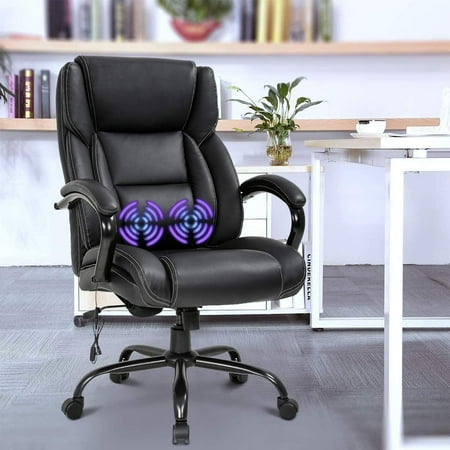
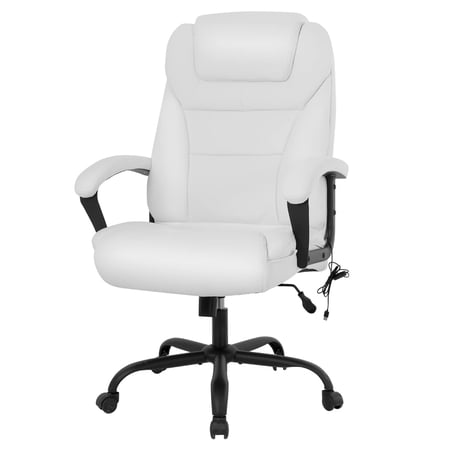
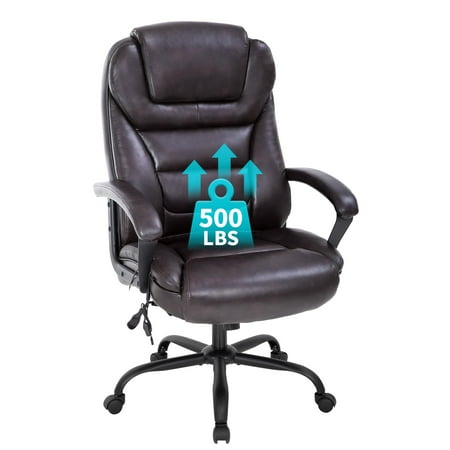
Why Your Office Chair Could Be the Source (or Solution) to Back Pain
Back pain is the leading cause of workplace absenteeism, with nearly 65% of office workers reporting some form of spinal discomfort. If you spend more than six hours a day seated, your chair isn't just furniture—it's medical equipment. The right office chairs to help with back pain work by actively supporting the spine's natural curvature, distributing weight evenly, and reducing pressure on intervertebral discs.
Ergonomic Insight: According to a study in the Journal of Physical Therapy Science, using a properly adjusted ergonomic chair can reduce lower back pain intensity by up to 47% within four weeks. The key lies in dynamic support and personalized adjustability.
How Back Pain Develops from Poor Seating
Imagine your spine as a stack of building blocks. When you slouch, those blocks tilt forward, straining the muscles and ligaments holding them in place. Standard office chairs often lack lumbar support, forcing your lower back into a C-shape rather than the healthy S-curve. Over time, this leads to muscle fatigue, herniated discs, and chronic sciatica. A purpose-built ergonomic chair counteracts this by providing adjustable contact points that keep your pelvis stable and your spine aligned.
- Lumbar Support Adjustment: Not all backs are the same. Chairs with height and depth-adjustable lumbar pads ensure the support hits exactly where you need it.
- Active Recline Mechanisms: Chairs that allow for a dynamic tilt (knee-tilt mechanism) keep your blood flowing and reduce static loading on the spine.
- Waterfall Seat Edge: Reduces pressure behind the knees, promoting better circulation and preventing lower back tension.
- 4D Armrests: Armrests that adjust in height, width, depth, and pivot allow you to keep your shoulders relaxed, reducing upper back strain.
Critical Ergonomic Features for Back Pain Relief
Selecting an office chair to help with back pain involves looking beyond aesthetics. Here is a breakdown of the non-negotiable features based on orthopedic recommendations:
| Feature | Why It Matters for Back Pain | What to Look For |
|---|---|---|
| Adjustable Lumbar Support | Prevents the lower back from rounding (posterior pelvic tilt), which is the primary cause of disc pressure. | Independent height and depth adjustment (not just a fixed bump). Some premium models offer air-filled lumbar bladders. |
| Seat Depth Adjustment | Ensures proper thigh support without compressing the popliteal space, allowing the pelvis to tilt correctly. | Slider mechanism allowing 2-3 inches of travel. You should have a fist-sized gap between the seat edge and your knee. |
| Multifunction Recline | Encourages movement and shifts the load from the spine to the chair's mechanism, reducing fatigue. | Separate controls for tilt tension and tilt lock. Look for synchronous tilt where the back and seat move together. |
| High-Density Foam | Prevents bottoming out. A seat that is too soft causes instability and poor hip alignment. | Foam density of 4-6 lbs per cubic foot or memory foam over a supportive base. |
| Height-Adjustable Backrest | Allows the lumbar curve of the chair to align with your specific lumbar curve, regardless of torso length. | Backrest that slides up/down independently or a chair designed with a high back that covers the entire spine. |
🩺 Pro Tip: The 90-90-90 Rule
To maximize the benefits of your ergonomic chair, ensure your feet are flat on the floor (90-degree angle at ankles), knees are level with hips (90-degree angle), and elbows are at a 90-degree angle to the desk. This posture minimizes spinal load and allows the chair's back support to function effectively.
Types of Ergonomic Chairs for Different Back Conditions
Not all back pain is the same. Here is how to match chair types to specific pain profiles:
Lower Back Pain (Lumbar)
Focus on chairs with dynamic lumbar support and a seat that tilts forward slightly. This opens the hip angle, reducing pressure on the L4-L5 vertebrae.
Upper Back / Neck Pain
Choose a chair with a high back and an adjustable headrest. This supports the thoracic spine and cervical region, preventing forward head posture.
Sciatica & Piriformis Syndrome
Look for a chair with a waterfall seat edge and a contoured foam seat. A seat cutout reduces direct pressure on the sciatic nerve.
Chronic Disc Issues
Prioritize chairs with a knee-tilt mechanism that allows you to recline while maintaining a natural viewing angle, reducing intradiscal pressure.
Material Considerations for Back Health
The material of your chair can also influence back comfort, especially during long sessions:
- Breathable Mesh: Ideal for those who tend to sweat or live in warmer climates. Mesh conforms to the spine's shape and provides consistent support without sagging.
- Premium Fabric: Offers a cozy, non-slip surface. Great for those who need a stable seat to prevent sliding, which can misalign the spine.
- Leather/Leatherette: Provides a firm, supportive surface. However, ensure it is top-grain or high-quality leather to avoid cracking and loss of structural integrity over time.
Additional Accessories to Enhance Back Support
If you already own a decent chair but still experience pain, consider these add-ons:
- Lumbar Support Cushions: Memory foam rolls or orthopedic wedges can add targeted support if your chair's built-in lumbar is insufficient.
- Seat Cushions (Wedge or Coccyx): A wedge cushion tilts the pelvis forward, restoring the natural curve of the lower back.
- Footrests: Even the best chair fails if your feet dangle. A footrest stabilizes the lower body, preventing pelvic tilt.
- Active Sitting Stools: For those with severe stiffness, alternating between a standard chair and a kneeling or saddle stool can strengthen core muscles and improve mobility.
Doctor's Advice: "Movement is lotion for the spine," says Dr. Emily Carter, a physiotherapist specializing in workplace ergonomics. "No matter how good your chair is, standing up for 2-3 minutes every 45 minutes is essential. Use your chair's recline function as a 'micro-break' to reset your spine."