
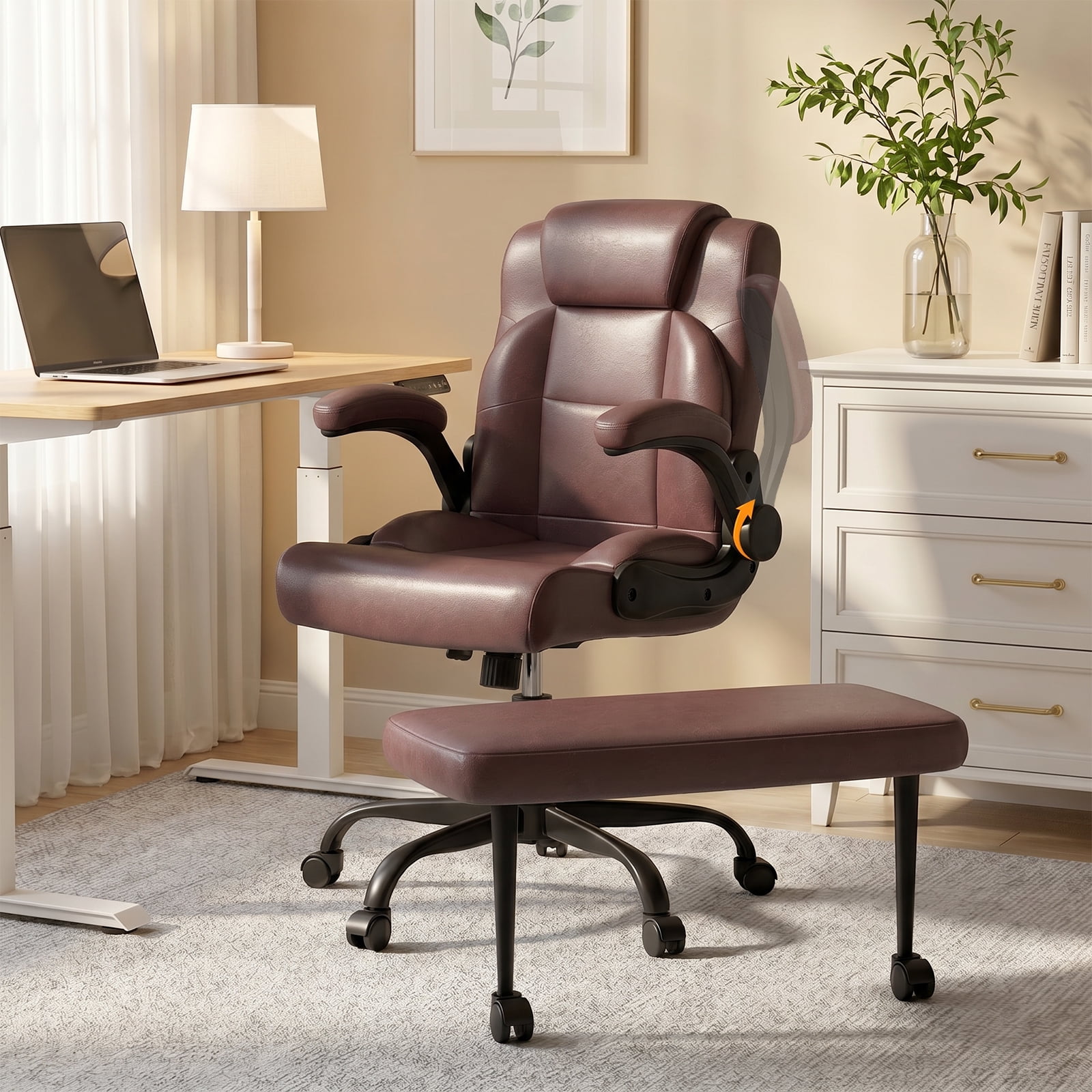

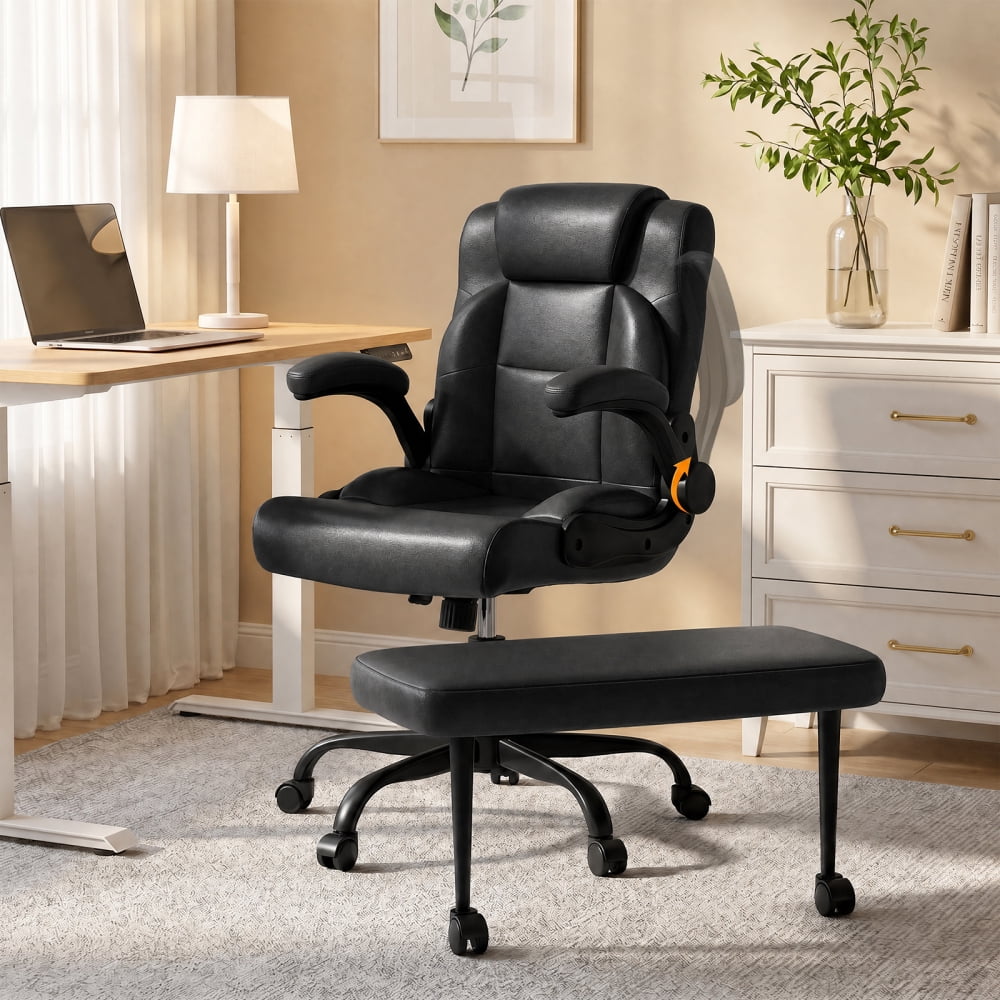
Why Rotating Arms Are a Game-Changer for Your Workspace
When we think about office chair comfort, the seat and backrest often take center stage. However, for anyone spending hours at a desk, the humble armrest plays a surprisingly critical role. A standard fixed armrest can feel like a constraint, forcing your shoulders into a static position that leads to fatigue. Enter the office chair with rotating arms—a design innovation that offers a level of adaptability that transforms your sitting experience from static to dynamic.
Ergonomic Insight: Studies on office ergonomics show that properly adjusted armrests can reduce shoulder muscle activity by up to 30% and decrease the risk of developing repetitive strain injuries (RSIs) in the wrists and forearms. Rotating arms take this a step further by allowing for micro-adjustments that match your body's natural movements.
Understanding the Mechanics: What Are Rotating Arms?
Rotating arms, often part of a 4D armrest system, are armrests that pivot or swivel. Unlike simple height-adjustable arms, rotating arms allow you to change the angle of the armrest pad. This seemingly small feature unlocks a world of ergonomic benefits. Imagine typing with your forearms resting on pads that angle inward to follow the natural curve of your hands on the keyboard. Or picture leaning back to read a document, with the arms rotating outward to give you more space. This is the kind of personalized support that rotating arms provide.
Height Adjustment
Moves up and down. Essential for aligning elbows with your desk.
Width Adjustment
Moves left and right. Accommodates different shoulder widths.
Depth Adjustment
Moves forward and back. Allows you to get closer to your desk.
Rotation / Pivot
Swivels in and out. The key to true ergonomic customization.
The Top 5 Benefits of a Chair with Rotating Arms
Investing in a chair with this feature provides tangible benefits that go beyond simple comfort. Here’s how it can elevate your workday:
1. Superior Shoulder Relief
Rotating arms let you bring the support exactly where your arms naturally rest, preventing the "shrugged shoulder" posture that leads to chronic tension and pain.
2. Enhanced Typing Ergonomics
Angle the pads inward to support your forearms while your hands are on the keyboard, promoting a neutral wrist position and reducing the risk of carpal tunnel syndrome.
3. Seamless Task Switching
Easily rotate arms out of the way when you need to get closer to your desk, sketch, or use a drawing tablet. Rotate them back for support while typing or mousing.
4. Improved Recline Experience
When you lean back, rotating arms can follow your arm's natural movement, providing continuous support even in a relaxed, reclined position.
5. Universal Fit for Any Body Type
Whether you have broad shoulders or a slender frame, rotating arms offer the adjustability to create a truly custom fit that fixed arms cannot match.
How to Choose the Perfect Chair with Rotating Arms: A Step-by-Step Guide
Selecting the right chair involves more than just looking for the word "rotating." Use this guide to make an informed decision.
Step 1: Assess Your Primary Tasks
- • Typing/Data Entry: Prioritize chairs where the arms can rotate inward for optimal wrist support.
- • Multi-Tasking/Creative Work: Look for arms that rotate fully outwards to clear the workspace.
- • Long Meetings/Reclining: Choose chairs with a wide range of pivot and a smooth recline mechanism.
Step 2: Check the Adjustment Range
- • Rotation Angle: Look for arms that pivot at least 30 degrees inward and outward for maximum flexibility.
- • Height Range: Ensure the armrests can lower enough to fit under your desk and raise enough to support your elbows at a 90-degree angle.
- • Durability: Test the mechanism. It should feel sturdy and smooth, not flimsy or wobbly.
Step 3: Consider the Material
The armrest pad material matters for long-term comfort. Soft, wide, and well-padded armrests (often made of polyurethane or a plush fabric) will feel better over long periods than hard plastic ones. Some high-end models even offer gel-infused or memory foam pads.
Step 4: Match with Your Overall Chair Needs
A great armrest is only part of the equation. Pair it with a chair that has a breathable back (mesh for hot climates), adjustable lumbar support, and a seat depth that fits your thighs. The armrest is a feature of the whole ergonomic system.
Real-World Impact: Who Benefits Most from Rotating Arms?
While anyone can benefit from this feature, certain users find it particularly transformative.
- Programmers & Writers: Benefit from the precise arm positioning needed for long hours of typing.
- Graphic Designers & Digital Artists: Appreciate the ability to rotate arms out of the way when using a stylus or moving a mouse across a large area.
- Call Center Professionals: Need the flexibility to switch between typing and talking on the phone with ease, often rotating one arm in for phone support.
- Individuals with Shoulder or Neck Issues: Find that the ability to fine-tune arm support is crucial for managing pain and maintaining a healthy posture.