

Why “Comfortable” Alone Isn’t Enough — The Support Factor
Many office chairs claim to be comfortable, but true comfort without structural support is like a luxury mattress with no springs — it feels great for 30 minutes but leaves you aching by noon. A truly most comfortable and supportive office chair combines three pillars: ergonomic adjustability, high-resilience materials, and biomechanical alignment. Whether you’re a remote worker, C-suite executive, or hybrid professional, the right chair can transform your workday from endurance test to productive flow.
Ergonomic Insight: Studies from the Human Factors and Ergonomics Society indicate that users with fully adjustable chairs report 68% less discomfort in the lower back and shoulders compared to static task chairs. Adjustable lumbar depth alone can reduce spinal loading by up to 35%.
Anatomy of a Supportive & Comfortable Chair
What sets top-tier supportive chairs apart? Let’s dissect the critical components that work together to create the ultimate seated experience.
- Dynamic Lumbar Mechanism: Not just a fixed curve, but active lumbar that moves with you or provides independent depth adjustment to fill the gap between spine and backrest.
- Seat Depth Adjustment (Waterfall Edge): Reduces pressure under the thighs, promoting circulation and preventing “numb bum” syndrome during extended hours.
- Multi-Directional Armrests (4D): Allows you to rest elbows at the proper height and distance, relieving shoulder tension and supporting a relaxed upper body.
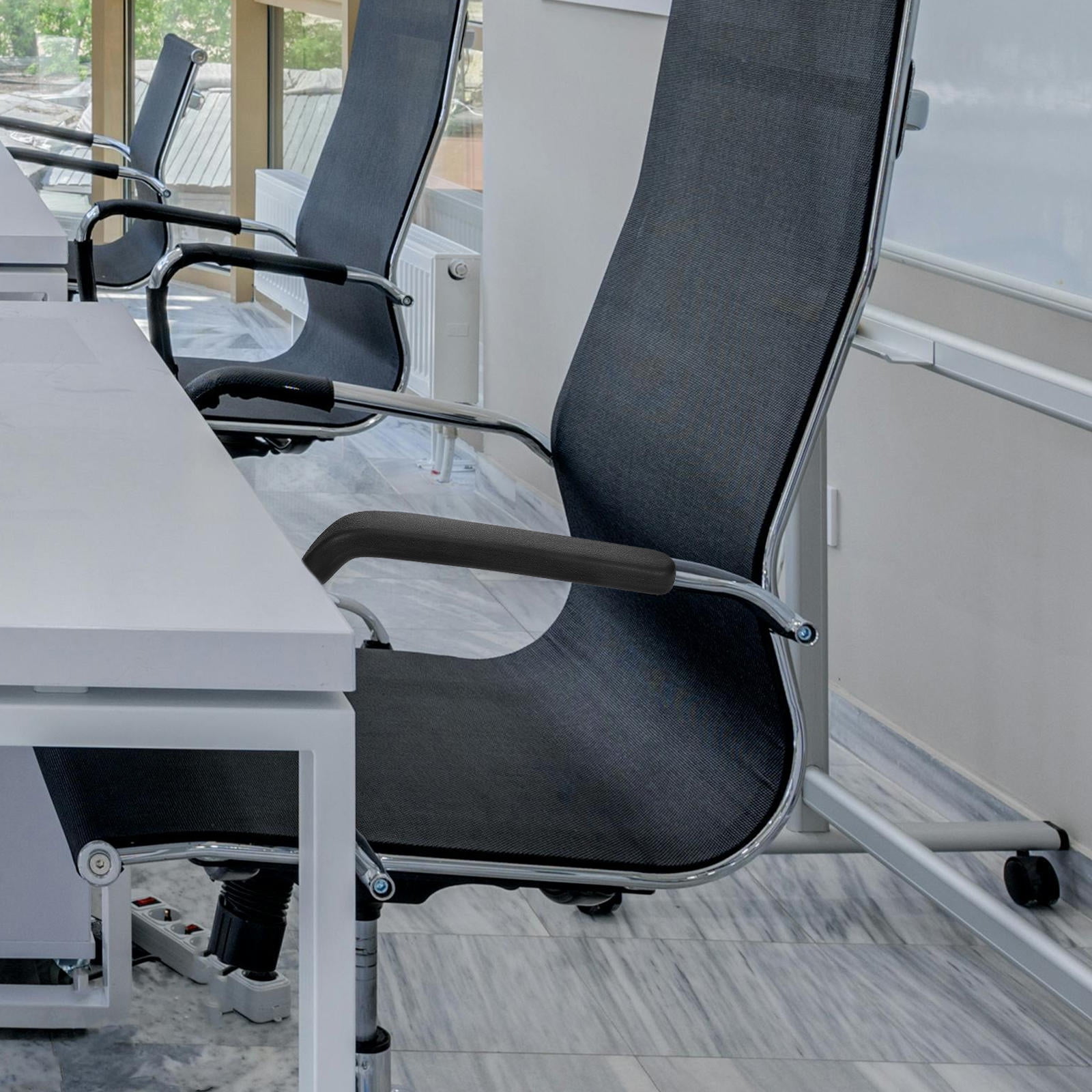
- High-Resiliency Foam or Suspension Mesh: Mesh offers constant airflow and adaptive tension; premium memory foam distributes weight evenly without bottoming out.
- Synchronous Tilt Mechanism: Enables the seat pan and backrest to move together at a natural ratio, keeping your feet on the floor and maintaining spinal curves while reclining.
🪑 Seat Width & Contour
A seat width of 19-22 inches typically suits most body types. Look for contoured foam that cradles the hips without restricting movement.
🌬️ Breathability Matters
If you work in a warm office or tend to run hot, 3D mesh backrests keep you cool while still providing firm lateral support.
⚙️ Adjustability = Personalization
A chair with 8+ adjustment points (height, tilt, seat depth, armrest width/pivot, lumbar height) fits your unique anatomy like a tailored suit.
Material Deep-Dive: Which Delivers Long-Term Comfort?
Choosing the right material impacts durability, temperature regulation, and the tactile sense of support. Here’s how top materials stack up for the most comfortable and supportive office chair.
✅ Premium Mesh
- Support: Firm but forgiving; conforms to spine without heat buildup.
- Comfort: Excellent for warm climates, prevents sweating.
- Longevity: High-quality mesh resists sagging for 7-10 years.
- Best for: Tech professionals, hot offices, all-day sitters.
✅ Top-Grain / Full-Grain Leather
- Support: Plush with gradual molding to body shape.
- Comfort: Soft yet structured; exudes luxury and durability.
- Longevity: 10-15 years with conditioning, resists stains.
- Best for: Executive suites, cooler environments, classic aesthetics.
✅ High-Density Fabric
- Support: Breathable alternative, often with layered foam.
- Comfort: Warm, cozy, and available in vibrant colors.
- Longevity: 5-8 years with regular cleaning.
- Best for: Creative studios, home offices, value-conscious comfort.
Ergonomic Breakthrough: Active vs. Passive Support
Passive support means static foam or fixed lumbar. Active support uses mechanisms like spring-loaded lumbar, automatic weight-sensitive tilt, or independent seat pan tilt. For the ultimate comfort, active support encourages micro-movements, which keep spinal discs hydrated and muscles relaxed. Look for chairs with "dynamic" or "adaptive" lumbar and recline tension that responds to your posture shifts throughout the day.
Step-by-Step: How to Choose Your Ideal Chair
1 Assess Your Anthropometrics
- Measure your height and weight: tall users need seat heights above 20” and higher backrests (23”+).
- Check your thigh length: seat depth should adjust from 16” to 20” for optimal support.
- If you have existing back pain: prioritize chairs with independent lumbar depth adjustment and seat tilt.
2 Match Chair to Workflow
- Data entry / focused desk work: Strong lumbar support + forward tilt capability (keeps pelvis neutral).
- Frequent meetings / collaboration: Armrests that flip up or 4D adjustability; breathable fabric.
- Multitasking / creative thinking: Recline with tension control and headrest for relaxed posture.
3 Test Before You Invest (or Use Trial Periods)
- Sit for at least 15 minutes — check for pressure points, ease of adjustment, and if the lumbar curve fits your spine naturally.
- Simulate your typical typing posture: elbows should form 90°, feet flat, wrists straight.
Health & Productivity Benefits: Beyond Comfort
Investing in a chair that fits like a second skin isn’t a luxury; it’s a productivity tool. Because when your body isn’t fighting for comfort, your brain stays focused on what matters — strategic decisions, creative output, and sustained performance.
Frequently Asked Questions About Most Comfortable and Supportive Office Chairs
Conclusion & Final Recommendations
Finding the most comfortable and supportive office chair is a personal journey but grounded in universal ergonomic principles. Prioritize adjustability, seat depth, and quality lumbar mechanics above all else. Whether you opt for a breathable high-end mesh model for marathon coding sessions or a premium leather executive chair with active tilt, remember that true comfort comes from a chair that moves with you while providing unwavering support. Use our product grid above to explore top-rated chairs from Walmart that meet these rigorous criteria, and invest in your wellbeing today — your back will thank you years down the road.