
The Science of Sitting: Why "Adjustable" Changes Everything
Imagine a suit tailored exactly to your measurements versus one off the rack. That's the difference between a generic office chair and an ergonomic adjustable office chair. We spend over 80,000 hours of our lives seated — a statistic that makes the choice of chair arguably one of the most important health decisions you'll make for your workspace.
A 2021 study in the journal "Applied Ergonomics" found that workers using highly adjustable chairs reported a 27% decrease in low-back pain and a 21% increase in productivity. The magic lies not in the chair itself, but in its ability to morph to your unique anatomy. Let's decode the anatomy of true adjustability.
Essential Adjustments: A Buyer's Glossary
Not all adjustments are created equal. Here are the key mechanisms you'll encounter, ranked by importance. Understanding these will help you distinguish marketing fluff from genuine ergonomic value.
Mesh vs. Cushion: The Great Debate
✅ Mesh Back Advantages
- Breathability: "Like air conditioning for your back," prevents sweat buildup during long sessions.
- Dynamic Support: The tensioned mesh conforms to your back's movements.
- Durability: High-quality mesh doesn't sag like foam over time.
✅ Foam Seat Advantages
- Plush Comfort: High-density memory foam or cold-cure foam distributes weight evenly.
- Pressure Relief: Better for the thighs if you have circulation concerns.
- Premium Feel: Often associated with luxury executive models.
Hybrid Recommendation: Many top-tier ergonomic chairs now feature a mesh back for breathability and a thick, contoured foam seat with a "waterfall edge" to prevent pressure behind the knees.
Step-by-Step: How to Dial in Your New Ergonomic Chair
- Step 1: Set Seat Height Sit with feet flat. Adjust until your thighs are parallel to the floor and your knees are at a 90° angle.
- Step 2: Adjust Seat Depth Slide the seat pan forward/back so there's a 2-3 finger gap between the back of your knee and the seat.
- Step 3: Dial in Lumbar Support The peak of the lumbar curve should fit into the natural curve of your lower back. Adjust height and depth until you feel gentle pressure.
- Step 4: Position Armrests Adjust so your elbows rest at 90° with shoulders relaxed. The armrest should just skim the bottom of your elbows while typing.
- Step 5: Set Recline Tension Lean back. Adjust tension so you can recline smoothly without feeling like you're fighting the chair.
- Step 6: Headrest (if equipped) Position so the curve supports the base of your skull, not your neck, when reclined slightly.
Beyond the Basics: The "Invisible" Benefits
Investing in a premium adjustable chair isn't just about comfort; it's about long-term vitality. According to the American Posture Institute, a well-adjusted chair promotes "dynamic sitting" — small, natural movements that keep blood flowing and muscles engaged. This reduces the risk of metabolic syndrome and deep vein thrombosis associated with static sitting. Think of your chair as a health platform, not just a place to park.
⬆️ 40% Less Disc Pressure
Proper recline and lumbar support reduce spinal disc compression (source: NIH).
🔄 57% More Movement
Adjustable chairs encourage micro-movements, boosting metabolism.
🧠 18% Sharper Focus
Physical comfort directly correlates with cognitive performance.
Common Mistakes When Buying Adjustable Chairs
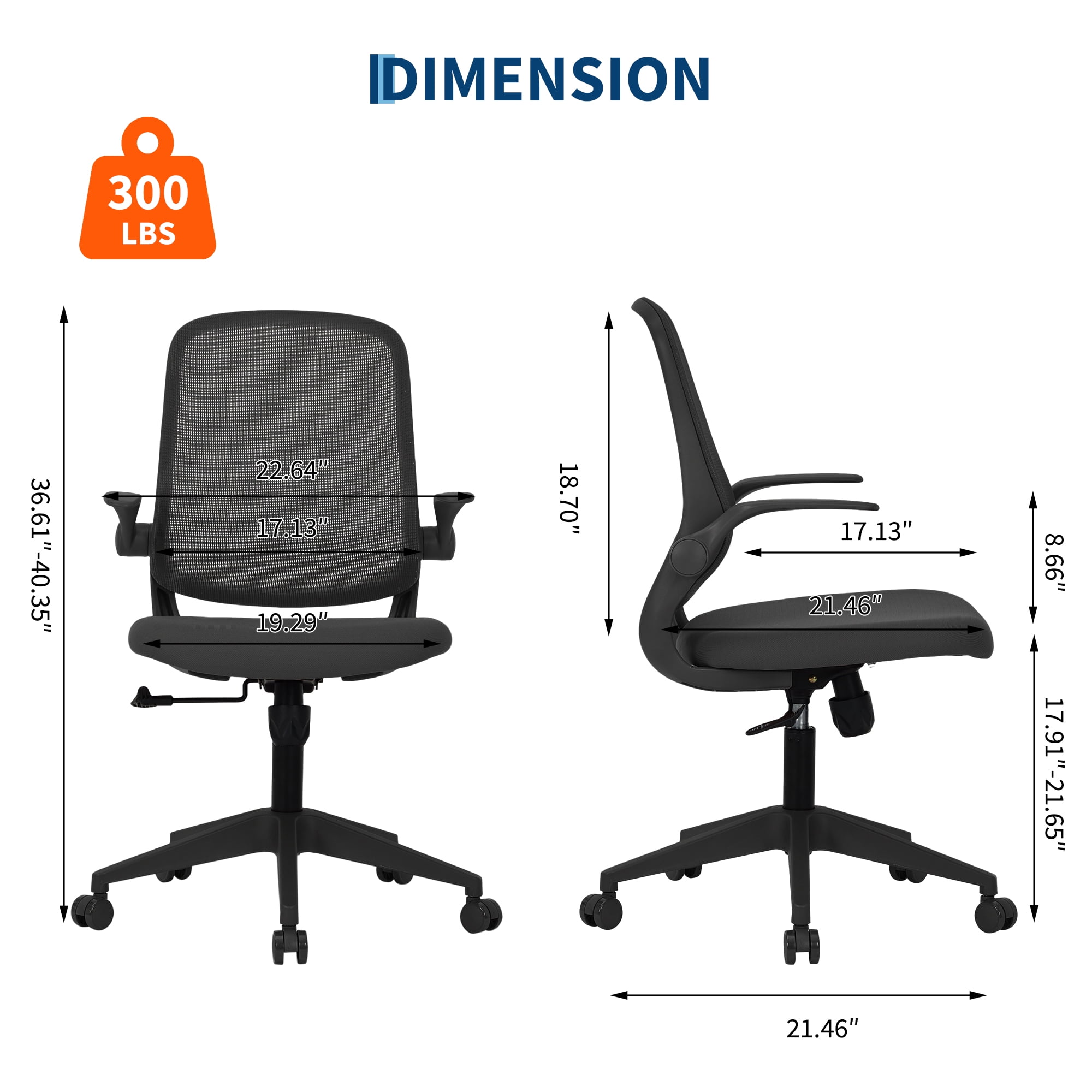
- Ignoring the "Weight Capacity" Rating: Always check. A chair rated for 250 lbs used by a 220 lb person will wear out faster. Go higher for longevity.
- Focusing Only on "High Back": A high back is useless if the lumbar support doesn't hit your curve. Adjustability matters more than sheer height.
- Assuming More Levers = Better: Quality of adjustment matters. Cheap mechanisms break. Look for smooth, solid movements.
- Skipping the Tilt Lock: If you prefer an upright posture for typing, you need a lock that holds you there.
Frequently Asked Questions About Ergonomic Adjustable Office Chairs
Final Verdict: Your Body Will Thank You
Choosing an ergonomic adjustable office chair is one of the few investments that pays dividends in both health and productivity. By understanding the mechanics — from lumbar depth to seat slide — you're equipped to select a chair that doesn't just look good, but actively supports your well-being for the next decade. Remember, the best chair is the one that disappears beneath you, letting you focus on your work, not your aches. Start with the top picks above, and always prioritize adjustment range over flashy design.