
Why Your Back Demands More Than Just a "Comfortable" Chair
Let's face it: the phrase "office chairs that support your back" is thrown around so often it can feel like marketing fluff. But the reality is stark. The average office worker spends over 1,700 hours a year in their chair. If that chair isn't actively working to support your spine, you're not just uncomfortable—you're slowly building a foundation for chronic pain, reduced focus, and long-term health issues.
Ergonomic Insight: A study by the American Chiropractic Association reveals that 80% of the population will experience back pain at some point, with poor sitting posture being a leading contributor. The right chair isn't a luxury; it's a proactive health investment. It can reduce spinal disc pressure by up to 30% compared to a standard office chair.
The Anatomy of True Back Support: Beyond the Cushion
When we talk about a chair that truly supports your back, we're not just talking about a thick seat pad. We're referring to a sophisticated system of ergonomic features designed to mimic the natural curves and movements of the human spine. Let's break down the critical components.
1. Dynamic Lumbar Support
Static lumbar pillows are a thing of the past. Modern chairs feature adjustable lumbar mechanisms that allow you to control the height (to match your spine's natural curve) and depth (to provide just the right amount of pressure). Some advanced models offer dynamic lumbar support that moves with you as you shift, providing continuous, adaptive support.
2. The Contoured Backrest
A flat backrest is your enemy. Look for a backrest that has a pronounced "S" curve, which mirrors your spine's shape. The lower section should curve inward to support the lumbar region, while the upper section provides support for your thoracic spine and shoulders, preventing a hunched posture.
3. Adjustable Seat Depth
This is one of the most overlooked features for back health. If your seat pan is too long, it forces you to slouch to find a comfortable spot for your legs. If it's too short, your thighs lack support. A seat that slides forward or backward ensures you can maintain a 90-degree angle at your hips with your back fully against the backrest.
4. Active Recline Mechanism
Static sitting is the enemy of a healthy back. A chair with a "knee-tilt" or "synchronized" recline mechanism allows your body to move naturally throughout the day. The best models let you rock or recline while keeping your feet flat on the floor and your visual field stable, encouraging micro-movements that keep your spinal discs nourished.
Choosing Your Back-Saving Champion: A Step-by-Step Guide
Selecting the right chair is a personal journey. Follow this systematic approach to ensure you find the perfect match for your unique body and needs.
Step 1: Identify Your Pain Points
- Lower Back (Lumbar) Pain: You need a chair with highly adjustable, potentially dynamic, lumbar support.
- Mid/Upper Back Pain: Prioritize a chair with a taller, contoured backrest that supports the entire spine, or one with adjustable shoulder support.
- Neck and Shoulder Tension: A chair with a well-designed, adjustable headrest is crucial to support the cervical spine and prevent forward head posture.
- Hip and Sciatica Issues: Seat depth adjustment and a waterfall seat edge (to reduce pressure behind the knees) are non-negotiable features.
Step 2: Match Features to Your Work Style
Work Style Matrix
Seek a chair with a firm, supportive back and a multi-functional recline lock to maintain an ideal 100-110 degree angle.
Choose a chair with a breathable mesh back that adapts to your movements and a highly flexible recline mechanism.
An adjustable headrest and a chair with a "upright" lock feature will keep you looking professional and feeling comfortable during long calls.
A chair with a full recline (some go up to 135 degrees) and a footrest option can provide the ultimate relaxation for brainstorming and strategic thinking.
Step 3: The Non-Negotiable Checklist
Before you buy, physically check or confirm that your potential chair meets these criteria. Use this checklist as your final test:
- Seat Height: Can your feet rest flat on the floor with your thighs parallel to the ground?
- Seat Depth: Is there a 2-3 finger gap between the edge of the seat and the back of your knees?
- Lumbar Support: Does it hit the exact spot where your lower back curves inward? Can you adjust it?
- Backrest Height: Does it support your entire back up to at least your shoulder blades?
- Armrests: Are they adjustable (height, width, angle) so your shoulders stay relaxed and your elbows are at a 90-degree angle?
- Recline Tension: Can you adjust the resistance so you can comfortably recline without feeling like you're fighting the chair?
Material Matters: How Upholstery Affects Your Back
The material of your chair isn't just about aesthetics; it plays a crucial role in your comfort and, indirectly, your back support.
✅ Premium Breathable Mesh
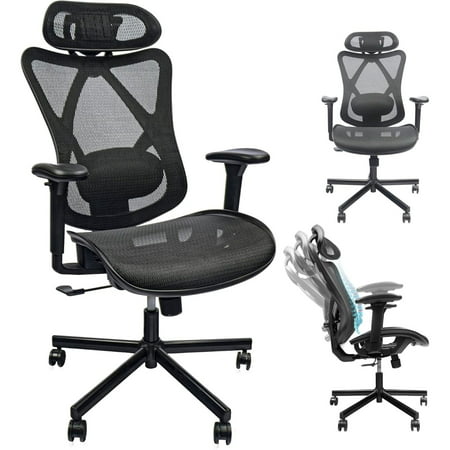
Ideal for back support because it adapts to your movements, offers unparalleled breathability to keep you cool and focused, and can be engineered with integrated, adjustable lumbar systems. It's the top choice for those who prioritize active ergonomic support.
✅ High-Quality Fabric
A great middle-ground. It offers a softer, warmer feel than mesh and can be found on chairs with excellent ergonomic frames. Look for durable, stain-resistant fabrics that provide a good balance of support and comfort.
✅ Premium Leather
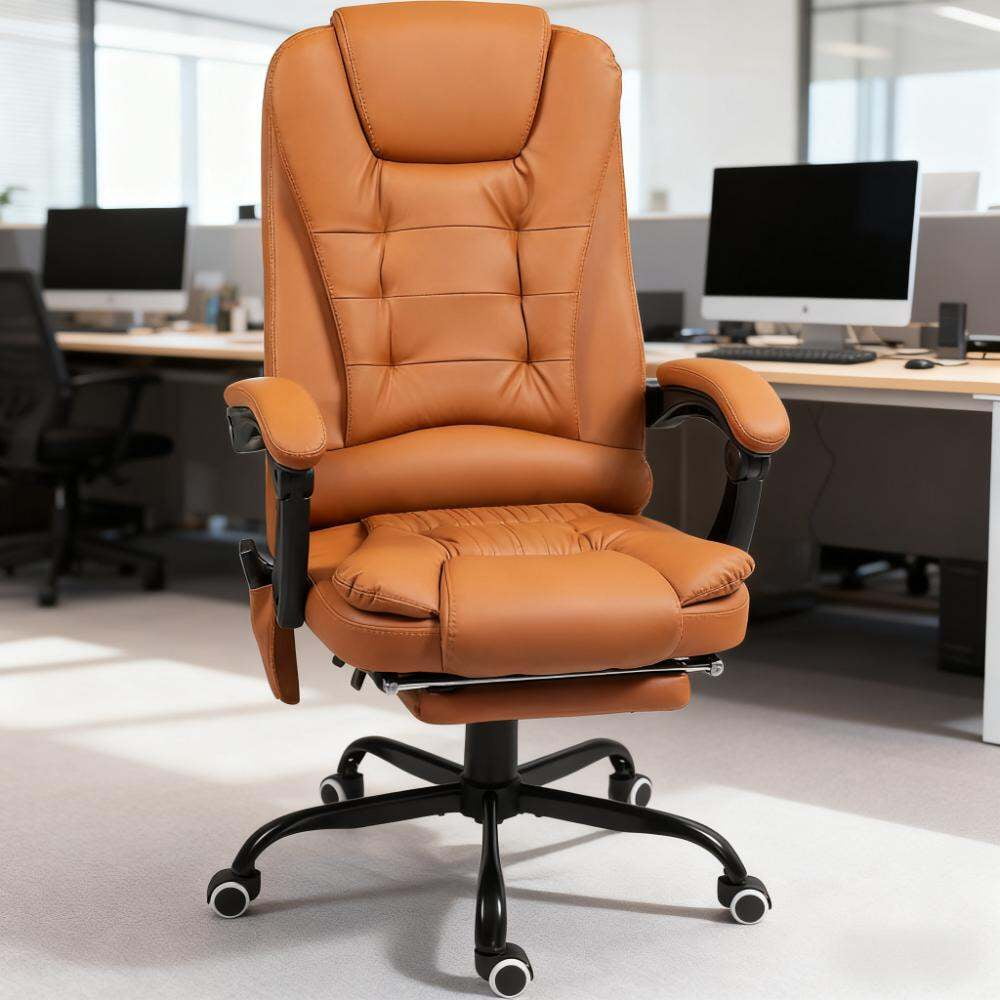
While luxurious, leather can be less forgiving than mesh. It often requires more maintenance to prevent cracking and can become warm. However, a high-quality leather chair with a well-designed ergonomic frame can still offer excellent support, especially in climate-controlled offices.
Expert Tip: Regardless of material, the true test of a chair's back support lies in its ergonomic architecture—the frame, the adjustment mechanisms, and the overall design. A premium mesh chair with a poor frame won't support you as well as a well-designed fabric or even leather chair.