
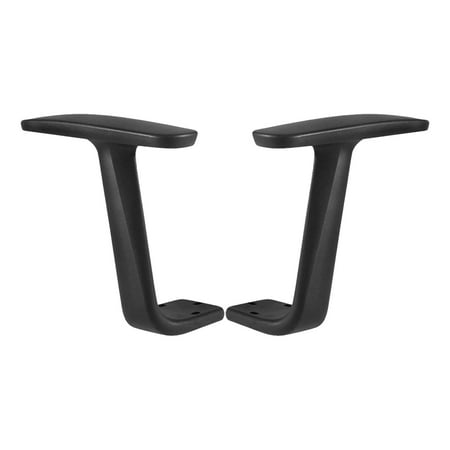
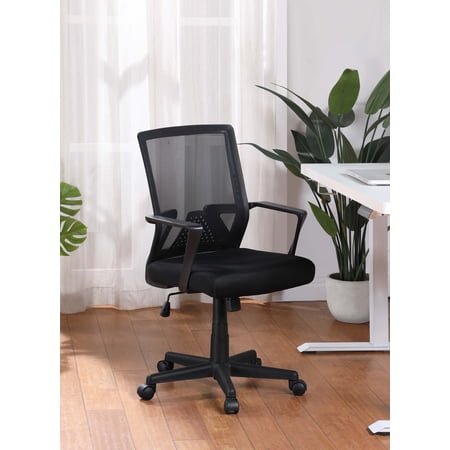
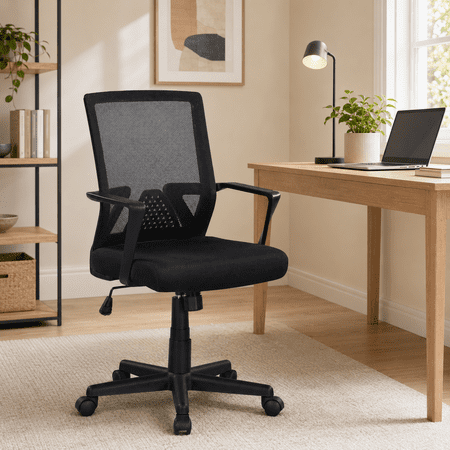
The Overlooked Hero of Ergonomic Seating: Adjustable Armrests
When searching for the perfect office chair, most people focus on lumbar support or seat cushion firmness. However, the office chair armrest adjustable feature is a critical component that often gets overlooked. Think of your chair's armrests like the suspension system in a luxury car. A poor suspension makes every bump in the road jarring; poorly adjusted or non-adjustable armrests transmit strain directly to your shoulders, neck, and upper back throughout your workday.
An adjustable armrests office chair acts as a personalized support system for your upper body. It allows you to create a stable base for your arms, which in turn relaxes your shoulder girdle and helps maintain a neutral spine position. Without this support, you might find yourself hunching forward or leaning to one side, setting the stage for chronic pain. Investing in a chair with proper armrest adjustability is investing in your long-term physical health and daily comfort.
Ergonomic Fact: The human arm weighs approximately 5-7% of your total body weight. For a 180-pound person, that's nearly 10 pounds of weight per arm. High-quality, adjustable armrests support this weight, offloading it from your neck and upper back muscles, which can reduce muscle fatigue by up to 30% over an 8-hour workday.
Decoding Armrest Adjustability: From 1D to 4D
Not all adjustable armrests are created equal. The terminology (1D, 2D, 3D, 4D) can seem like tech jargon, but it simply describes the directions in which you can move the armrest. Understanding these dimensions is the first step in choosing the right ergonomic chair adjustable arms for your needs.
1D / 2D Armrests
Basic Adjustability: 1D armrests typically only adjust in height. 2D armrests usually add pivot (angle) or width adjustment. While a step up from fixed armrests, they offer limited customization. They are suitable for users with average body types and simple needs, but may not provide a perfect fit for everyone.
3D Armrests
Enhanced Flexibility: 3D armrests commonly allow for height, width, and depth (forward/backward) adjustment. This is a significant upgrade. Depth adjustment is crucial for ensuring the pad supports your forearm near the wrist, not digging into your elbow, especially when leaning back or sitting forward.
4D Armrests
The Gold Standard: 4D armrests add angle adjustment (pivoting) to the height, width, and depth found in 3D models. This allows the pad to tilt to match the natural angle of your forearm while typing or resting. This level of personalization is ideal for those with specific ergonomic needs or who perform a wide variety of tasks.
More Than Just Directions: Armrest Pad Materials & Mechanisms
The adjustability mechanism and the pad material are just as important as the number of dimensions. A high-quality office chair arm pad adjustment system should feel solid, lock securely into place without wobbling, and be easy to operate while seated. Look for:
- Pad Material: Soft PU foam provides excellent comfort but may wear out faster. Hard plastic or nylon is durable but uncomfortable for long periods. The best option is a cushioned, non-slip material that's wide enough to support your forearm without being bulky.
- Locking Mechanisms: Levers or buttons should be accessible and intuitive. Pneumatic or gas-assisted height adjustment offers smooth movement, while slide-and-click mechanisms for depth provide a positive, secure lock.
- Stability: After adjustment, the armrest should feel like a solid part of the chair. Excessive play or wobbling can be distracting and reduce the ergonomic benefit.
How to Adjust Your Armrests for Optimal Ergonomics
Even the best office chair armrest adjustable system is useless if not set up correctly. Follow this simple, step-by-step guide to dial in your perfect fit. Imagine your chair is a tailor-made suit; these adjustments are the final fitting.
- Step 1: The 90-Degree Rule (Height): Sit comfortably with your feet flat on the floor. Relax your shoulders. Adjust the armrest height so your elbows form an angle of approximately 90 degrees, with your forearms parallel to the floor. Your elbows should hover just above the armrest pad, not pressing into it.
- Step 2: Find Your Width (Horizontal): Adjust the armrests inward or outward so they sit directly under your elbows and support your forearms without forcing your shoulders to shrug up or wing out. Your arms should rest naturally at your sides.
- Step 3: Set the Depth (Forward/Backward): Slide the armrest pad forward or back so it supports the fleshy part of your forearm, a few inches back from your wrist. It should not hit your elbow joint when you're typing, nor should your wrist be unsupported. This is key for preventing contact stress.
- Step 4: Fine-Tune the Angle (Pivot): If your armrests have this feature, pivot the pad to match the angle of your forearm when your hands are on the keyboard or mouse. This ensures even weight distribution across the pad.
After adjusting, perform a few typing tasks. You should feel a noticeable reduction in tension in your shoulders and upper back. Re-adjust as needed throughout the day, as your posture and tasks change.
Common Problems Solved by Adjustable Armrests
Still wondering if this feature is for you? Here are three common workplace aches that a well-adjusted armrest directly addresses, supported by ergonomic principles.
Problem: "Tech Neck"
Solution: When your arms are unsupported, your shoulder muscles work overtime to hold them up, leading to tension that travels up to your neck. Adjustable armrests support your arms, allowing your neck and shoulder muscles (upper trapezius) to relax.
Problem: Wrist & Elbow Pain
Solution: Resting your elbows or wrists on a hard surface can compress nerves. By adjusting the height and depth, you ensure the soft part of your forearm takes the weight, relieving pressure on the ulnar nerve at the elbow (cubital tunnel) and the median nerve at the wrist (carpal tunnel).
Frequently Asked Questions About Adjustable Armrests
Conclusion: Don't Underestimate the Power of Personalization
Choosing an office chair armrest adjustable is a decision that pays dividends in daily comfort and long-term health. It's a feature that transforms a generic seat into a personalized support system. While lumbar support cradles your lower back, adjustable armrests liberate your upper body, allowing for a more relaxed and focused work session.
We encourage you to view adjustable armrests not as an extra cost, but as an essential component of a healthy workspace. Whether you opt for a chair with 2D or 4D adjustability, the key is finding a system that allows you to fine-tune your position. Use this guide, explore the products above, and take the next step toward a more comfortable and productive work life.