

Why a Dedicated Headrest Transforms Your Home Office Setup
Working from home has become the new normal for millions, yet many people are still using inadequate seating that compromises their health. A home office chair with headrest is engineered to solve a critical problem: the strain on your neck and upper back from hours of screen time. Without proper head support, your neck muscles work overtime to hold your head upright, leading to tension headaches, stiffness, and long-term postural issues.
Ergonomic Insight: Studies indicate that the average head weighs between 10-12 pounds. For every inch your head moves forward from its neutral position, the effective weight on your neck muscles increases by 10 pounds. A quality headrest acts as a counterbalance, redistributing this load and allowing your spine to maintain its natural S-curve, reducing fatigue by up to 35% during extended work sessions.
Core Features of a Premium Home Office Chair with Headrest
Not all headrests are created equal. To truly reap the benefits, you need a chair designed with user-centric features that adapt to your unique body and work style. Here are the key elements to look for:
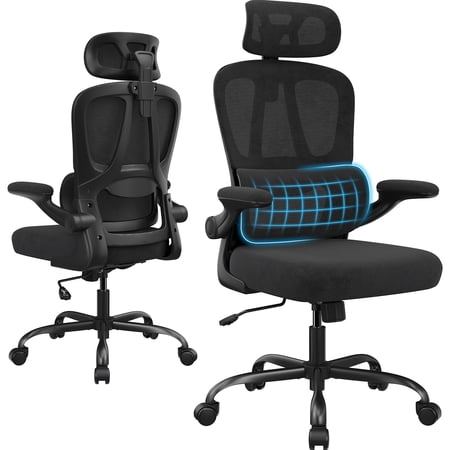
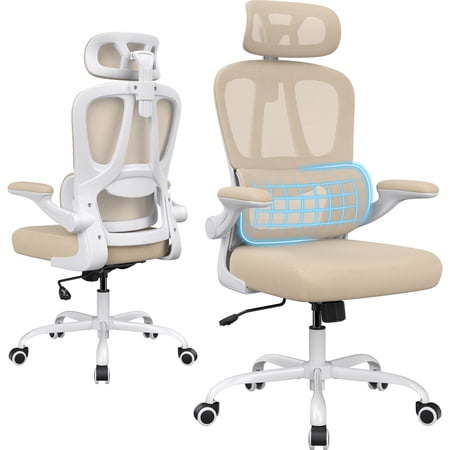
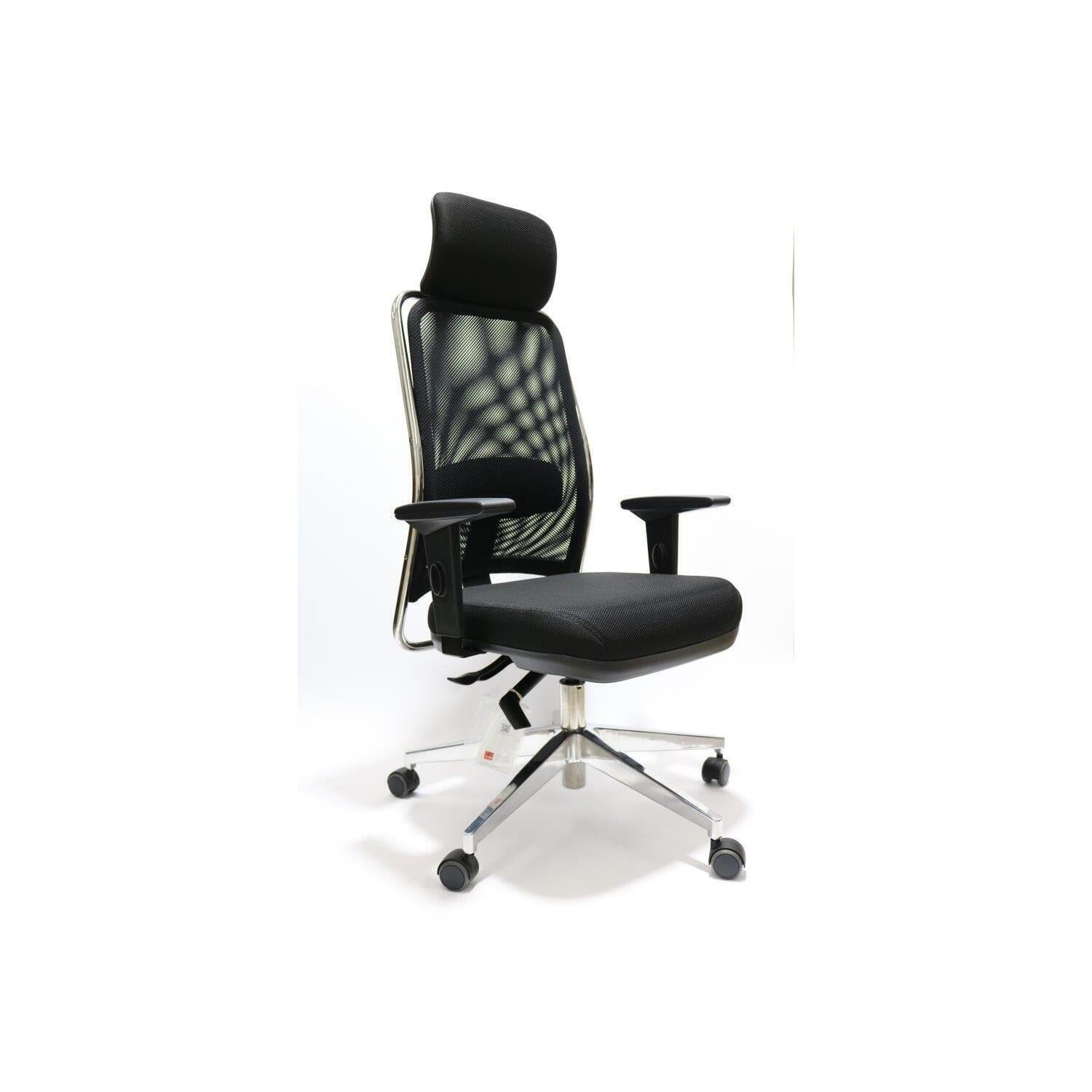
- Adjustable Headrest (2D or 3D): Look for headrests that offer height adjustment, angle tilt, and ideally depth adjustment. This allows you to position the support exactly where your neck needs it, whether you're sitting upright typing or reclining for a brainstorming session.
- Dynamic Lumbar Support: A good headrest works in tandem with adjustable lumbar support. This combination ensures your entire spine—from lower back to the base of your skull—is supported, preventing the domino effect of poor posture.
- Breathable and Resilient Materials: High-quality mesh, premium fabric, or perforated leather ensure you stay cool and comfortable. The padding should be high-density foam that doesn't flatten over time, maintaining consistent support.
- Seat Depth Adjustment: This feature lets you adjust the seat pan to leave 2-3 fingers of space between the edge of the seat and the back of your knees, promoting healthy circulation and preventing pressure on the thighs.
- Robust Recline Mechanism: The ability to recline and lock the backrest at various angles is essential. A synchronized tilt mechanism that moves with your body provides dynamic support, allowing you to shift positions without losing head or back support.
Headrest Types: Choosing the Right Support for Your Needs
Integrated Fixed Headrest
- Best For: Users who primarily sit upright and want a sleek, seamless design.
- Pros: Clean aesthetics, often more affordable, provides basic support.
- Cons: Limited adjustability, may not fit all body types perfectly.
Adjustable (2D/3D/4D) Headrest
- Best For: Multi-user households, individuals with specific neck concerns, and those who recline frequently.
- Pros: Fully customizable, accommodates various heights and postures, superior ergonomic benefit.
- Cons: Higher price point, slightly more complex design.
Health Benefits Beyond Neck Support
Investing in a chair with a headrest creates a ripple effect of positive health outcomes. It’s about holistic well-being, not just one body part.
Reduced Upper Crossed Syndrome
Counteracts the forward head posture and rounded shoulders common in desk workers by promoting proper spinal alignment.
Decreased Eye Strain
When your head is properly supported, it's easier to maintain an optimal distance from your screen, reducing eye fatigue and dryness.
Enhanced Cognitive Function
Physical comfort frees up mental energy. Less pain and distraction lead to sharper focus, better decision-making, and increased creativity.
Improved Sleep Quality
By reducing muscle tension and stress accumulated during the day, a supportive chair can contribute to more restful and restorative sleep.
Step-by-Step Guide to Choosing Your Ideal Chair
Step 1: Analyze Your Workspace and Habits
- Measure Your Desk Height: Ensure the chair's maximum height allows your elbows to rest at a 90-degree angle when typing.
- Evaluate Your Screen Setup: The top of your monitor should be at or slightly below eye level. The headrest should help maintain this position.
- Track Your Sitting Patterns: Do you sit statically for hours, or do you shift positions, recline for calls, or lean forward for detailed work? Your mobility needs dictate the necessary headrest adjustability.
Step 2: Identify Your Priority Features
Step 3: Establish Your Budget Tiers
Think of this as a long-term investment in your health, comparable to a quality mattress. Here’s how the market segments:
Essential Comfort
Basic ergonomic features, fixed or simple height-adjustable headrest, decent padding, 1-3 year warranty.
Ergonomic Performer
2D/3D adjustable headrest, robust lumbar system, high-density foam, multiple adjustment points, 5-year warranty.
Premium & Luxury
4D adjustable headrest, premium materials (mesh, leather), advanced synchronized tilt, 10+ year warranty, superior build quality.
Step 4: Test the Ergonomics (Virtually or In-Store)
Pro Tip: When evaluating a chair, pay attention to how the headrest interacts with the rest of the chair. Sit in your typical work posture. Does the headrest gently support the curve of your neck without pushing your head forward? Adjust it fully and ensure it stays in place. A quality chair should feel like a custom fit after just a few minutes of tuning.
Frequently Asked Questions About Home Office Chairs with Headrests
Conclusion & Final Recommendations: Your Path to Pain-Free Productivity
Selecting a home office chair with a headrest is a proactive step toward safeguarding your most valuable asset—your health. The right chair does more than just support your back; it becomes an integral part of a workspace that enables focus, creativity, and sustained energy.
Final Selection Summary
Look for a chair with a height-adjustable headrest and basic lumbar support. Brands like Ticova or Hbada offer excellent value in the $200-$350 range, providing essential features without breaking the bank.
Invest in a mid-range chair ($400-$700) with a 2D or 3D adjustable headrest, multi-angle armrests, and seat depth adjustment. The FlexiSpot or WorkPro series often hit the sweet spot for adjustability and durability.
Consider a premium ergonomic chair ($800+) from established brands like Steelcase, Herman Miller, or Haworth. Their models with integrated adjustable headrests offer the highest level of customization, build quality, and long-term warranty, making them a wise investment for years of comfort.
Remember, the perfect chair is one that disappears under you, allowing you to focus entirely on your work. By prioritizing an adjustable, well-designed headrest, you are not just buying a piece of furniture—you are investing in a future of comfortable, productive, and pain-free workdays from the comfort of your home.