
The Power of Precision: Why Adjustability Matters
Think of a standard office chair like a one-size-fits-all t-shirt—it might cover you, but it rarely fits perfectly. An office chair with multiple adjustments is more like a custom-tailored suit, designed to adapt to your unique anatomy, work habits, and comfort preferences. In today's dynamic work environments, where professionals spend an average of 8-10 hours seated daily, the ability to customize your chair is not a luxury—it's a necessity for long-term health and productivity.
Ergonomic Insight: Research indicates that using a highly adjustable office chair can reduce musculoskeletal discomfort by up to 58% and increase self-reported productivity by 17%. The key is not just having adjustments, but knowing how to use them effectively to create a neutral, supported posture.
Decoding the Key Adjustments for Ergonomic Excellence
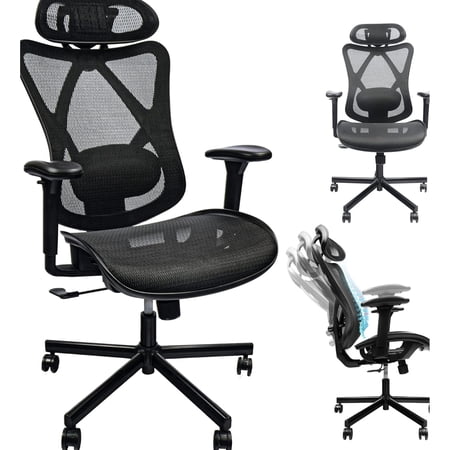
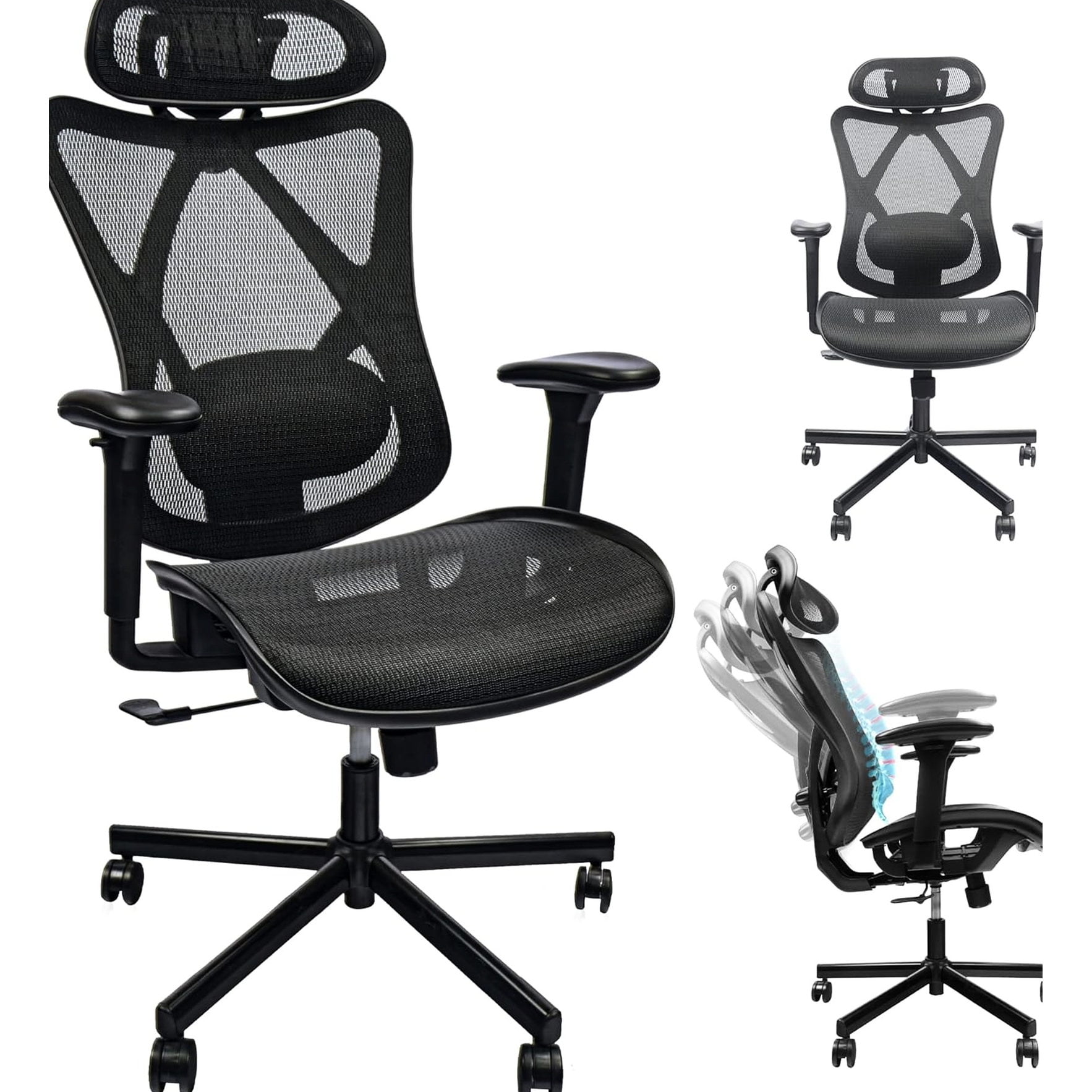
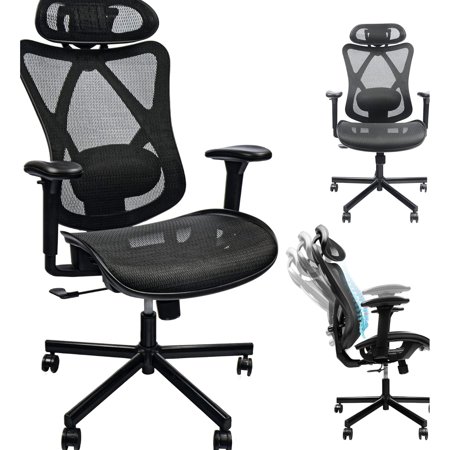
A truly versatile office chair with multiple adjustments offers a suite of controls. Understanding each one allows you to unlock the chair's full potential. Let's explore the essential features that separate a basic chair from an ergonomic powerhouse.
Your Adjustment Checklist: What to Look For
1. Seat Height (Pneumatic Lift)
This is the foundation. Your feet should rest flat on the floor with your thighs parallel to the ground. Elbows should be at a 90-degree angle to the desk. This prevents circulation issues and shoulder strain.
2. Seat Depth (Slide Mechanism)
Allows you to adjust the length of the seat pan. Proper depth ensures you can use the backrest fully while leaving 2-3 fingers of space between the seat edge and your knees, preventing pressure behind the legs.
3. Lumbar Support (Height & Depth)
The holy grail of back support. Look for adjustments that move the lumbar curve both up/down to match your spine's natural curve and in/out to control the level of pressure. This actively combats slouching.
4. Armrests (4D Capability)
Move beyond simple up/down. 4D armrests adjust in four directions: height, width, depth, and pivot. This lets you support your arms during typing, reduce shoulder tension, and even swing them out for writing or guitar playing.
5. Backrest Recline & Tilt Tension
A well-designed chair allows you to recline and lock at various angles. Tilt tension controls the resistance, accommodating users of different weights. A synchronized tilt mechanism keeps your feet on the floor while reclining.
6. Headrest (Height & Angle)
For tall users or those who recline frequently, an adjustable headrest supports the cervical spine. Look for models that offer both vertical and angular adjustments to cradle the head during focused work or breaks.
Building Your Personal Ergonomic Profile: A Step-by-Step Guide
Owning a chair with multiple adjustments is only half the battle. The real magic happens when you systematically dial in your settings. Follow this simple routine to create your perfect ergonomic setup:
- Start with Your Feet: Adjust the seat height so your feet are flat on the floor. Use a footrest if needed to achieve this without pressure under your thighs.
- Set Seat Depth: Sit all the way back against the backrest. Adjust the seat depth slider until you have a comfortable gap (about 2-3 fingers) between the edge of the seat and the back of your knees.
- Establish Lumbar Support: Adjust the lumbar support so it fits snugly into the natural curve of your lower back. If it has depth adjustment, increase pressure until you feel supported but not pushed forward.
- Position Your Armrests: Lower your arms to your sides and bend elbows to 90 degrees. Adjust the armrest height to meet your elbows. Then, adjust width, depth, and pivot to allow your shoulders to stay relaxed and your wrists to be straight when typing.
- Fine-Tune the Backrest: Set the recline tension so you can lean back with moderate resistance. Experiment with different tilt lock angles to find a comfortable, active leaning position that still allows clear screen viewing.
- Adjust the Headrest: If applicable, set the headrest so it supports the curve of your neck, not the back of your head, allowing your head to rest naturally without pushing it forward.
Remember to revisit these settings every few months. Changes in your desk setup, footwear, or even your physical condition can necessitate a quick recalibration to maintain optimal support.
The Science of Seated Comfort: How Adjustments Impact Your Body
Each adjustment on an office chair serves a distinct physiological purpose, working together to create a harmonious and supportive experience.
| Adjustment Feature | Primary Physiological Benefit | Potential Issue if Incorrect |
|---|---|---|
| Seat Height | Maintains proper hip and knee angle, ensuring good circulation. | Too low: Knee, hip, and back strain. Too high: Pressure under thighs, dangling feet. |
| Seat Depth | Prevents compression of popliteal vessels behind knees; supports full thigh. | Too shallow: Insufficient thigh support. Too deep: Cutting off circulation, slouching. |
| Lumbar Support | Maintains the spine's natural lordotic curve, reducing disc pressure. | Missing: Rounded lower back, increased risk of herniated discs and chronic pain. |
| 4D Armrests | Reduces shoulder and neck tension by supporting the weight of the arms. | Misaligned: Shoulder hunching, forward head posture, tension headaches. |
| Tilt Tension | Allows dynamic sitting, promoting movement and core engagement. | Too loose: Feeling of falling back. Too tight: Inability to recline, encouraging static posture. |
Beyond the Basics: Advanced Features in Modern Adjustable Chairs
Today's premium office chairs offer even more sophisticated adjustments for those seeking the pinnacle of customization. These features take personalization to the next level:
- Adjustable Backrest Height: Allows the entire backrest to move up or down, ensuring the lumbar curve aligns perfectly with your spine, critical for users with longer or shorter torsos.
- Seat Angle Tilt (Waterfall Edge): Some chairs allow the front of the seat to tilt slightly downward, reducing pressure on the thighs. The waterfall edge is a standard design that achieves a similar effect.
- Dynamic Lumbar Support: This advanced system automatically adjusts the lumbar curve as you recline, ensuring continuous support in any position.
- Adjustable Seat Width: A rare but valuable feature for larger users or those who prefer a roomier seat pan, allowing the sides of the seat to be widened.
- Memory Settings: High-end chairs sometimes include electronic memory presets, allowing you to save and recall your preferred adjustment configurations with the touch of a button—perfect for shared workspaces.