
Finding the Perfect Office Chair for a Bad Lower Back
For millions of people who suffer from chronic lower back pain, the office chair is not just a piece of furniture—it's a potential source of relief or a daily contributor to their discomfort. The hours spent seated can either exacerbate the pain or, with the right support, help alleviate it. Choosing the best office chair for a bad lower back is one of the most impactful decisions you can make for your health, well-being, and productivity.
Industry Insight: Studies indicate that approximately 80% of adults will experience lower back pain at some point in their lives. For office workers, this risk is significantly higher, with poor seating being a leading cause. Investing in an ergonomic chair is a proven strategy to mitigate this risk and improve overall spinal health.
What Causes Lower Back Pain in Office Chairs?
Understanding the root cause is the first step to finding a solution. Lower back pain from sitting typically stems from a few key issues:
- Inadequate Lumbar Support: The natural curve of your lower spine (the lumbar region) needs proper support. Without it, you often slump, creating a 'C' shape that puts immense pressure on the discs and muscles in your lower back.
- Poor Posture: Chairs that don't allow for proper ergonomic adjustment encourage slouching or leaning forward, which strains the lower back.
- Limited Movement: Sitting in a static, unsupported position for extended periods leads to muscle fatigue and stiffness, which contributes directly to pain.
- Incorrect Seat Depth: If the seat is too long, it cuts off circulation behind your knees; if too short, it doesn't support your thighs, forcing you to adopt a poor posture to compensate.
An ideal office chair for bad lower back directly addresses these issues by offering dynamic, customizable support.
Essential Ergonomic Features for Back Pain Relief
When shopping for a chair to combat lower back pain, look for these non-negotiable features. They are the foundation of any effective ergonomic chair.
Adjustable Lumbar Support
This is the single most important feature. It should be adjustable in height and depth to fit the specific curve of your spine perfectly.
Seat Depth Adjustment
Ensures your thighs are fully supported without putting pressure on the back of your knees, promoting a balanced and healthy sitting position.
Recline Tension & Angle
Allowing the chair to tilt gently shifts your body weight and reduces pressure on the intervertebral discs. A variable recline lock is a bonus.
Synchro-Tilt Mechanism
This advanced mechanism allows the backrest and seat to move together at a synchronized ratio, keeping your back in a natural alignment as you recline.
Material and Build Quality: What to Choose?
The material of your chair can affect not only its durability but also its comfort for your back. Here’s a quick look at the most common options.
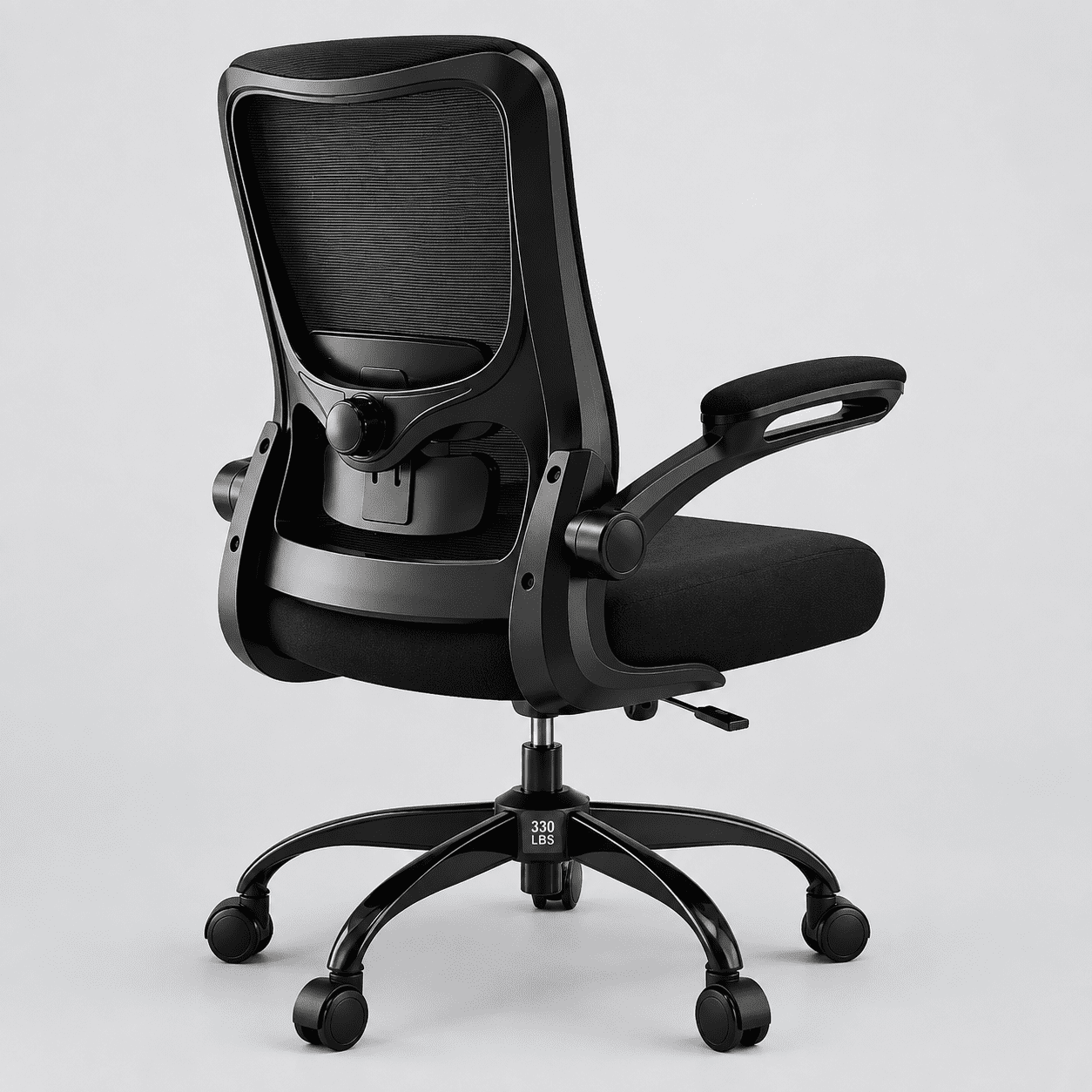
High-Breathability Mesh
- Excellent for Warm Climates: Prevents sweat and heat buildup during long sitting sessions.
- Flexible Support: Often provides a dynamic, "second-skin" feel that moves with you, providing consistent back support.
- Low Maintenance: Easy to clean and generally very durable.
Premium Leather
- Professional Aesthetics: Conveys a sense of luxury and authority.
- Durable & Easy to Clean: Wipes down easily and is resistant to stains.
- Classic Comfort: Can provide a firm and supportive feel, but may be less breathable than mesh.
The best office chair for bad lower back often features a combination of these materials, using breathable mesh for the backrest and a high-density foam seat with a durable, skin-friendly upholstery for the seat pan.
Step-by-Step Guide to Choosing Your Ideal Chair
Follow this simple but effective guide to navigate the options and select the best chair for your specific needs.
Step 1: Prioritize Lumbar Support
The lumbar support mechanism is your primary weapon against lower back pain. Look for a chair that offers independent adjustment of the lumbar support's height and depth. This allows you to target your pain points precisely and fill the natural gap between your lower back and the backrest. Some chairs even offer active lumbar support that adapts to your movements.
Step 2: Evaluate Adjustability Range
Ergonomics is about customization. The chair should be highly adjustable to fit your unique body dimensions. Key adjustments to look for:
- Seat Height: Your feet should rest flat on the floor with your thighs parallel to the ground.
- Seat Depth: A 2-3 finger gap between the back of your knees and the seat edge is ideal.
- Armrests (4D if possible): Your arms should rest comfortably, supporting your shoulders and relieving tension that can radiate to the lower back.
- Recline Tension: You should be able to lean back easily but with enough resistance to feel supported.
Step 3: Consider the Tilt Mechanism
A high-quality tilt mechanism can make a world of difference. A synchronized tilt mechanism allows the seat and backrest to move in a coordinated fashion, so you maintain a healthy, open hip angle even when reclining. This reduces pressure on your lower back significantly compared to a fixed chair.
Step 4: Test the Seat Cushion
The seat pan is where you spend most of your time. It should be comfortable immediately and for hours on end. A high-density, "cold-cure" foam cushion is ideal as it provides a good balance of support and comfort without losing its shape over time. A waterfall edge is also a key feature to reduce pressure on your thighs.