
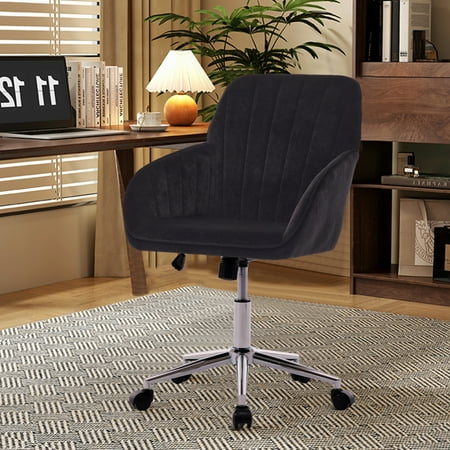

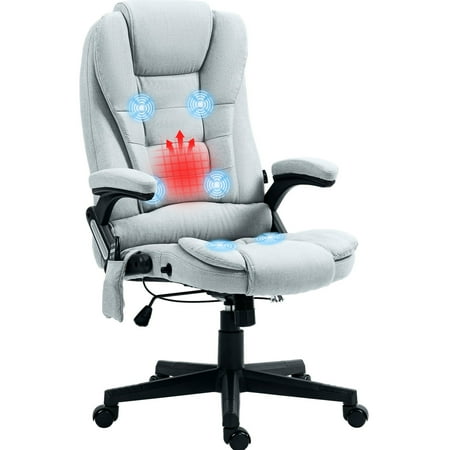
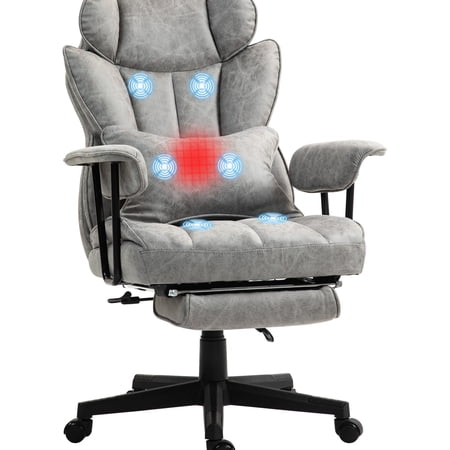
The Quest for the 'Most Comfortable' Chair: Why It Matters
Imagine wearing shoes that are slightly too tight for 10 hours. By the end of the day, your feet would ache, your posture would suffer, and your mood would plummet. Your office chair is the "shoe" for your entire body. For millions working from home or hybrid schedules, the search for the most comfortable office chair for long hours is not a luxury—it's a health necessity. A recent survey by the American Posture Institute found that 68% of remote workers experience new or worsened back pain after switching to prolonged home sitting. The right chair acts as a silent partner, supporting every shift in posture and distributing your weight evenly so you can focus on your work, not your discomfort.
Ergonomic Reality Check: Humans are not designed to sit still. The best chair for long hours encourages micro-movements. Studies show that chairs allowing dynamic sitting (gentle rocking or tilting) increase core muscle activity by 15% and reduce spinal disc pressure by up to 35% compared to rigid, static chairs.
The 4 Pillars of All-Day Comfort: Beyond Just “Soft”
Many people confuse "comfortable" with "plush." But a chair that feels great for five minutes can become a swamp of discomfort after two hours. True, long-haul comfort rests on four engineering pillars. We’ll break down each one so you can spot a genuinely comfortable chair from a pretender.
Pressure Distribution & Foam Density
Not all foam is equal. A cheap chair uses low-density polyurethane foam that loses resilience in months. The most comfortable office chairs for long hours use high-density, cold-cured foam or multi-layer memory foam with gel infusions. This prevents the dreaded "bottoming out" sensation. Think of it like a high-end mattress vs. a cheap camp pad: the former cradles your hips and thighs, reducing pressure points that cut off circulation. Look for seat thickness of at least 3-4 inches and brands that specify foam density (HR 45+ is excellent).
Micro-Climate Management (Breathability)
Sitting for hours generates heat and moisture. A chair that traps heat leads to sweaty backs and restlessness. This is where material choice dominates. Premium 3D mesh backs allow air to flow freely. For upholstered chairs, look for breathable fabric like wool blends or high-performance textiles with open weaves. Some advanced chairs now feature phase-change materials (PCMs) that actively draw heat away from the body. A cool seat is a comfortable seat, especially during 8+ hour stretches.
Synchronous Mechanism & Dynamic Movement
The mechanism connecting seat and backrest is the chair's brain. A "synchronous tilt" mechanism allows the backrest to recline at a different ratio than the seat (often 2:1 or 3:1). This keeps you visually oriented to your monitor while supporting your back. More importantly, it lets you recline slightly, shifting your weight and reducing static load on spinal discs. Chairs with a smooth, tension-adjustable recline encourage you to move naturally throughout the day, which is the secret to long-term comfort.
Multi-Dimensional Adjustability
A chair that doesn't fit you is never comfortable. For long hours, you need more than just height adjustment. Critical adjustments include:
- Seat depth slide: Accommodates thigh length.
- 4D armrests: Height, width, depth, and pivot to support elbows.
- Lumbar depth & height: To fill the curve of your lower back.
- Tilt tension: Customizable resistance based on your weight.
Without these, you're forcing your body to adapt to the chair—a recipe for stiffness.
Quick Comparison: Cushion Material for Extended Sitting
| Material | Pros for Long Hours | Cons for Long Hours | Best For |
|---|---|---|---|
| High-Density Foam | Excellent support, durable, retains shape for years. | Can feel firm initially; may retain heat without gel layer. | Users who want a "structured" feel and longevity. |
| Memory Foam + Gel | Contours perfectly, reduces pressure points, gel dissipates heat. | Can sometimes feel too slow to rebound; may be heavy. | People with hip or tailbone pain who need pressure relief. |
| Breathable Mesh (seat) | Maximum airflow, never hot, easy to clean. | Some find it too firm; mesh can sag over many years. | Hot climates or those who run warm. |
| Latex/Natural Foam | Naturally resilient, hypoallergenic, good breathability. | Expensive; fewer office chairs use it. | Eco-conscious users seeking a bouncy feel. |
Why Standard Chairs Fail After Hour 4 (The Science of Discomfort)
Have you ever noticed that a chair feels fine at 10 AM, but by 3 PM you're fidgeting constantly? It's not your imagination. Prolonged sitting causes several physiological changes. First, the gluteal muscles become inhibited and "switch off," transferring load to the lower spine. Second, constant pressure compresses the micro-capillaries in the buttocks, leading to ischemia (lack of blood flow) and that numb feeling. Third, the intervertebral discs lose hydration throughout the day, making them more vulnerable to pressure.
This is why the most comfortable office chair for long hours must combat these effects. A waterfall seat edge (curved down front) prevents the seat from digging into the back of your thighs, maintaining circulation. An adjustable lumbar support that actually pushes forward to maintain the spine's natural curve helps keep muscles engaged. And a seat with a slight "pelvic tilt" adjustment can shift pressure from the tailbone to the sitz bones. In essence, a top-tier chair is a piece of medical equipment disguised as furniture.
Signs Your Chair Is Built for Long Hours
- Seat edge curves down (waterfall).
- Backrest height is adjustable or tall enough for shoulder blades.
- Armrests move independently to support elbows at 90°.
- Recline mechanism with lockable positions.
- Breathable backrest (mesh or perforated).
Red Flags: Chairs That Cause Fatigue
- Hard plastic edge on seat front.
- Fixed, non-adjustable lumbar pad.
- Foam that compresses completely under weight.
- No tilt or recline function.
- Non-breathable bonded leather (gets sticky).
How to Test Comfort: The 20-Minute “Real Life” Simulation
You can't judge a chair by sitting in it for 30 seconds. Follow this simulation when you're able to test a chair (in-store or during a return period):
- The Five-Minute Settle: Sit normally for 5 minutes. Notice any hotspots? Is the seat pan too long/short? Adjust lumbar and see if it hits the right spot.
- The Recline Test: Lean back with your feet flat. Does the chair move smoothly? Is the tension adjustable? Try working in a slight recline (10-15°) for a few minutes—does it feel stable?
- The Armrest Check: Type on a keyboard (even miming helps). Can you get your arms close to your body? Are the armrests at the same height as your desk surface? Adjust them.
- The 10-Minute Focus: Read a document or work on your phone for 10 minutes. Consciously relax. After 10 minutes, assess any growing discomfort. Do you feel the need to shift constantly? That's a warning sign.
- The Stand-Up: Stand up and sit back down. Is it easy? Does the chair feel welcoming?
If a chair passes this simulation, it has strong potential for your long workdays.
Frequently Asked Questions: Long-Hour Comfort
Conclusion: Invest in Your Most Productive Asset
Your body is the engine of your work. Finding the most comfortable office chair for long hours is one of the most impactful investments you can make for your career and well-being. Remember, comfort is not about one feature; it's the synergy of pressure relief, breathability, movement, and fit. Don't rush the decision. Use the insights from this guide, test chairs thoroughly, and prioritize mechanisms that adapt to you, not the other way around. A great chair fades into the background, allowing you to lose yourself in your work—and that’s the ultimate sign of comfort.
Start your search with our top picks above, and explore related categories below to refine your choice.