
Why Your Home Office Deserves a True Ergonomic Desk Chair
The shift to hybrid and remote work has turned dining chairs and sofas into makeshift offices. But if you're spending 8+ hours a day at your desk, a home office chair ergonomic desk chair isn't a luxury—it's a necessity. Think of it as the foundation of your work-from-home health. Just as a good mattress supports your sleep, an ergonomic chair supports your waking hours, directly impacting your focus, energy levels, and long-term physical well-being.
Unlike generic office seating, a true ergonomic chair adapts to you. It's a system of adjustments designed to keep your spine in a neutral position, your feet flat on the floor, and your joints aligned. According to the World Health Organization, musculoskeletal conditions affect 1.71 billion people globally, and prolonged poor sitting posture is a major contributor. Investing in the right chair is a proactive step toward a healthier, more productive career.
The Anatomy of a Perfect Home Office Chair: What to Look For
Walking into the world of ergonomic chairs can feel overwhelming. But once you understand the key components, you can make an informed decision like a pro. Let's dissect the essential parts of a quality home office chair ergonomic desk chair.
1. The Lumbar Support System: Your Spine's Best Friend
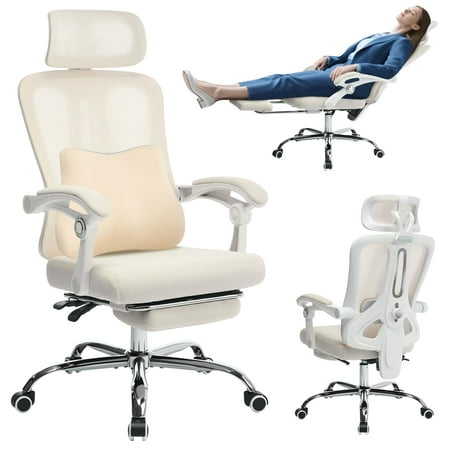
Lumbar support is the cornerstone of ergonomics. It maintains the natural inward curve of your lower back, preventing slouching and the dreaded "sitting slump." Static lumbar pillows are common, but advanced chairs offer adjustable lumbar support in both height and depth. This allows you to fit the curve precisely to your spine. Some high-end models even feature air-bladder systems for dynamic support as you move.
- Key Feature: Adjustable depth (how much it pushes into your back).
- Key Feature: Adjustable height to align with your lumbar curve.
- Pro Tip: When seated, you should feel firm pressure against your lower back, not your mid-back.
2. Seat Pan and Depth: The Foundation of Comfort
The seat is where you spend all your time. A high-quality seat uses high-density foam or memory foam that won't break down after a few months. The most critical feature here is seat depth adjustment. You should be able to sit with your back against the lumbar support while having 2-4 finger widths of space between the back of your knee and the edge of the seat. This "waterfall edge" prevents circulation restriction and numbness in your legs.
3. Backrest Height and Recline Mechanism
Ergonomic chairs generally come in mid-back or high-back designs. For home offices, a high-back chair offers better shoulder and neck support, especially if you tend to lean back during calls or deep thinking. Look for a synchronized tilt mechanism. This allows the backrest and seat to tilt at a ratio (often 2:1 or 3:1), keeping your feet on the floor while your upper body reclines, maintaining optimal visual line with your monitor.
- Tip: Ensure the tilt tension can be adjusted to your body weight.
- Tip: A seat angle adjustment (tilting forward slightly) can help with tasks that require leaning forward.
4. Armrests: The 4D Difference
Armrests are often overlooked, but poor armrests can cause shoulder and neck tension. Basic chairs have fixed armrests, but a true home office chair ergonomic desk chair will have 4D armrests. This means you can adjust them:
- Up and down (height): So your elbows are at a 90-degree angle.
- Left and right (width): To match your shoulder width.
- Forward and backward (depth): So your forearms are supported while typing.
- Pivot angle: To match the angle of your arms on the desk.
5. Material Matters: Mesh, Fabric, or Leather?
For a home environment, material choice affects comfort and maintenance. Let's break it down:
Breathable Mesh
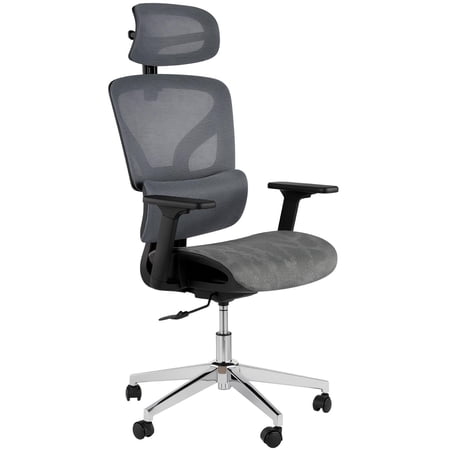
Best for: Warm climates, those who run hot. Mesh backrests allow air to circulate, preventing that sticky feeling. High-quality mesh is durable and provides excellent contouring support.
Comfort Fabric
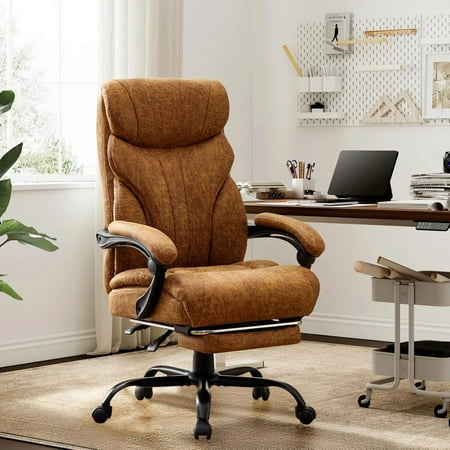
Best for: Plush comfort and style variety. Fabric offers a softer, warmer feel. Look for performance fabrics that are stain-resistant and durable. Great for a cozy home office aesthetic.
Premium Leather/Faux Leather
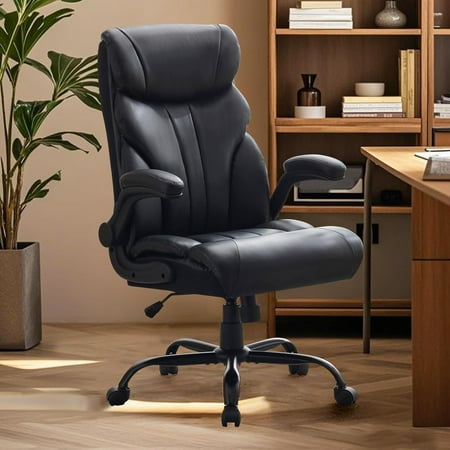
Best for: A sophisticated, executive look. Leather is durable and easy to wipe clean, but can be warm. Faux leather is a budget-friendly option but may not breathe as well.
6. Headrest: A Home Office Game-Changer
In a corporate office, you might not recline much. At home, you might watch training videos, take breaks, or have casual video calls. An adjustable headrest provides crucial neck support during these moments. It's a feature that truly sets apart a home-office-focused chair. Ensure the headrest adjusts in height and angle to support the curve of your neck, not push your head forward.
Ergonomic Insight: A study by Cornell University's Department of Ergonomics found that using a chair with adjustable lumbar support and armrests can reduce muscle fatigue by up to 38% and increase typing accuracy by 9%. Your chair is a performance tool.
Your 5-Step Guide to Choosing the Perfect Ergonomic Desk Chair
Follow this practical roadmap to filter through the options and find the chair that fits you—and your home—perfectly.
Step 1: Measure Your Space and Body
- Space: Measure your home office area. If space is tight, look for chairs with a smaller base (27-28 inches wide) or those marketed as "compact ergonomic chairs."
- Body: Note your height and weight. This determines the seat height range, seat width, and required weight capacity. Taller users need a higher backrest; heavier users need a chair rated for their weight (look for 300 lbs+).
Step 2: Prioritize Your "Must-Have" Adjustments
Not all ergonomic chairs are equal. Make a checklist:
- Is lumbar height and depth adjustment non-negotiable? (It should be).
- Do you need a headrest for lounging or calls?
- Are 4D armrests important for your typing posture?
Step 3: Match Material to Your Environment
Consider your home's climate and your personal style. Do you have pets? Fabric may attract fur, while leather is easier to wipe. Do you work in a sunny room? Mesh will keep you cooler.
Step 4: Set a Realistic Budget for Long-Term Value
View this as a 10-year investment. A $600 chair that lasts a decade costs just $60 a year. Here's a general guide:
Step 5: Read Reviews & Check the Warranty
Look for reviews from people with similar body types. A good warranty (minimum 5 years on parts, 10+ on frame) indicates manufacturer confidence. Ensure replacement parts are available.
Choosing a chair is like buying a high-quality pair of hiking boots. You wouldn't climb a mountain in flip-flops, just as you shouldn't work 40 hours a week in a non-ergonomic chair. The right fit prevents blisters (or back pain) and makes the journey—your workday—much more enjoyable.
Frequently Asked Questions About Home Office Ergonomic Chairs
Final Verdict: Build Your Perfect Work-From-Home Sanctuary
Your home office should be a place of focus and comfort. The right home office chair ergonomic desk chair is the cornerstone of that environment. By understanding the anatomy of ergonomics—from lumbar support to 4D armrests—you can make a choice that pays dividends in health, happiness, and productivity for years to come. Don't settle for discomfort; invest in a chair that works as hard as you do.
Remember to use our product grid above to compare top-rated models. Look for chairs that tick the boxes we've discussed, and always prioritize adjustability to suit your unique body. Your back will thank you.