
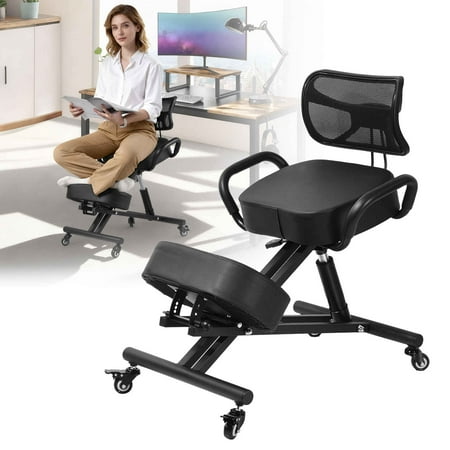
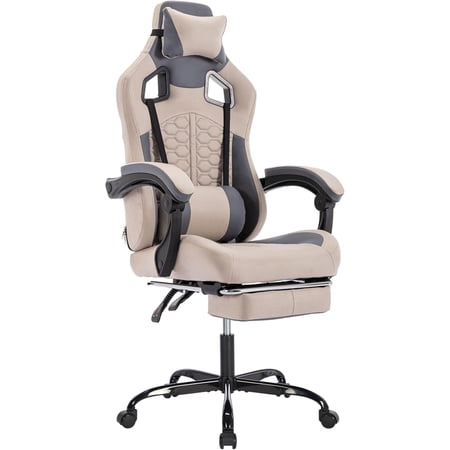
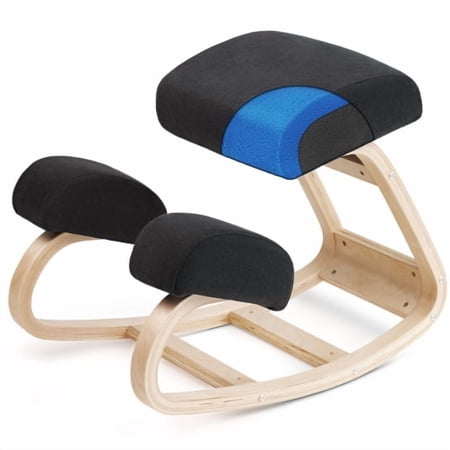
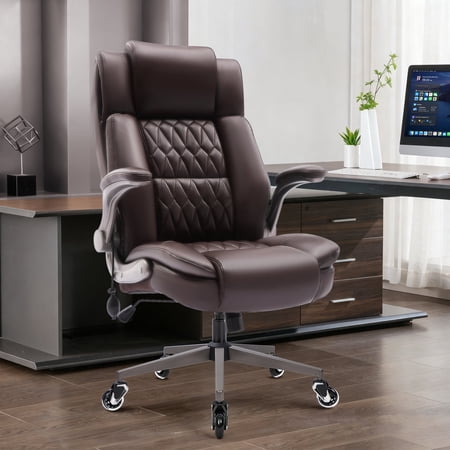
Why Your Lower Back Hurts: The Hidden Cost of Ordinary Seating
Imagine your spine as a suspension bridge. When you sit in a poorly designed chair, it’s like placing a heavy truck in the middle without proper support. The cables (your muscles) strain, and the structure (your vertebrae and discs) begins to suffer. For the average office worker, sitting for 8+ hours a day in a chair that lacks proper lumbar support is a direct pathway to chronic lower back pain.
Ergonomic Insight: Research published in the Journal of Physical Therapy Science indicates that sitting with inadequate lumbar support increases intradiscal pressure by up to 30% compared to supported sitting. Over time, this pressure can contribute to disc degeneration, muscle fatigue, and persistent pain that follows you home.
The Anatomy of a Pain-Free Seat: Key Ergonomic Features
A truly comfortable office chair for lower back pain isn't defined by plush padding alone. It's about dynamic support that adapts to you. Here are the non-negotiable features to look for:
- Dynamic Lumbar Support: Not just a fixed pad. Look for mechanisms that allow height, depth, and sometimes even width adjustment, ensuring the support moves with you.
- Waterfall Seat Edge: A gently sloping front edge that reduces pressure on the underside of your thighs, preventing numbness and promoting healthy blood flow to your legs.
- Multi-Directional Armrests: Adjustable arms (height, width, pivot) allow you to position them so your shoulders remain relaxed, preventing tension that can radiate down to your lower back.
- Seat Depth Adjustment: The ability to slide the seat pan forward or back ensures proper thigh support without compressing the back of your knees, a common cause of poor posture.
- Synchronous Tilt Mechanism: This allows the seat and backrest to move in a coordinated ratio, maintaining a healthy spinal angle and reducing pressure on the lumbar discs when you recline.
Material Matters: Mesh vs. Fabric vs. Leather for Back Pain
Each material offers a different kind of support and comfort. Your choice can significantly impact your experience, especially if you are prone to back pain.
Premium Mesh
- Best For: Consistent, breathable support.
- Back Pain Benefit: Offers a firm yet yielding surface that contours perfectly to your spine without creating pressure points. Excellent for hot climates or those who tend to run warm.
High-Quality Fabric
- Best For: Plush comfort and aesthetic variety.
- Back Pain Benefit: Can offer more initial cushioning. Look for high-density foam that won't break down quickly, ensuring sustained support. Good for cooler office environments.
Premium Leather
- Best For: Durability and a professional, executive look.
- Back Pain Benefit: Top-grain leather can be supportive and durable. However, ensure it has adequate ergonomic shaping and breathability, as it can be less forgiving than mesh.
Your Step-by-Step Selection Guide: Finding Your Perfect Match
Step 1: Identify Your Pain Points
Is your pain a dull ache after long hours, a sharp pain when you stand up, or a constant stiffness? Note the location (e.g., just above the pelvis, on one side). This helps you know what to focus on. A chair with a highly adjustable lumbar system is critical if your pain is in the lower center of your back.
Step 2: Measure Your Workspace
Measure the height of your desk and the space under it. You need a chair that can adjust to a height that allows your elbows to rest at a 90-degree angle while your feet are flat on the floor. Also measure the width of your desk's opening to ensure the chair's base fits comfortably.
Step 3: Prioritize Adjustability Over Aesthetics
A beautiful chair that doesn't fit you is a recipe for pain. Prioritize chairs that offer at least four of the five key adjustments: seat height, seat depth, armrest width/height, backrest angle, and lumbar support tension/depth. Adjustability is the key to long-term comfort and spinal health.
Step 4: Consider Your Body Type
If you are taller or have a longer torso, look for chairs with a taller backrest. If you are shorter, a chair with a seat depth adjustment is non-negotiable. Many brands offer 'big and tall' or 'petite' versions of their ergonomic chairs to cater to different body types.
Beyond the Chair: Complementary Habits for a Healthy Spine
Even the most comfortable office chair for lower back pain can't work miracles alone. Integrate these habits for a holistic approach:
- The 20-8-2 Rule: Every 20 minutes, look 20 feet away for 20 seconds. Every 2 hours, get up and move for 2 minutes.
- Core Engagement: Practice sitting with your feet flat and gently engage your core muscles to support your spine, rather than relying solely on the chair's backrest.
- Monitor Height: The top of your monitor should be at or slightly below eye level to prevent you from craning your neck, which can indirectly affect your lower back posture.
Comparison: Key Features for Back Pain Relief
| Feature | Why It Matters for Lower Back Pain | What to Look For |
|---|---|---|
| Lumbar Support System | Directly supports the natural inward curve of the lumbar spine, preventing slouching and reducing disc pressure. | Height-adjustable and depth-adjustable (in/out). Some high-end chairs offer dynamic support that moves with you. |
| Seat Depth Adjustment | Prevents pressure on the back of the knees and ensures the backrest can support your lower back properly. | At least 2-3 inches of forward/backward adjustment for the seat pan. |
| Tension Control | Allows you to adjust the resistance of the recline, ensuring you can lean back without feeling unsupported or fighting the mechanism. | A knob or lever that lets you fine-tune the recline resistance to match your body weight. |
| Armrest Adjustability | Proper arm support prevents shoulder tension that can contribute to overall postural imbalance and back pain. | 4D armrests (height, width, pivot, and depth) offer the most customizable support. |