
Why Back Support in an Office Chair Is Non-Negotiable
Imagine your spine as a tower of blocks. When you slouch, those blocks tip forward, straining the muscles and ligaments holding them together. A back support office chair acts like a sturdy hand keeping that tower upright. For millions who work desk jobs, it's the difference between leaving work energized or hobbling out with a stiff back. According to the American Chiropractic Association, 80% of the population will experience back pain at some point, and poor seating is a leading contributor.
Did you know? A study from the University of California found that sitting with improper support can increase disc pressure by up to 40% compared to sitting with optimal lumbar support. This pressure is a primary driver of lower back pain and fatigue.
What Defines a Chair with True Back Support?
Not all chairs labeled "ergonomic" deliver genuine back support. Here are the engineering hallmarks of a chair that will actually protect your spine:
- Adjustable Lumbar Support: The ability to move the support up/down and in/out is critical. Everyone's spine is a different length and curve.
- Synchro-Tilt Mechanism: This allows the backrest to recline at a different angle than the seat, keeping you supported even when leaning back.
- Seat Depth Adjustment: A seat that's too long forces you to sit forward, losing back support. Adjustable depth ensures your back is always against the lumbar support.
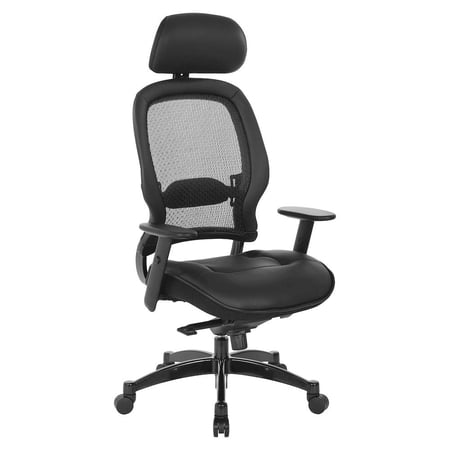
- Material with 'Give': Mesh or flexible polymer backs contour to your spine, while overly rigid backs can create pressure points.
The Hidden Cost of a Non-Supportive Chair
Buying a chair without proper back support is a false economy. Beyond the immediate discomfort, poor seating leads to:
- Reduced Productivity: Discomfort is a distraction. You'll fidget, stand up frequently, and lose focus.
- Muscle Fatigue: Your back muscles work overtime to stabilize you, leading to exhaustion by mid-afternoon.
- Long-Term Health Issues: Chronic back pain, sciatica, and even digestive problems can stem from poor posture and spinal compression.
Investing in a chair with excellent back support is investing in your daily performance and future well-being.
Types of Back Support Mechanisms Explained
Understanding the different types of lumbar support helps you choose what feels best for your body. Here’s a breakdown of the most common systems found in modern office chairs.
1. Passive vs. Active Lumbar Support
- Passive Support: A fixed curve built into the backrest. It's better than nothing, but works best if the chair's shape perfectly matches your spine. Common in budget chairs.
- Active Support: A mechanism that moves and adjusts with you. It often involves a tension-controlled pad that pushes forward as you recline, ensuring constant contact. This is the gold standard for all-day seating.
2. 4-Way Adjustable Lumbar (Height & Depth)
This is the most versatile system. You can raise or lower the pad to fit the curve of your lower back, and increase or decrease how far it protrudes. If you have a pronounced curve (lordosis), you'll want more depth. If your back is flatter, a shallower setting is better. Look for chairs that offer at least 2 inches of height and 1 inch of depth adjustment.
3. Dynamic Lumbar Support
Found in high-end ergonomic chairs (like those from Herman Miller or Steelcase), this support is built into the frame's tension. The backrest flexes and provides resistance exactly where your back needs it. It's a seamless, adaptive form of support that requires no manual adjustment, but relies on precise engineering.
Posture Correction
Proper support trains your muscles to maintain a neutral spine, reducing slouching over time.
Pressure Distribution
Reduces peak pressure on the lower vertebrae by spreading the load across the backrest.
Core Muscle Relief
Lets your deep core muscles relax, preventing fatigue and stiffness.
Breathing & Focus
An upright, open posture allows for deeper breaths, increasing oxygen flow to the brain.
How to Choose the Right Back Support Chair for Your Body
Selecting a chair is a personal journey. Here's a simple, step-by-step guide to finding your perfect match.
Step 1: Identify Your Pain Points
Where is your discomfort? Lower back (lumbar)? Upper back (thoracic)? Or is it more of a general ache?
- Lower back pain: Prioritize chairs with pronounced, adjustable lumbar support.
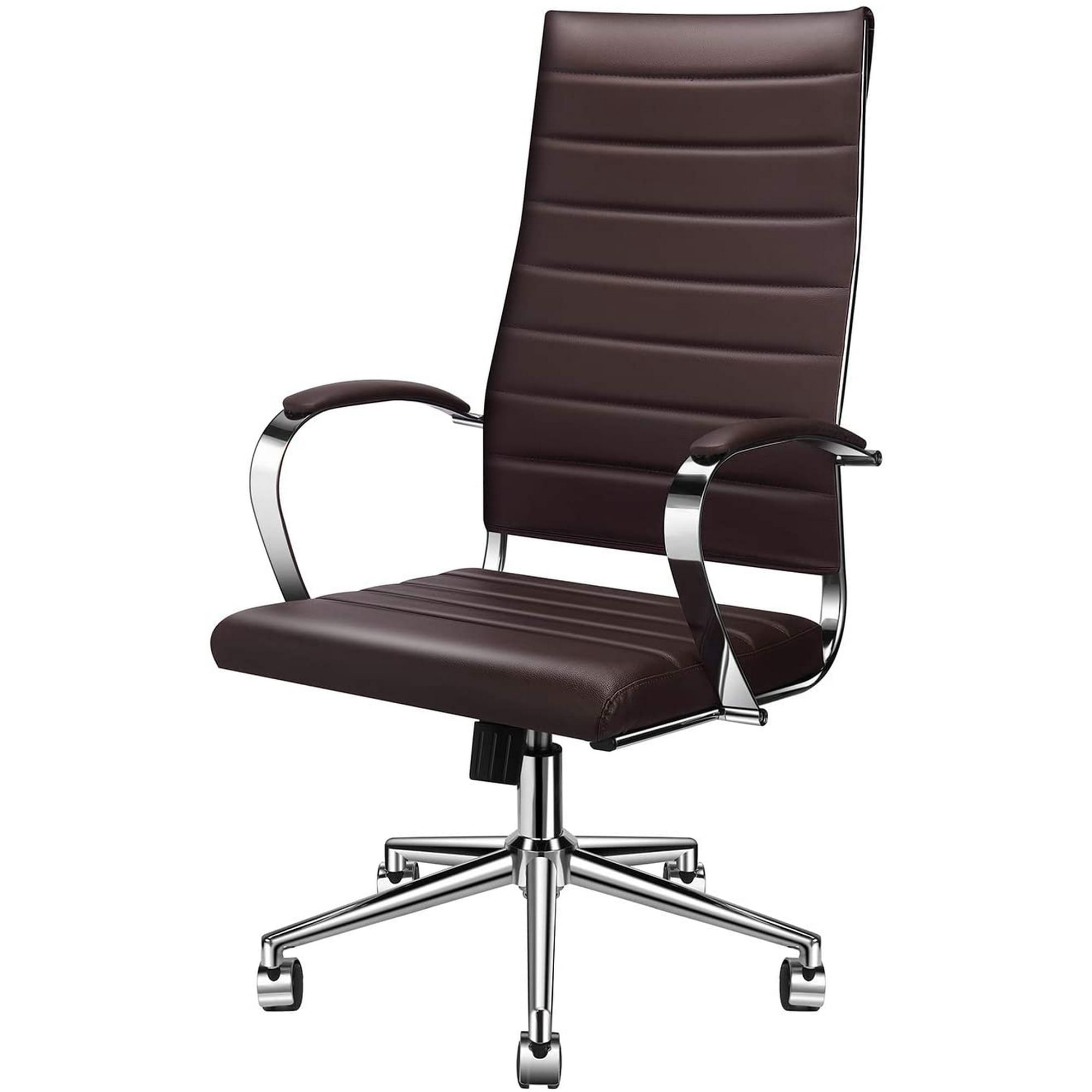
- Upper back/shoulder pain: Look for a chair with a high backrest that supports the entire spine, and perhaps a headrest to take tension off the neck and shoulders.
Step 2: The 'Fist Rule' for Lumbar Height
Sit in the chair with your back against the backrest. Make a fist and try to slide it between your lower back and the chair. If you can easily slide your fist in and out, the lumbar support is too shallow or positioned too low. If you can't get your fingers in at all, the support is too aggressive. The ideal is a snug fit where your back is fully in contact.
Step 3: Test the 'Recline and Lock'
A good back support chair allows you to recline slightly (110-120 degrees) while maintaining lumbar contact. Test if the lumbar support stays with your back when you recline, or if a gap forms. Chairs with a synchro-tilt mechanism are best for this.
Step 4: Consider Your Work Style
Frequently Asked Questions About Back Support Office Chairs
Conclusion: Your Back Deserves Better
Choosing the right back support office chair is one of the most important health decisions you'll make for your work life. It's not just about comfort—it's about creating a sustainable work environment where your body can thrive. By focusing on adjustability, understanding your own needs, and testing chairs (or reading detailed reviews), you can find a chair that will keep you supported, focused, and pain-free for years to come.
Final thought: Think of a good chair not as an expense, but as a low-cost insurance policy for your spine. Your future self will thank you.