

The Importance of Adjustable Arm Rests in an Office Chair
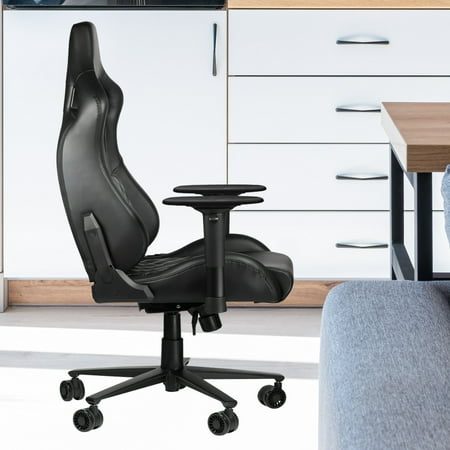
An office chair with adjustable arm rests is not just a luxury—it's an essential tool for maintaining health and productivity in the modern workplace. Much like a skilled conductor leads an orchestra, adjustable armrests help orchestrate your body’s optimal posture, ensuring each part of your upper body works in harmony.
When your armrests are properly adjusted, they take the weight off your shoulders and upper back, allowing those muscles to relax. This simple adjustment can be the difference between ending the day feeling energized or feeling like you've been carrying a heavy load all day. Think of it like this: a bridge relies on its supports to hold up traffic; your upper body relies on your arm rests to hold up the weight of your arms while you work.
Ergonomic Insight: Studies indicate that supporting your forearms with properly adjusted armrests can reduce shoulder muscle activity by up to 85%, significantly lowering the risk of developing chronic pain syndromes.
Key Benefits of Adjustable Arm Rests
Investing in a chair with adjustable armrests provides a multitude of benefits that extend beyond mere comfort. Here’s a breakdown of how they can improve your work life:
- Reduced Neck and Shoulder Strain: By supporting your arms, you prevent them from pulling down on your shoulders, which often leads to neck tension and stiffness.
- Prevention of Wrist and Arm Injury: Correct armrest height can align your wrists with your keyboard, preventing awkward angles that can lead to conditions like carpal tunnel syndrome.
- Improved Breathing and Circulation: When your shoulders are relaxed and pulled back, your chest opens up, allowing for deeper, more efficient breathing and better blood flow.
- Enhanced Productivity: When you're not distracted by discomfort, you can focus more effectively on your tasks. This leads to a smoother, more efficient workflow.
Types of Armrest Adjustments
Not all adjustable armrests are created equal. The range of motion available can vary significantly, and understanding the options can help you make the right choice. Here is a brief guide to the different types of adjustments typically available:
| Adjustment Type | Function | Ergonomic Benefit |
|---|---|---|
| Height Adjustment | Raises or lowers the armrest vertically. | Allows your elbows to rest at a 90-degree angle, preventing shoulder shrug. |
| Width Adjustment | Moves the armrests in or out (side-to-side). | Accommodates different body widths and allows you to sit close to your desk. |
| Depth Adjustment | Slides the armrest forward or backward. | Ensures proper forearm support regardless of your arm length. |
| Pivot Adjustment | Allows the armrest to angle inward or outward. | Supports the forearm in a neutral position while using a mouse or typing. |
| 4D Adjustment | Combines all the above adjustments. | Provides the ultimate in customization for any body type and work task. |
How to Properly Adjust Your Chair's Armrests
Getting the adjustment right is key. Here’s a simple step-by-step guide to ensure you're getting the most out of your chair's adjustable arm rests.
Step 1: Start with Seating Posture
- Sit with your back firmly against the backrest. Your feet should be flat on the floor, and your knees should be at a 90-degree angle (or slightly lower).
- Ensure your hips are pushed back as far as they can go in the seat pan.
Step 2: Position Your Arms
- Relax your shoulders. Let your arms hang naturally.
- Bend your elbows at a 90-degree angle, keeping them close to your torso.
Step 3: Raise the Armrest
- Adjust the height of the armrests until they are just slightly touching your forearms.
- Your forearms should be parallel to the floor, and your wrists should be straight.
Step 4: Adjust Width and Depth
- Adjust the width so that you can comfortably sit close to your desk without the armrests colliding with the desk or your legs.
- Slide the armrest forward or backward so that it supports your forearm without interfering with your wrist or elbow movement.
Step 5: Fine-Tune the Pivot (If Available)
- If your chair has this feature, angle the armrests slightly inward to support a natural hand position while typing or mousing.