
Why Your Lower Back Demands an Ergonomic Lumbar Office Chair
Sitting for extended periods without proper support can compress the lumbar spine, leading to chronic pain, fatigue, and even long-term disc damage. An ergonomic lumbar office chair isn’t a luxury—it’s a proactive health investment. Unlike standard chairs, these models incorporate adjustable lumbar systems that mimic your spine’s natural curvature, distributing weight evenly and reducing pressure points. Whether you're a remote worker, executive, or creative professional, the right lumbar support can elevate both your wellness and output.
Ergonomics Insight: According to the American Chiropractic Association, 80% of people will experience back pain at some point. Proper lumbar support reduces spinal stress by up to 35%, making ergonomic chairs essential for anyone spending 6+ hours seated daily.
Anatomy of True Lumbar Support: More Than Just a Pillow
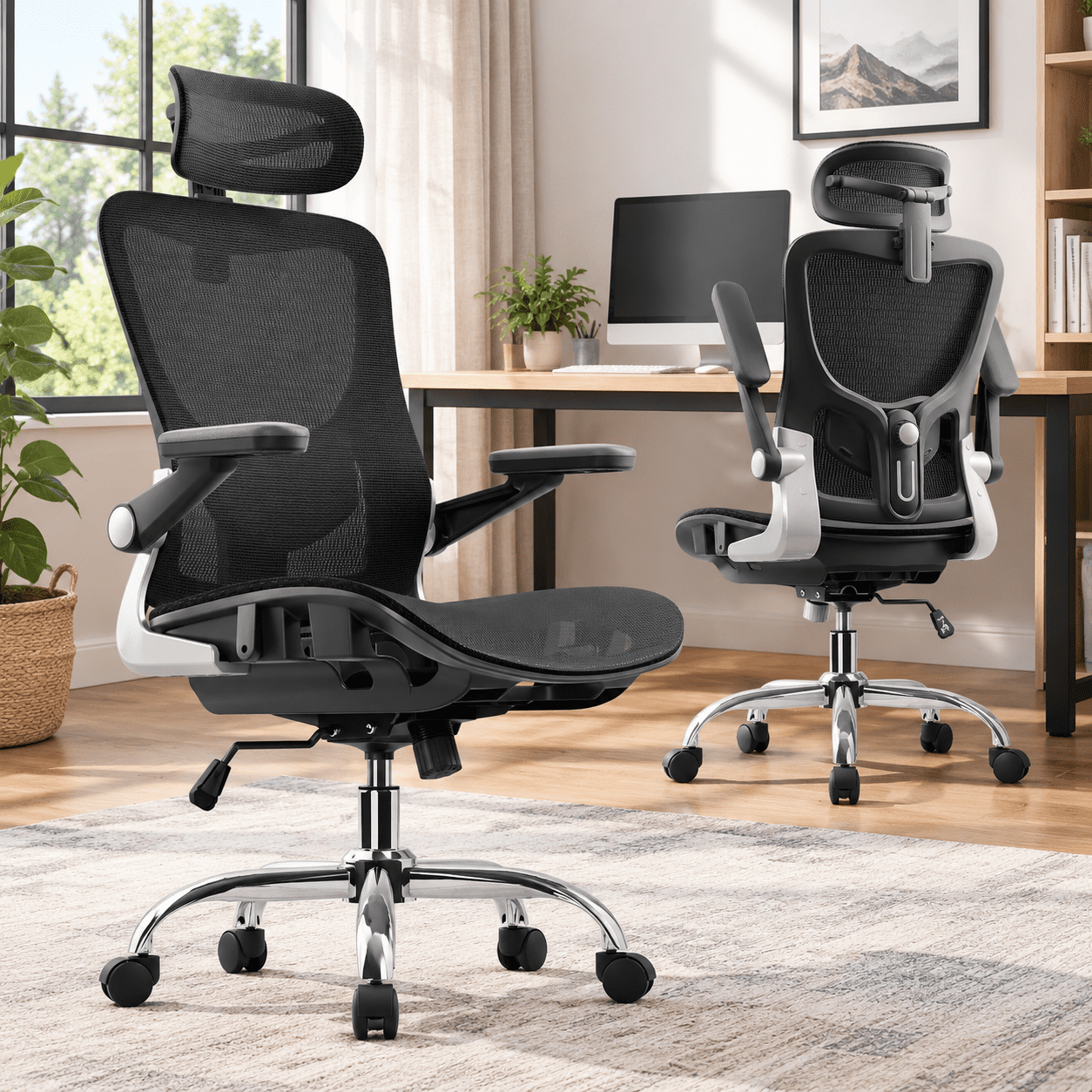
Many chairs claim to offer lumbar support, but true ergonomic design goes beyond a simple foam bulge. Premium ergonomic lumbar office chairs feature multi-dimensional adjustability. The lumbar mechanism should allow you to alter both the height (to align with the curve of your spine) and the depth/intensity (to control how much pressure is applied). Advanced chairs use dynamic lumbar systems that automatically adjust as you shift positions, providing continuous support.
- Height-Adjustable Lumbar: Targets the specific region between your L1 and L5 vertebrae.
- Depth/Tension Control: Customizes how pronounced the support feels—essential for different body types.
- Passive vs. Active Lumbar: Passive = fixed cushion; Active = moves with you (ideal for task-oriented professionals).
- Seat Depth Synchronization: Prevents thigh pressure while aligning the backrest with your lumbar curve.
Top Ergonomic Technologies for Lumbar Health
Modern engineering has introduced innovative features that set high-end ergonomic chairs apart. When evaluating the best ergonomic lumbar office chair, look for these technologies:
Ergonomic Lumbar Chair vs. Standard Executive Chairs: A Comparison
While traditional executive chairs focus on aesthetics and plush padding, ergonomic lumbar chairs prioritize spinal alignment. Here's how they differ:
- Support Philosophy: Ergonomic chairs promote active sitting and posture correction; standard chairs often encourage slouching.
- Lumbar Mechanism: High-end ergonomic chairs have separate, adjustable components; many standard chairs have non-adjustable or inadequate lumbar.
- Material Durability: Ergonomic chairs use breathable mesh or high-resilience foam designed for 8–10 hour sessions without sagging.
- Long-Term Health ROI: Investing in ergonomic lumbar support reduces healthcare costs related to back pain and improves work efficiency by up to 17%.
How to Choose the Perfect Ergonomic Lumbar Chair for Your Body Type
Selecting the right chair requires a match between your body dimensions and the chair's adjustability range. Follow this step-by-step guide:
- Measure Your Height & Torso Length: For individuals under 5'4", look for chairs with a smaller backrest and adjustable lumbar that can be positioned lower. Tall users (over 6'2") need a high-back chair with extended lumbar height range.
- Check Weight Capacity: Even if you are average weight, opt for a chair rated for 300–350 lbs to ensure a robust frame and long-lasting lumbar mechanism.
- Test Seat Depth: There should be 2–3 fingers width between the back of your knees and the seat edge when seated. Deep seats can hamper lumbar contact.
- Armrest Dynamics: 4D armrests allow you to relax shoulders, reducing tension that could exacerbate back pain.
- Warranty & Build Quality: A 10-year or lifetime warranty on the frame indicates manufacturer confidence in lumbar durability.
💡 Real-World Impact: Employee Wellness Stories
Companies that outfitted their staff with ergonomic lumbar office chairs reported a 54% reduction in reported back pain within six months. Remote workers noted increased concentration and fewer sick days due to musculoskeletal discomfort. The lumbar chair isn't just furniture—it's a performance tool.