
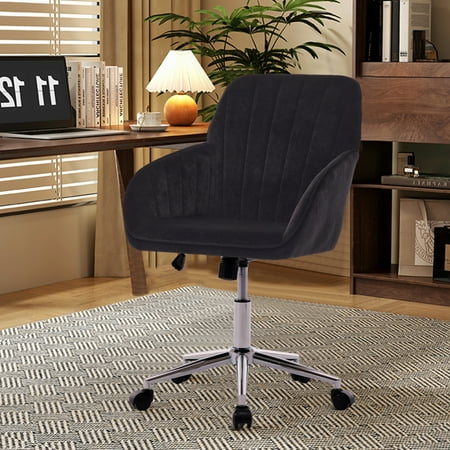
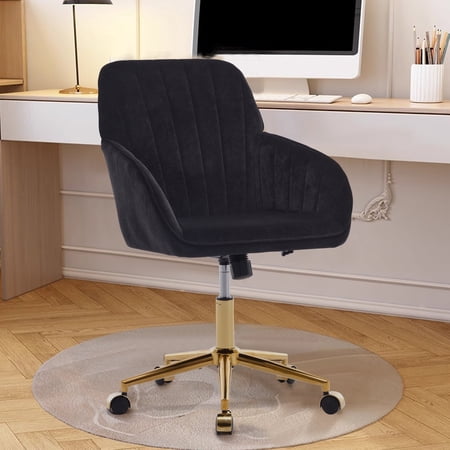
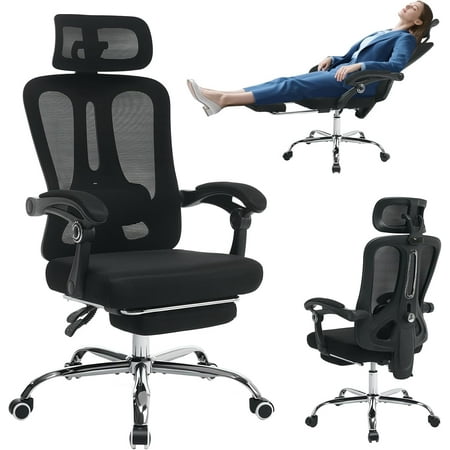
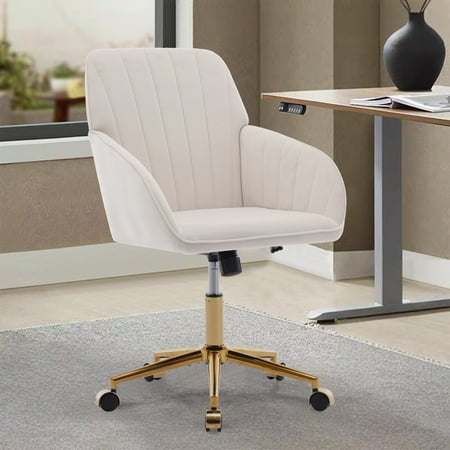
Why “Most Comfortable” Matters for Long-Hour Professionals
When you spend 8, 10, or even 12 hours a day seated, a regular chair just won’t cut it. The most comfortable ergonomic office chair for long hours isn’t a luxury—it’s a necessity. It directly impacts your posture, energy levels, and long-term musculoskeletal health. Unlike standard task chairs, premium ergonomic models are biomechanically engineered to support dynamic sitting, encouraging micro-movements that keep your spine aligned and circulation flowing.
💡 Did you know? The average office worker sits for 9.6 hours daily—more than the time spent sleeping. Investing in a chair designed for all-day comfort reduces fatigue and can boost productivity by up to 23% (source: Journal of Occupational Health).
Core Anatomy of an All-Day Ergonomic Chair
To truly deliver “most comfortable” status, an ergonomic chair must integrate several advanced features. Let's break down what separates a great chair from a mediocre one:
- Active Lumbar Support: Not just a static bump. Look for adjustable height and depth lumbar systems that move with you. Some high-end models offer dynamic lumbar that automatically adjusts pressure as you recline.
- Multi-Dimensional Armrests (4D): Armrests that pivot, slide forward/back, move up/down, and rotate widthwise allow you to maintain neutral shoulder posture, reducing neck and shoulder strain during long typing sessions.
- Seat Depth & Tilt Flexibility: A seat slider ensures proper thigh support without pressure behind the knees. The waterfall edge design minimizes circulation issues. Combine that with a synchro-tilt mechanism that lets your body recline naturally while keeping your field of vision aligned.
- Breathable, Resilient Materials: High-quality mesh or breathable fabric prevents heat buildup. Premium memory foam seat cushions should retain shape after thousands of hours.
Material Face-Off: What Delivers All-Day Comfort?
✅ High-End Mesh
- Superior breathability – stays cool even in summer
- Adaptive tension that conforms to spine curves
- Easy to clean and maintain
- Ideal for warmer climates or users prone to perspiration
⚠️ Mesh Considerations
- Less plush “cushioned” feel than foam
- May not suit those seeking a traditional executive look
- Cheap mesh can sag over time
✅ Premium Fabric / Memory Foam
- Luxurious, plush feel for pressure relief
- Wide range of colors and textures
- Excellent thermal insulation (warm in winter)
⚠️ Fabric Considerations
- Can retain heat and moisture
- Requires more maintenance against stains
- Foam can break down faster than mesh
Key Ergonomic Adjustments: The Non-Negotiables
For true long-hour comfort, a chair must adapt to your body, not the other way around. The following adjustments are critical:
- Seat Height Range: Allows your feet to rest flat on the floor with thighs parallel to the ground. Look for pneumatic lifts that accommodate your desk height.
- Lumbar Depth & Height: Targets the natural curve of your lower spine. Missing this leads to slouching and back fatigue after a couple of hours.
- Armrest Width & Pivot: Brings support close enough to your sides to relieve shoulder tension; essential for mouse-heavy tasks.
- Recline Tension & Lock: A tilt mechanism with adjustable tension lets you rock back smoothly, engaging core muscles and reducing static loading on the spine.
- Headrest (Optional but Recommended): If you often recline during calls or think sessions, a height- and angle-adjustable headrest prevents neck strain.
Real-World Data: Why Comfort Impacts Your Bottom Line
Companies that invest in high-end ergonomic seating for their teams report a dramatic drop in absenteeism and workers' compensation claims related to back pain. According to a Cornell University study, ergonomic chairs can reduce discomfort by over 50% in the first two months of use. For freelancers and remote workers, the right chair is a direct investment in your ability to produce quality work day after day without pain-related distraction.
⚡ Pro Tip: Even the most comfortable ergonomic office chair requires periodic breaks. Follow the 20-20-20 rule: every 20 minutes, look 20 feet away for 20 seconds. Stand up, stretch, and reset your posture. A chair supports you, but movement is the ultimate ally against sedentary fatigue.
How to Test for “Long-Hour Comfort” Before Buying
If possible, test chairs with a “simulated workday” approach:
- Sit for at least 20 minutes: Notice pressure points, especially under thighs and tailbone.
- Check armrests while typing: Your elbows should rest at a 90-degree angle, wrists neutral.
- Recline fully: Ensure the headrest supports your neck, and the lumbar doesn’t dig uncomfortably.
- Evaluate the gas lift stability: Sit and bounce slightly; there should be no sudden drops or wobbles.
Since many premium chairs are purchased online, read reviews focusing on long-term durability and weight capacity. Look for users with similar body types and work habits.
Common Myths About Ergonomic Comfort
Myth 1: “A cushy, pillow-like seat is best for long hours.” Actually, overly soft seats can cause hip instability and poor posture. High-density foam with contouring provides better weight distribution.
Myth 2: “Any chair with lumbar support works.” False. Non-adjustable lumbar can actually cause discomfort if positioned incorrectly. Adjustability is the key.
Myth 3: “Once you buy a great chair, you’re set forever.” Materials degrade. Re-evaluate your chair every 5–7 years, especially if you notice sagging or reduced support.