
The Complete Guide to Choosing Your Professional Office Chair
Think of your professional office chair as the foundation of your workday—just as a house needs a solid foundation to stand strong, your productivity and physical wellbeing depend on the quality of the chair you sit in for countless hours. A professional office chair isn't just a piece of furniture; it's an investment in your health, comfort, and career performance.
Whether you're working from home, managing a team in a corporate office, or running your own business, the right professional office chair can transform your work experience. Let's explore everything you need to know to make an informed decision.
The Anatomy of a True Professional Office Chair
🪑 Lumbar Support System
The backbone of any professional chair—literally. Quality lumbar support maintains the natural curve of your spine, preventing the dreaded "office chair slouch." Look for chairs with adjustable lumbar depth and height.
🔄 Synchronized Recline Mechanism
Unlike basic chairs that just tip back, professional chairs use synchronized mechanisms where the seat and backrest move together. This keeps your feet planted while supporting your upper body through natural movement.
🎯 3D or 4D Adjustable Armrests
Armrests that move up/down, forward/back, side-to-side, and pivot. This precision allows you to maintain a 90-degree elbow angle while typing, reducing shoulder and neck tension.
📏 Seat Depth Adjustment
A feature often overlooked but crucial for proper leg support. The seat should leave 2-3 finger widths between the back of your knee and the seat edge when sitting properly.
Material Matters: Choosing the Right Upholstery
Breathable Mesh
Best for: Long hours, warm environments, active sitters
High-quality mesh professional chairs use tensioned fabric that conforms to your back while allowing air circulation. According to thermal comfort studies, mesh chairs keep your back temperature 3-5 degrees cooler than leather or fabric alternatives. Premium mesh like 3D knitted material offers zoned support—tighter weave for lumbar support, looser for upper back comfort.
Premium Leather
Best for: Executive settings, client-facing offices, colder climates
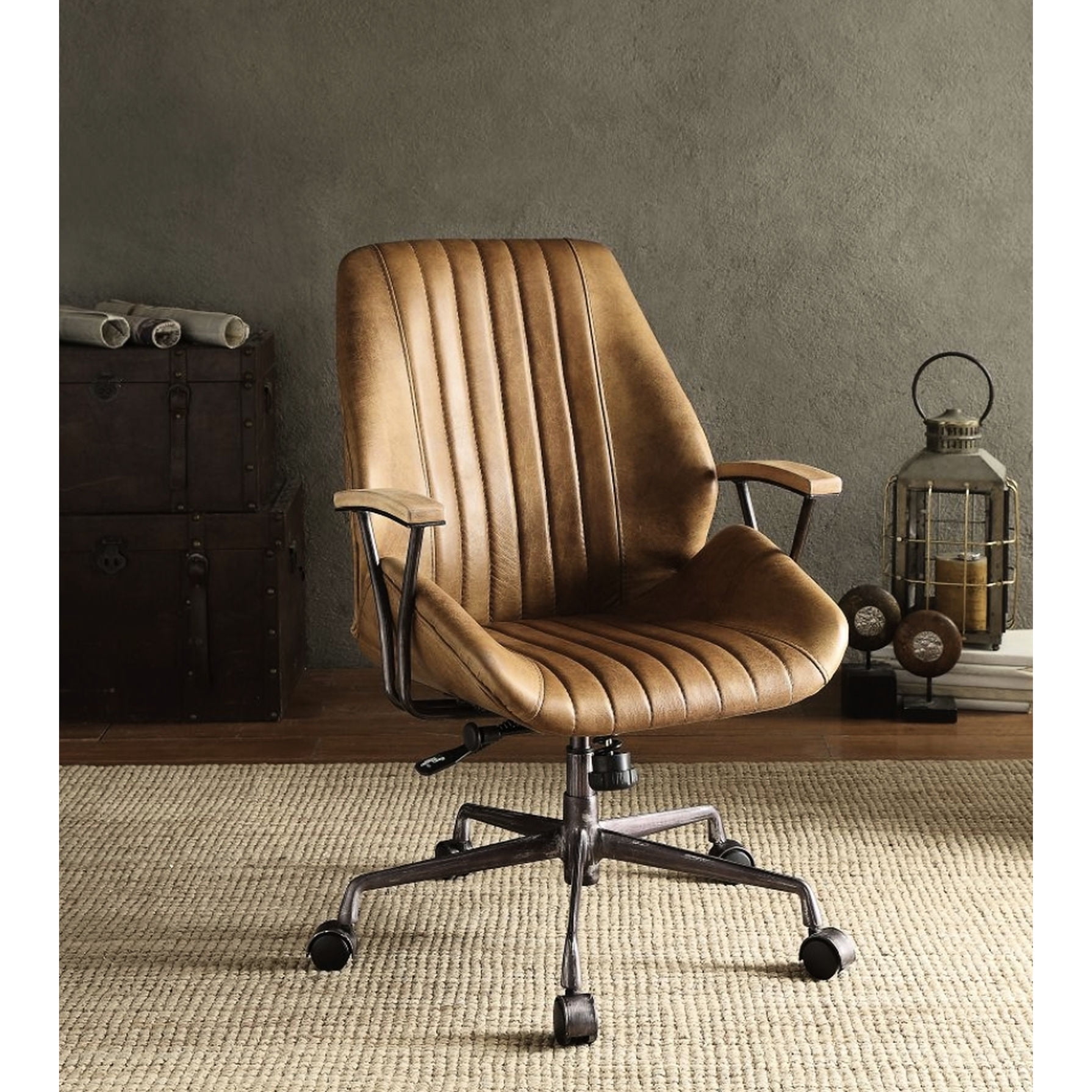
Top-grain leather professional chairs offer unmatched durability and a prestigious appearance. Quality leather develops a unique patina over time and can last 15+ years with proper conditioning. Look for chairs with perforated leather panels for improved breathability.
Performance Fabric
Best for: Allergy sufferers, casual professional environments, budget-conscious buyers
Modern performance fabrics rival leather in durability while offering better breathability. Many are treated with stain-resistant coatings and can be cleaned easily. Some professional chairs now use recycled materials, appealing to environmentally conscious professionals.
5 Essential Features to Test Before Buying
When evaluating a professional office chair, consider this systematic approach:
- Pneumatic Lift Quality: Test the height adjustment. Quality gas lifts operate smoothly without jerking. The chair should adjust from approximately 16 to 21 inches to accommodate different desk heights.
- Tilt Tension Control: You should be able to adjust how much force is needed to recline. Proper tension lets you lean back comfortably without feeling like you'll tip over.
- Caster Performance: Roll the chair on your floor surface. Professional chairs offer different caster options—hard floor casters for tile/wood, soft casters for carpet.
- Seat Comfort: Sit for at least 10-15 minutes. Quality foam (typically high-density cold-cure foam) shouldn't compress completely and should spring back quickly.
- Headrest Support: If you recline or look at monitors above eye level, test the headrest. It should support your neck, not push your head forward.
The Investment Perspective: Cost vs. Value
Understanding the cost structure of professional office chairs helps justify the investment:
- Budget Professional ($200-$400): Basic ergonomics, limited adjustments, 1-3 year lifespan. Suitable for part-time use.
- Mid-Range Professional ($400-$800): Good ergonomics, quality materials, 3-5 year warranty. Ideal for full-time professionals.
- Premium Professional ($800-$1,500): Advanced ergonomics, premium materials, extensive adjustments, 5-12 year warranty. Designed for daily intensive use.
💡 Professional Insight
Consider the "cost per use" calculation. A $900 professional chair used 2,000 hours per year over 8 years costs about 5.6 cents per hour—less than a cup of coffee per month. Viewing it as a long-term investment rather than an expense often makes the decision clearer.
Health Benefits Supported by Research
Scientific studies consistently show the benefits of quality professional seating:
- Reduced Musculoskeletal Disorders: The Journal of Ergonomics reports that proper ergonomic seating reduces work-related MSDs by up to 60%.
- Improved Cognitive Function: Comfortable seating reduces physical distractions, allowing better focus. A Cornell University study found that proper chair ergonomics improved productivity by 17.5%.
- Better Circulation: Waterfall seat edges and proper seat depth reduce pressure on thighs, improving blood flow by up to 30%.
- Reduced Fatigue: Dynamic sitting (movement encouraged by good chairs) maintains muscle activity and reduces overall fatigue by 40% compared to static sitting.
Common Mistakes When Buying Professional Office Chairs
- Focusing only on appearance: A stunning chair that doesn't fit your body is a costly mistake. Function must come before form.
- Ignoring adjustment ranges: A chair might have all the adjustments, but if they don't match your body dimensions, they're useless.
- Buying without testing: Even the most highly-recommended chair might not suit your body. Always test if possible.
- Overlooking warranty details: Understand what's covered—some warranties only cover mechanisms, not upholstery or foam.
- Choosing style over substance: A minimalist chair might look great but lack essential lumbar support.
Setting Up Your Professional Chair Correctly
Once you've invested in a quality professional office chair, proper setup is crucial:
- Seat Height: Adjust so your feet rest flat, knees at 90 degrees, thighs parallel to floor.
- Seat Depth: There should be 2-3 finger widths between the back of your knee and seat edge.
- Backrest: Lumbar support should fit into the curve of your lower back.
- Armrests: Adjust so shoulders are relaxed, elbows at 90 degrees, wrists straight while typing.
- Recline Tension: Set so you can lean back without feeling unsupported when returning upright.