
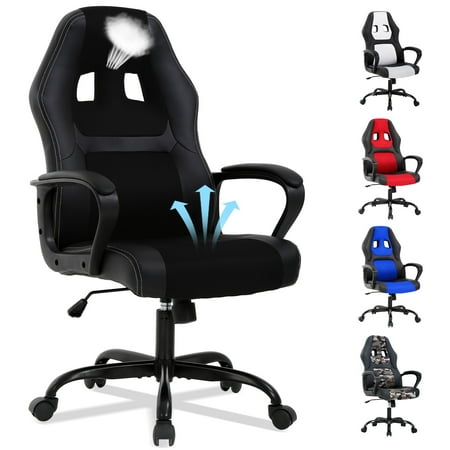
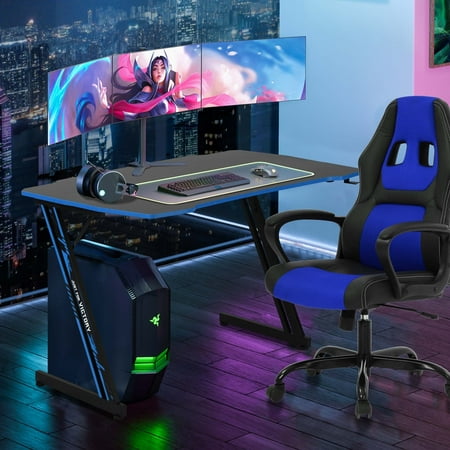
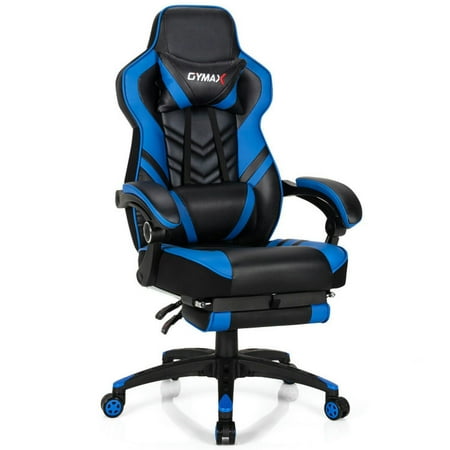
Why an Office Gaming Chair Might Be Your Best Investment
The line between work and play has blurred. You might spend eight hours in front of a spreadsheet, then dive into an open-world game for unwinding. Using two different chairs is impractical. Enter the office gaming chair—a hybrid built for marathon sessions, whether you're closing deals or closing dungeons. Unlike traditional office chairs, gaming chairs borrow ergonomics from motorsport: high backrests, bolstered seats, and precision adjustments. But are they just flashy marketing, or do they genuinely support your spine? Let's dissect the anatomy of a great office gaming chair.
Did you know? According to a study by the British Chiropractic Association, 72% of UK workers have experienced back pain. A well-designed office gaming chair with adjustable lumbar support can significantly reduce that risk, making it a smart choice for anyone sitting 6+ hours daily.
Anatomy of an Office Gaming Chair: Key Features Explained
Office gaming chairs share DNA with racing seats, but modern iterations have evolved. Let's break down components you must evaluate before buying.
1. Backrest Height & Integrated Lumbar Support
Unlike standard office chairs that often stop at mid-back, gaming chairs feature high-back designs (usually 30-35 inches tall) supporting the entire spine up to the shoulders. Most include a separate lumbar pillow or built-in adjustable curve. Look for chairs where the lumbar support is both height-adjustable and depth-adjustable—it's the difference between a prop and a therapeutic tool.
2. Seat Cushion: Racing Style vs. Comfort
Gaming chairs often have contoured seats with raised edges (bolsters) to keep you positioned. While this feels secure, very aggressive bolsters can pressure thighs. Premium models use high-density cold-cure foam that doesn't flatten after six months. For wide builds, seek "big and tall" versions with flat seat pans.
3. Armrests: The 4D Advantage
Top-tier office gaming chairs offer 4D armrests—up/down, left/right, forward/backward, and angled. This granularity ensures your arms rest naturally, preventing shoulder tension. If you switch between typing and controller gaming, this adjustability is non-negotiable.
4. Recline & Rocking Mechanism
Most gaming chairs recline up to 155° (nearly flat) for power naps. But the hidden gem is the tilt tension knob: it controls how easily the chair rocks. A good mechanism lets you lock the angle or float freely, promoting micro-movements that energize your core.
5. Materials: PU Leather vs. Fabric vs. Hybrid
Classic gaming chairs use PU leather for that race-car look. However, it can get sticky in summer. Fabric or mesh gaming chairs are gaining ground—they breathe better but may lack the same sheen. Some hybrids combine leather bolsters with mesh backs. Your choice dictates temperature comfort and maintenance.
Think of an office gaming chair like a multi-tool: it's not just one gadget but a set of adjustments working in harmony. A racecar driver wouldn't use a fixed seat—they'd fine-tune every angle. Similarly, your chair should adapt to you, not the other way around.
Data Snapshot: Why Adjustability Matters
Cornell University ergonomics research indicates that a well-adjusted chair reduces spinal disc pressure by up to 35%. For gaming chairs, this means the combination of lumbar support, seat depth, and recline must align with your unique anthropometry. Look for chairs that offer at least 5 inches of seat height range and 3 inches of lumbar adjustment.
Essential Checklist for Your Next Office Gaming Chair
- Class-4 gas lift: Ensures smooth height adjustment and safety (BIFMA certification recommended).
- Metal frame: Aluminum or steel base > plastic for longevity.
- Breathable materials: If you're in a warm climate, prioritize mesh or fabric with cooling gel.
- Weight capacity: Always check spec—standard is 250-300 lbs, heavy-duty up to 400 lbs.
- Headrest pillow: Should be adjustable in height and angle, not just a fixed strap.
- Caster wheels: Hard floor or carpet? Look for rollerblade-style wheels for hardwood.
Gaming Chair vs. Ergonomic Office Chair: A Nuanced View
Some purists claim ergonomic chairs are superior, but that's an oversimplification. Traditional ergonomic chairs (like mesh backs) excel in breathability and minimalism. Gaming chairs excel in wraparound support and recline range. The best choice depends on your build: if you have broad shoulders, a gaming chair's winged back might hug you perfectly; if you prefer an open back, a mesh ergonomic might suit. In 2025, many "office gaming chairs" now incorporate ergonomic principles—adjustable lumbar, seat depth, and even forward tilt—so the line is fading.
How to Choose Your Office Gaming Chair in 4 Steps
- Measure your space: Gaming chairs are bulky. Ensure the base width (often 28-30 inches) fits your desk area, and the backrest height doesn't hit a window ledge.
- Identify your dominant use: Primarily work? Prioritize lumbar adjustability. Primarily gaming? Look for 155° recline and smooth-rolling casters.
- Match your body type: If you're over 6'2", seek a chair with a taller back (33+ inches) and longer seat depth (20+ inches). Petite users need adjustable seat depth to avoid pressure behind knees.
- Read real-user reviews on adjustability: Check if armrests stay tight and if the lumbar pillow stays in place—common failure points.
Common Myths About Office Gaming Chairs
Myth #1: "They're only for gamers." Architects, writers, and developers love them for the same reason—long hours need robust support. Myth #2: "All gaming chairs are poor quality." This stems from cheap $80 clones. Reputable brands (Secretlab, AndaSeat, Vertagear) use steel frames and dense foam. Myth #3: "They're too hot." While PU leather can trap heat, many now offer cooling gel-infused foam or breathable fabric editions.
Focus & Immersion
Enveloping design reduces distractions, helping you stay in the zone for hours.
Posture Alignment
Integrated lumbar pillows encourage neutral spine, reducing slouching.
Versatility
One chair for work, gaming, and even watching movies with the recline feature.
Durability
Quality gaming chairs use wear-resistant materials that outlast budget task chairs.
Material Deep Dive: Finding Your Perfect Match
PU Leather (Faux Leather) Gaming Chairs
Advantages
- Authentic racing aesthetic, easy to wipe clean
- Often more affordable than genuine leather
- Uniform look, available in many colors
- Resists spills better than fabric
Limitations
- Can peel after 2-3 years in low-quality versions
- Less breathable, may cause sweating
- Stiff initially, requires break-in
- Not eco-friendly as vegan leather (often PVC based)
Fabric / Mesh Gaming Chairs
Advantages
- Breathable, stays cool in summer
- Soft texture, often cozy for lounging
- More eco-friendly options available
- Less cracking over time
Limitations
- Harder to clean (spills can stain)
- May absorb odors
- Not as "sporty" looking for some users
- Can pill or wear if low quality
Hybrid (Leather + Mesh) Gaming Chairs
Increasingly popular: the backrest is mesh for breathability, while the seat and outer wings are leather for structure. This gives you the best of both worlds. Brands like AndaSeat and Secretlab have released "SoftWeave Plus" or similar hybrids that balance aesthetics with airflow.
Quick Comparison: Office Gaming Chair Types
| Type | Best For | Typical Weight Capacity | Durability | Price Range |
|---|---|---|---|---|
| Entry-Level PU | Budget users, occasional use | 250 lbs | 2-3 years | $100-$200 |
| Mid-Range Fabric | All-day comfort, hot climates | 300 lbs | 4-6 years | $250-$400 |
| Premium Hybrid | Power users, streamers | 350-400 lbs | 7-10 years | $450-$650 |
| Big & Tall Reinforced | Larger frames, heavy duty | 400+ lbs | 5-8 years | $500-$800 |
Frequently Asked Questions About Office Gaming Chairs
Conclusion: Find Your Perfect Throne
The office gaming chair market has matured. No longer just a gimmick, these chairs offer genuine ergonomic benefits wrapped in a design that energizes your workspace. Whether you're a competitive gamer, a work-from-home professional, or someone who simply appreciates robust adjustability, there's a model tailored for you. Remember to prioritize adjustable lumbar support, material suited to your climate, and a weight capacity that exceeds your needs. A chair is an investment in your daily well-being—choose one that will have your back for years to come.
Ready to level up your seating? Check the top picks above, compare features, and read user reviews. Your spine (and your K/D ratio) will thank you.