
Understanding Standard Office Chair Width: A Guide to Comfort and Ergonomics
Choosing the right office chair is crucial for both comfort and long-term health. One of the most overlooked aspects of chair selection is the standard office chair width. The width of your chair directly affects your posture, circulation, and overall work performance. A chair that's too narrow can dig into your hips, while one that's too wide can cause you to slouch, leading to back pain and fatigue. In this comprehensive guide, we'll walk you through everything you need to know about office chair width, from standard measurements to how to find the perfect fit for your body type and workspace.
Industry Insight: According to ergonomic studies, sitting in a chair with an improper width can reduce your productivity by up to 35%. The right chair width helps maintain correct posture and reduces musculoskeletal disorders by up to 45%.
What Exactly is the Standard Office Chair Width?
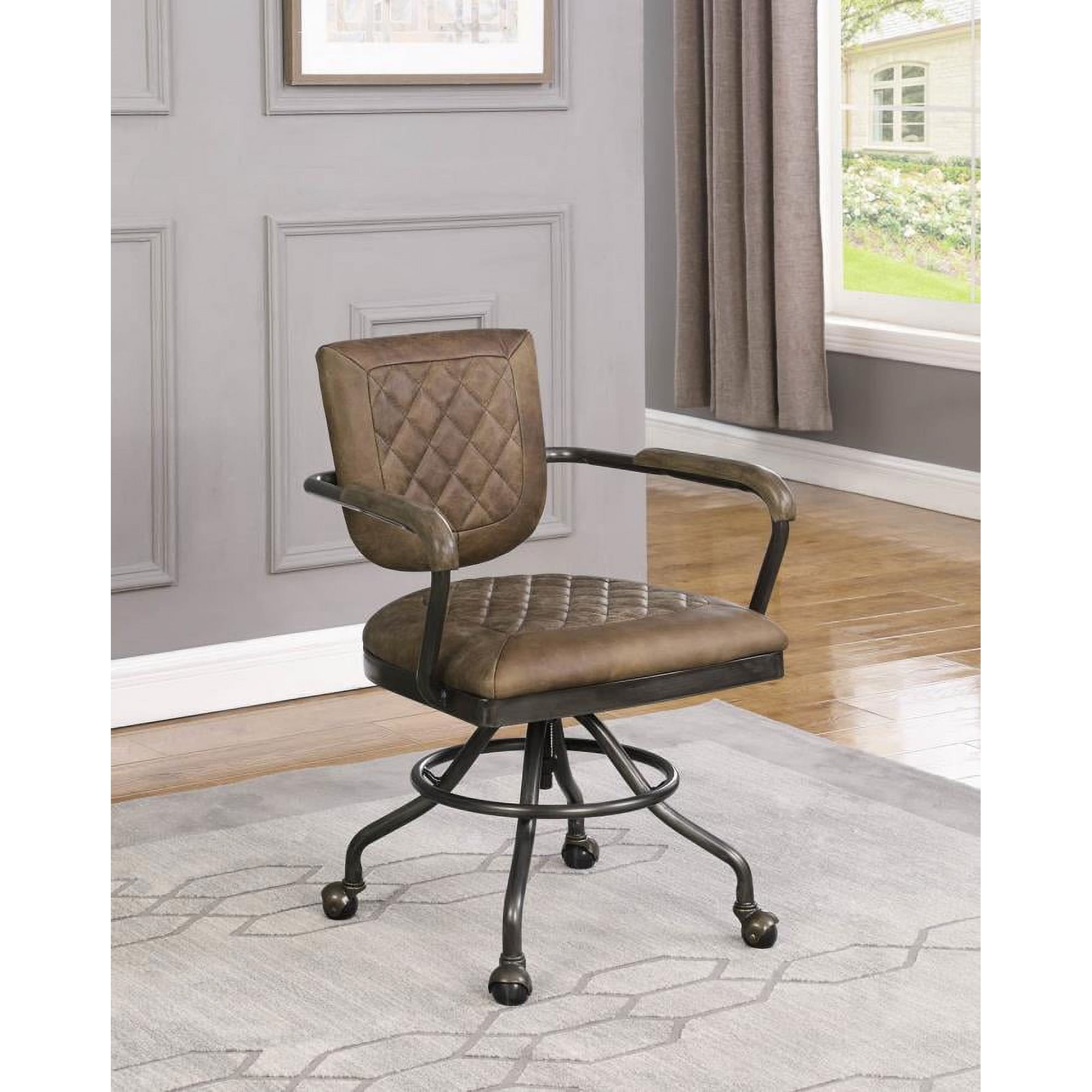
The term standard office chair width generally refers to the width of the seat pan. For most office chairs, the average seat width falls between 18 and 22 inches. However, this measurement is just a starting point. The ideal width for you will depend on your hip size, body weight, and personal comfort preferences. It's also important to consider the width between the armrests, as this affects your shoulder and arm positioning, which is a key part of an ergonomic office chair setup.
Why Chair Width Matters for Your Health
An appropriately wide office chair is not just about comfort; it is a critical component of an ergonomic workspace. Here’s why:
- Prevents Pressure Points: A chair that is too narrow puts excessive pressure on the hips and outer thighs, which can restrict blood flow and cause discomfort or pain.
- Promotes Better Posture: A chair that fits your body width allows you to sit with your back against the backrest and your feet flat on the floor, encouraging a natural, straight spine.
- Enhances Circulation: Proper width prevents the seat edge from digging into the back of your legs, promoting better blood circulation and reducing the risk of swollen feet or varicose veins.
- Improves Focus and Productivity: When you're not constantly shifting to find a comfortable position, you can focus better on your tasks, leading to higher productivity and less distraction.
Key Dimensions to Consider Beyond the Standard Width
While the seat width is the primary factor, other dimensions are equally important for a perfect fit. Let's break them down:
Seat Width
This is the distance across the seat pan. For a comfortable fit, there should be about one to two inches of space between your hips and the armrests.
Seat Depth
Measured from the front of the seat to the backrest. You should be able to sit with your back against the backrest and have 2-3 fingers of space between the front edge of the seat and the back of your knees.
Armrest Width
The distance between the inside of the armrests. This should allow your arms to rest comfortably without feeling squeezed or spread too wide.
Backrest Width
The width of the chair back. It should be wide enough to support your shoulder blades and upper back without feeling restrictive.
How to Choose the Right Office Chair Width for Your Body
Finding the ideal chair width is a personalized process. Follow this step-by-step guide to determine what works best for you:
Step 1: Measure Yourself
Measure your hip width. Use a measuring tape to find the widest part of your hips while sitting. This is the minimum seat width you'll need. Add 1-2 inches for comfortable movement. For example, if your hip width is 16 inches, a chair with a seat width of 18 inches would be a good starting point.
Step 2: Consider Your Work Style
How do you sit? If you tend to move around a lot or frequently change positions, a wider chair (20-22 inches) will give you more freedom. If you sit in a more static, upright posture, a standard 18-inch width might be sufficient.
Step 3: Check the Armrests
Determine your armrest needs. The space between armrests is critical. If you have broad shoulders, you'll need more width. Many chairs offer adjustable armrests that can be moved in or out, which is a great feature for finding a custom fit.
Step 4: Test the Chair
If possible, try it out. Sit in the chair for at least 10-15 minutes. Pay attention to the edges of the seat. They should not dig into your thighs. There should be a small gap between your hips and the armrests for comfortable movement.
Pro Tip: When testing a chair, try different sitting positions. Lean back, lean forward, and use the chair's adjustments. A chair that feels perfect in one position might not work well in all, so test it thoroughly. Also, if you frequently wear suits or heavy clothing, factor that into your width selection.
Specialized Width Considerations: Big and Tall vs. Petite
While the standard chair width suits many, you might need a different size based on your body type. Big and tall chairs often have widths of 22 to 28 inches or more and are built with higher weight capacities and sturdier frames. Conversely, petite chairs typically have widths of 16 to 18 inches, ensuring smaller users can reach the backrest and sit with proper posture.
| Body Type | Recommended Seat Width | Key Features to Look For |
|---|---|---|
| Standard/Average | 18 - 22 inches | Good lumbar support, adjustable height, and armrests |
| Petite/Small | 16 - 18 inches | Shorter seat depth, lower backrest, and a narrower frame for proper arm positioning |
| Big and Tall | 22 - 28 inches or more | Reinforced base, high weight capacity, extra-wide seat, and taller backrest |
| Wide/Plus-Size | 20 - 24 inches | Wider seat and backrest, durable upholstery, and ample padding for extra support |
Adjustable Features: The Key to a Custom Fit
To accommodate a variety of body types, many modern office chairs offer a range of adjustable features. These allow you to fine-tune the chair for your specific measurements:
- Adjustable Armrests: 4D or multi-dimensional armrests move up/down, in/out, forward/backward, and pivot, letting you customize the width and position for your shoulders and arms.
- Seat Depth Adjustment: This mechanism lets you slide the seat pan forward or backward, ensuring you get the right depth for your legs and preventing pressure on your knees.
- Wide Seat Pans: Some chairs are designed with intentionally wider seat pans to provide more room without the chair appearing oversized.
- Tilt Tension and Lock: While not about width, these features let you adjust the recline to your weight, contributing to overall comfort and reducing lower back stress.
Data Point: A study by the Human Factors and Ergonomics Society found that adjustable office chairs, when properly set for the user's body dimensions, can reduce work-related discomfort by up to 62% and improve overall job satisfaction.