
Why Choose an Office Chair with Moveable Arms?
An office chair with moveable arms is more than just a seating option—it's a dynamic tool that adapts to your body and workflow. Whether you're typing, reading, or leaning back for a quick think, adjustable armrests provide the support you need exactly where you need it. This flexibility is key to maintaining good posture, reducing muscle fatigue, and boosting overall productivity.
Ergonomic Insight: Research shows that adjustable armrests can reduce shoulder muscle activity by up to 30%, helping to prevent common office ailments like tension neck syndrome and repetitive strain injuries. A chair that fits you is a chair that works for you.
Types of Moveable Arms on Office Chairs
Not all adjustable armrests are created equal. Understanding the different types can help you choose the right chair for your needs:
- 2D Adjustable Arms: Offer height and width adjustments. Ideal for basic ergonomic needs.
- 3D Adjustable Arms: Add angle/pivot adjustments, allowing the armrest to rotate to match your natural forearm angle.
- 4D Adjustable Arms: Include depth adjustment (forward/backward), providing the ultimate customization for any arm length or sitting position.
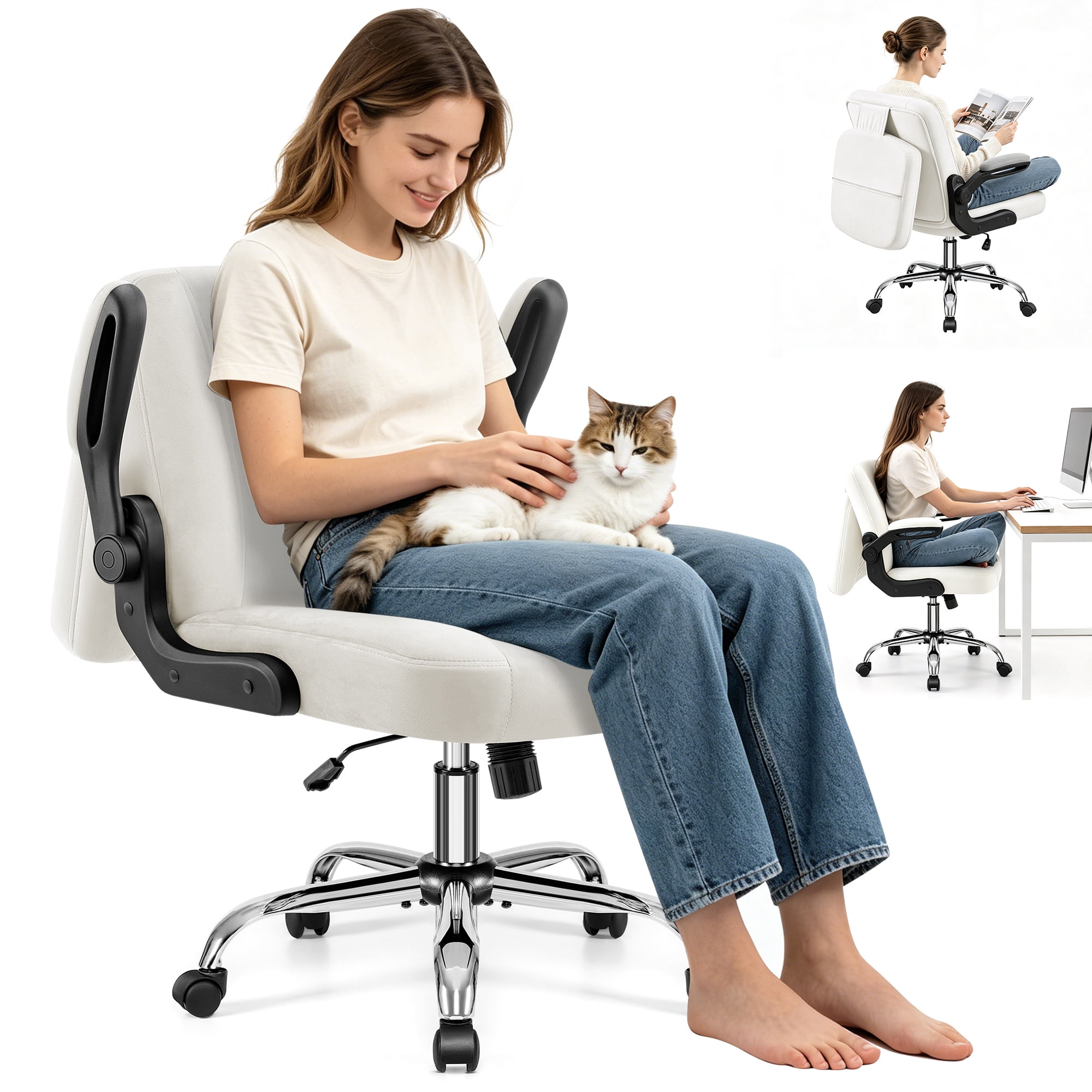
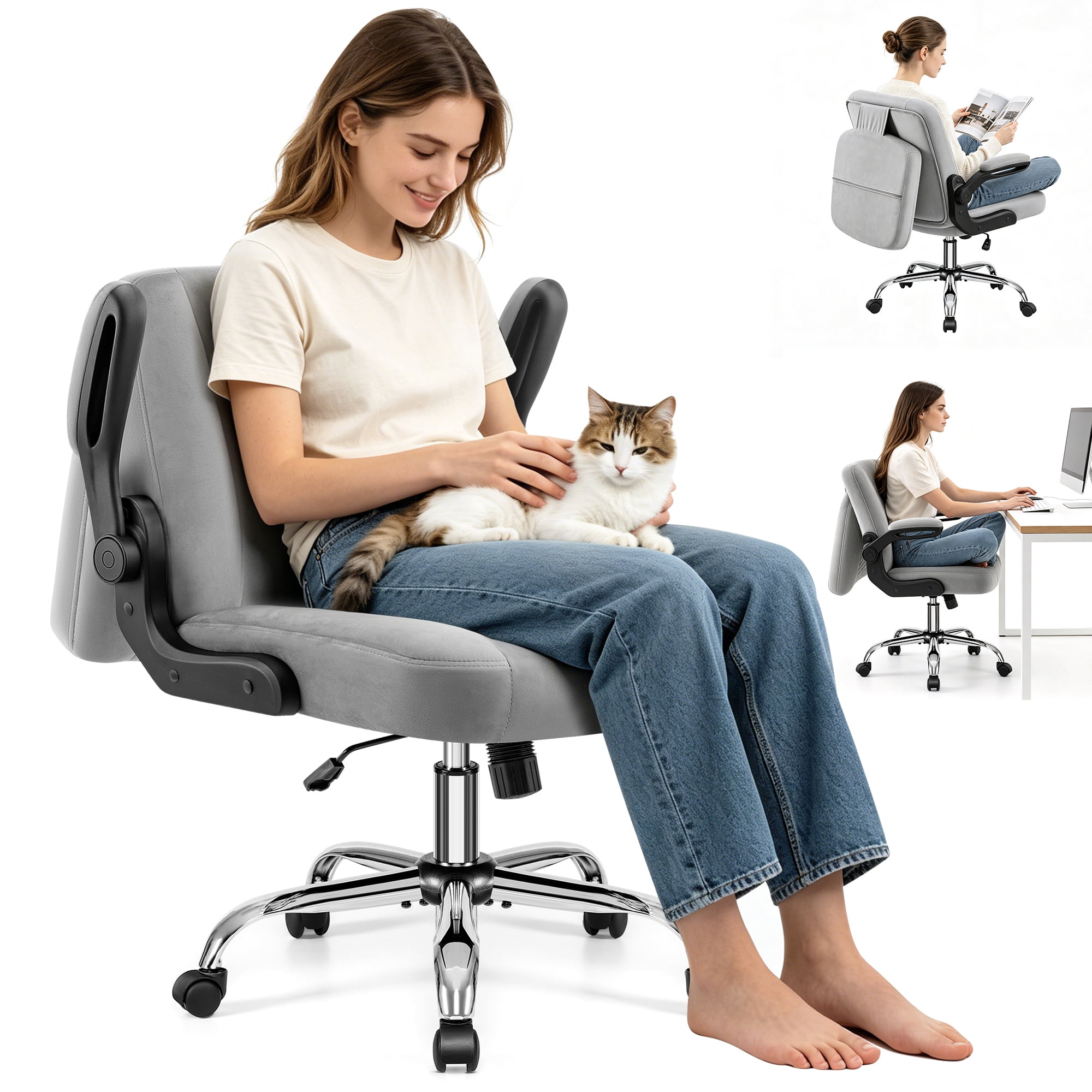
- Flip-Up Arms: These can be pivoted upwards to save space, allowing you to slide the chair under a desk or sit closer to your workspace.
- Height-Only Adjustable Arms: Basic but functional, these allow you to raise or lower the armrest to match your desk height.
Key Benefits of Moveable Armrests
Enhanced Posture
Properly positioned armrests help keep your shoulders relaxed and your elbows at a 90-degree angle, promoting a neutral spine alignment.
Reduced Strain
By supporting your forearms, moveable arms relieve pressure on your neck, shoulders, and upper back, especially during long typing sessions.
Workspace Flexibility
Flip-up or narrow arms allow you to get closer to your desk, ideal for writing or working on detailed tasks without armrest interference.
Personalized Comfort
With 3D or 4D adjustments, you can fine-tune the armrest position to suit your unique body geometry and sitting style.
Choosing the Right Moveable Arm Chair
When selecting an office chair with moveable arms, consider these factors to ensure you get the best fit:
| Feature | Why It Matters | What to Look For |
|---|---|---|
| Adjustment Range | Ensures the armrests can be positioned to support your specific posture. | Look for 4D arms if you need maximum flexibility, or 3D for a great balance of adjustability. |
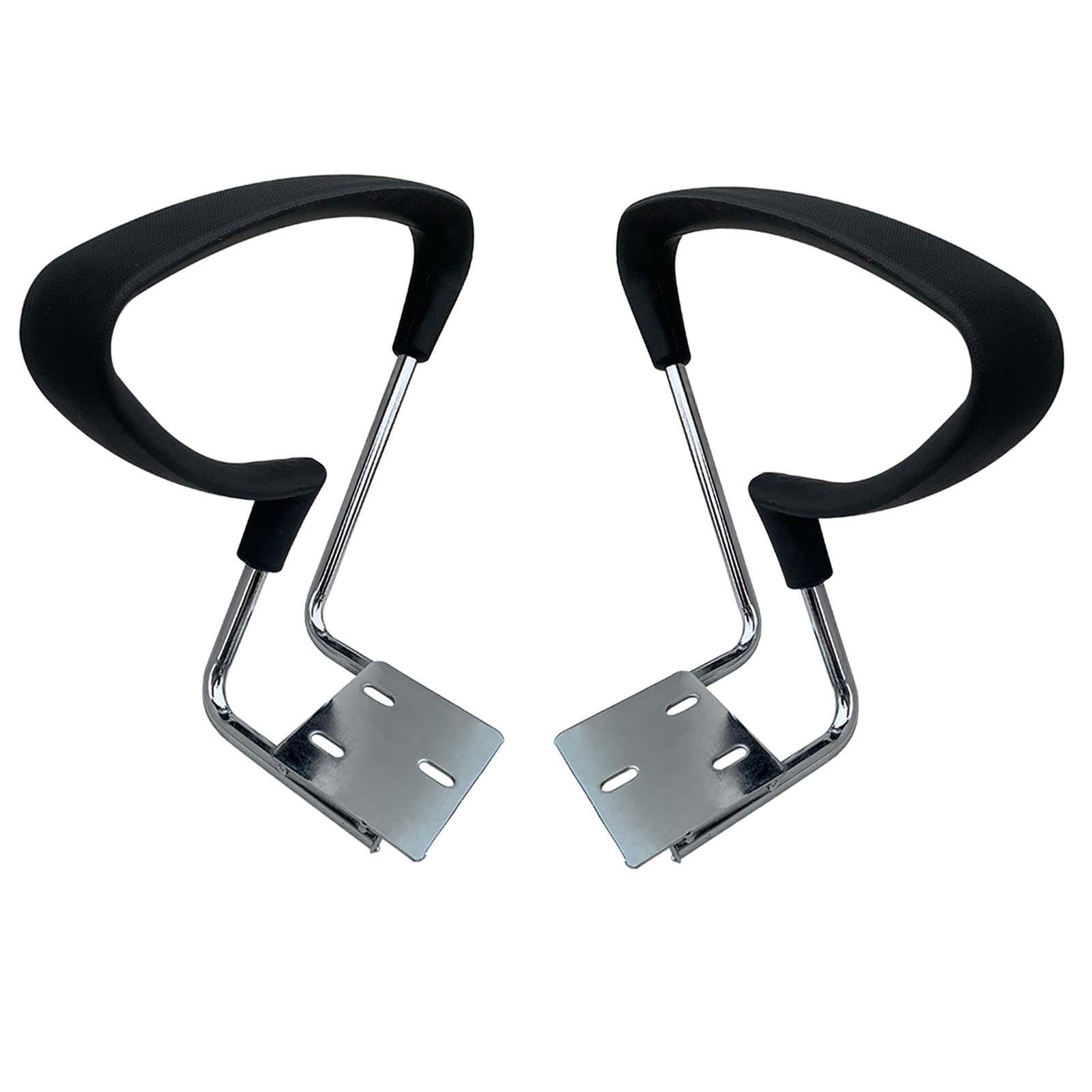
| Armrest Padding | Soft, supportive padding reduces pressure on the elbows and forearms. | Choose chairs with soft-touch or gel-infused padding for long-lasting comfort. |
| Durability of Mechanism | Frequent adjustments require a sturdy, reliable mechanism that won't wear out quickly. | Look for chairs with metal-reinforced adjustment levers and positive locking mechanisms. |
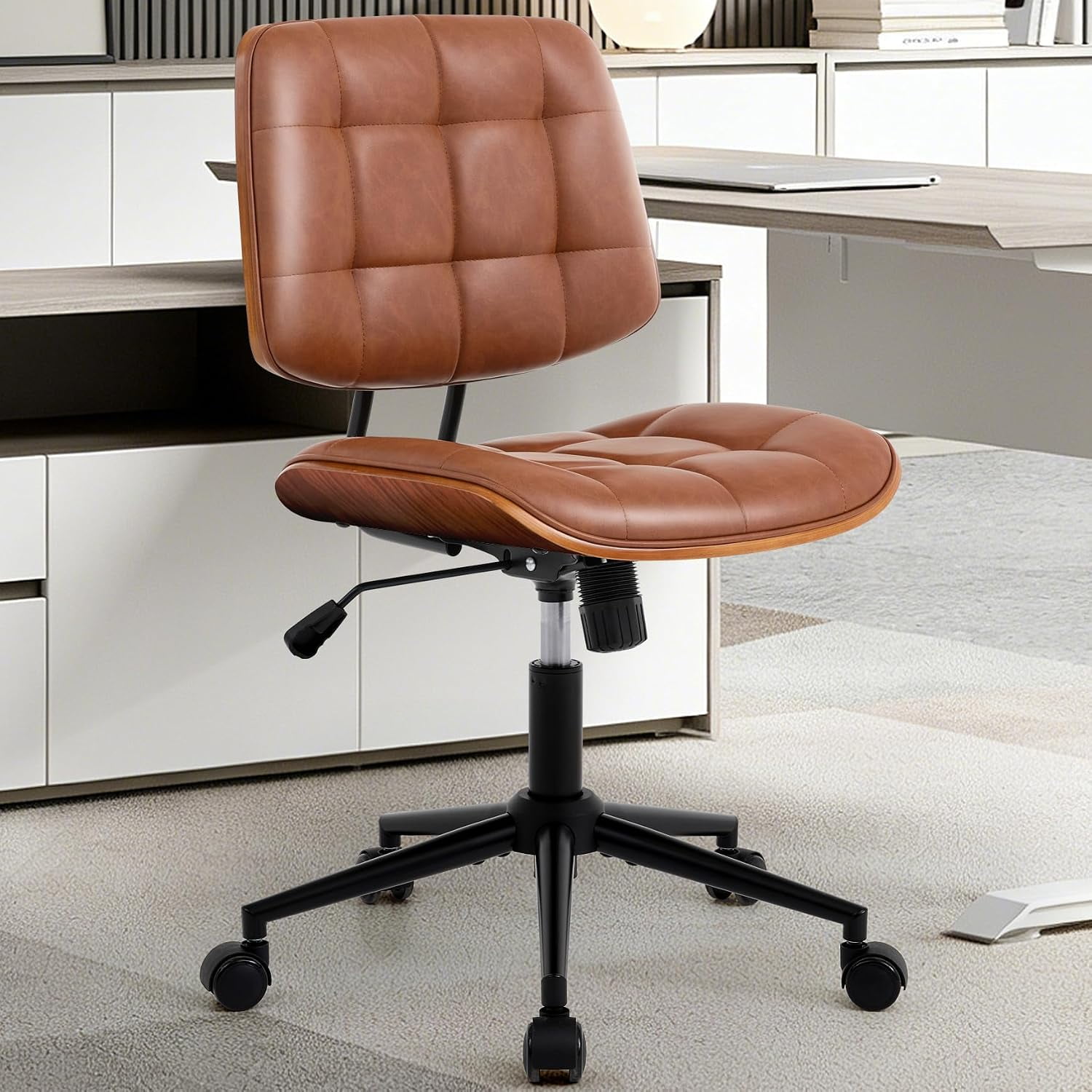
| Compatibility with Desk | Ensure the armrests can be positioned to allow the chair to slide under the desk. | If you have a low desk, consider flip-up arms or chairs with a narrow armrest profile. |
| User Weight & Build | The armrest mechanism must support the user's weight if they lean on them. | For heavier users, choose chairs with heavy-duty armrests that are securely attached to the seat frame. |
Health Benefits of Proper Arm Support
Beyond convenience, adjustable armrests contribute to your long-term health and wellbeing:
Prevents Shoulder Impingement
Proper arm support keeps your shoulders from hunching, reducing the risk of impingement syndrome.
Reduces Neck Tension
When your arms are supported, your neck muscles don't have to overcompensate, easing tension headaches.
Improves Circulation
Reduced pressure on the underside of your forearms promotes better blood flow to your hands and fingers.
Increases Productivity
Comfortable arm positioning allows you to focus on your work rather than fidgeting to get comfortable.
In-Depth Guide: Maximizing Your Office Chair with Moveable Arms
An office chair with moveable arms is a significant investment in your daily comfort. To get the most out of it, you need to understand how to adjust it correctly and what features truly matter. Let's dive deeper.
Step-by-Step: How to Adjust Your Moveable Arms for Perfect Ergonomics
- Start with Your Posture: Sit back in the chair with your feet flat on the floor. Your knees should be at a 90-degree angle, and your hips should be pushed back against the seat.
- Adjust Armrest Height: Your elbows should be bent at a 90-degree angle, with your forearms parallel to the floor. Adjust the armrest height so that they just support the underside of your elbows without lifting your shoulders.
- Set the Armrest Width: Your arms should not be splayed outward or pressed against your sides. Adjust the width so your arms fall naturally, in line with your shoulders.
- Fine-Tune Depth and Angle (if available): For 3D/4D arms, adjust the depth so that the armrest sits directly under your forearm. Adjust the angle to match the natural tilt of your forearm.
- Test Your Typing Position: Place your hands on the keyboard. Your wrists should be straight, and your forearms should be supported comfortably. If you feel pressure on your elbows, re-adjust.
Pro Tip: After adjusting your arms, check that you can easily slide the chair under your desk when not in use. This is where flip-up or narrow-width arms truly shine.
Moveable Arms vs. Fixed Arms: What’s the Difference?
While fixed arms offer basic support, moveable arms provide a level of customization that can transform your sitting experience. Here’s a quick comparison:
- Flexibility: Moveable arms can be adjusted to suit different tasks, while fixed arms are limited to one position.
- Space Saving: Moveable arms, especially flip-up ones, allow you to tuck the chair completely under the desk, freeing up valuable floor space.
- Ergonomic Fit: Only moveable arms can be tailored to your specific body proportions, reducing the risk of discomfort or injury.
- Versatility: If multiple people use the same chair, moveable arms make it easy to adjust the chair to each person's needs.
Common Materials Used for Armrest Pads
The material of the armrest pad affects comfort and durability. Here are the most common options:
- Polyurethane (PU) Leather: Easy to clean, durable, and offers a professional look. Can be a bit firm initially but softens over time.
- Mesh: Breathable and lightweight, ideal for warmer climates. Provides a firm, supportive feel.
- Soft Foam/Gel: Offers superior cushioning and pressure relief, perfect for all-day comfort.
- Fabric/Cloth: Soft and comfortable, but can absorb sweat and stains. Best for climate-controlled environments.
Frequently Asked Questions About Office Chairs with Moveable Arms
Conclusion: Finding Your Perfect Chair with Moveable Arms
Choosing an office chair with moveable arms is a decision that pays off in comfort, health, and productivity. Whether you opt for basic height-adjustable arms or premium 4D armrests, the key is to find a chair that adapts to you—not the other way around.
Your Path to Ergonomic Excellence
Take the time to test different adjustment types and materials to find what feels best for you. A well-chosen chair is a long-term investment in your wellbeing and success.