
Why Choose a Small Office Chair Without Arms?
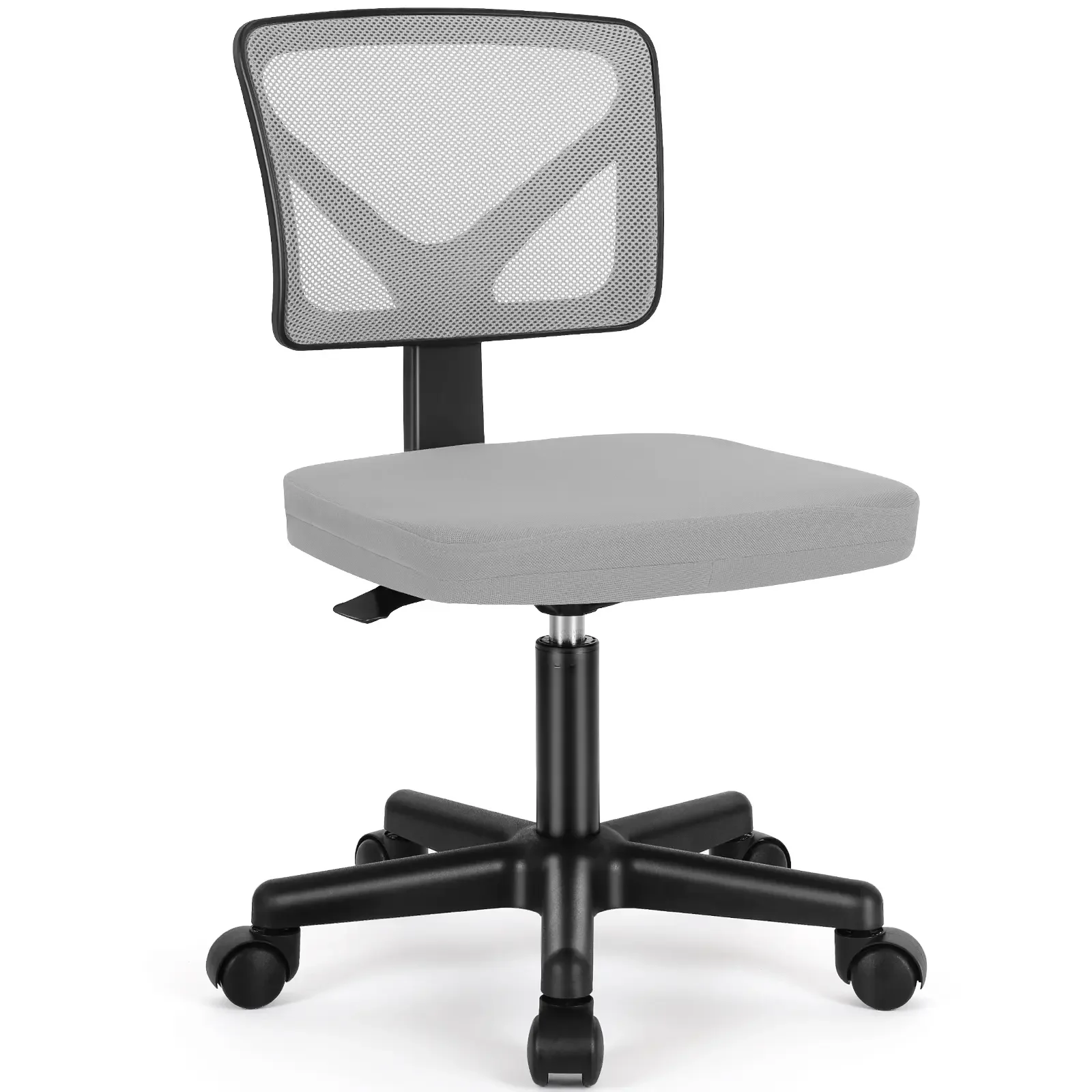
When floor space is at a premium, every inch counts. A small office chair without arms is a smart, ergonomic solution that keeps you comfortable without crowding your workspace. These chairs are designed to fit under desks, tuck into corners, and roll smoothly in tight areas — all while providing essential back support.
Space-Saving Insight: Armless chairs are typically 4–6 inches narrower than standard models, giving you up to 30% more usable floor space. They also allow you to sit closer to your desk, reducing reach and promoting a healthier posture.
Key Benefits of Armless Small Office Chairs
- Compact footprint — ideal for small home offices, shared workspaces, and cubicles
- Unrestricted arm movement — type, write, or use a mouse without elbow interference
- Easy to store — slides completely under most desks when not in use
- Lightweight & mobile — easier to move around and reposition
- Affordable — often priced lower than chairs with complex arm mechanisms
Ergonomics Without Armrests: Does It Work?
Many people worry that armless chairs lack support, but modern designs prove otherwise. The absence of armrests encourages a more active sitting posture — your shoulders stay relaxed, your elbows rest naturally at your sides, and you're less likely to slouch. Look for these ergonomic features:
| Feature | Why It Matters | What to Look For |
|---|---|---|
| Lumbar Support | Prevents lower back fatigue during long sits | Adjustable height or built-in contour |
| Seat Depth & Width | Ensures proper thigh support without pressure | Seat depth at least 17–19 inches, width 18+ inches |
| Height Adjustment | Allows feet to rest flat on the floor | Gas lift with 4–6 inch range |
| Tilt Mechanism | Enables dynamic sitting and weight shift | Lockable tilt or tension control |
| Caster Quality | Smooth mobility without floor damage | Rubber or polyurethane wheels |
Health & Productivity Perks
Better Posture
Armless designs encourage an upright spine and open chest
Shoulder Relief
No armrests mean no pressure on the shoulder blades
Improved Circulation
Freedom to shift positions reduces leg numbness
Focus Boost
Less physical restriction = better mental clarity
Materials That Matter for Small Armless Chairs
The material of your chair affects comfort, durability, and maintenance. Here's how the most common options stack up for small office chairs without arms.
Mesh Back + Fabric Seat
- Breathable — keeps you cool during long sessions
- Flexible — conforms to your back's natural curve
- Lightweight — easy to move and adjust
- Affordable — budget-friendly without sacrificing support
Mesh + Fabric: Things to Know
- May lack plush cushioning for some users
- Dirt can accumulate in mesh weaves
- Not as premium-looking as leather
PU Leather / Faux Leather
- Easy to clean — wipe with a damp cloth
- Professional appearance — mimics real leather
- Durable — resists stains and spills
PU Leather: Considerations
- Can be sticky in hot weather
- May peel or crack after years of use
- Less breathable than mesh
How to Pick the Perfect Small Armless Office Chair
Use this step-by-step guide to find a chair that fits your body, space, and workflow.
Step 1: Measure Your Space
- Desk height: standard is 28–30 inches — chair height should match
- Floor area: width, depth, and clearance under the desk
- Chair width: aim for 18–22 inches to fit snugly
Step 2: Assess Your Sitting Style
Step 3: Set a Realistic Budget
Starter
Mid-Range
Premium
Step 4: Test the Feel
Pro Tip: If possible, sit in the chair for at least 10–15 minutes. Pay attention to the firmness of the seat, the curve of the backrest, and how easily the height lever operates. Your comfort is non-negotiable.
Frequently Asked Questions About Small Office Chairs Without Arms
Conclusion & Final Recommendations
A small office chair without arms is a versatile, space-saving choice that doesn't compromise on comfort or ergonomics. Whether you're setting up a home office, outfitting a cubicle, or need a secondary chair for a meeting room, these chairs deliver functionality and style.
Who Should Choose an Armless Small Chair?
Remember: the best chair is the one that fits your body, your space, and your daily workflow. Use the guidelines above to make an informed choice, and enjoy the freedom of armless seating.